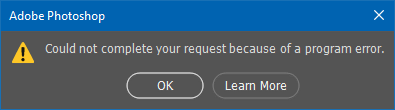
I've had this problem lately where if I try to do anything at all in Photoshop with my GPU use ON, I get greeted with "Could not complete your request because of a program error." Whether it be opening a file, closing a file, using any brushes or even trying to exit the program, I get this error. I'm aware the "fix" is to disable the use of my graphics processor, but I refuse to do that because Photoshop lags horrendously when this setting is off as it just uses my CPU's power.
A temporary fix is the reset the settings and then restart, but as soon as I close and re-launch Photoshop it goes back to the same issue.
Is there a fix at all for this? This only happened within the last month. All my drivers are updated and so is Photoshop. My GPU is a GTX 1070.





 3
Replies
3
Replies


 AdChoices