
ScottP09
Participant
March 7, 2023
Question

Photoshop scaling issue 5k monitor

  • March 7, 2023
  • 3 replies
  • 2210 views

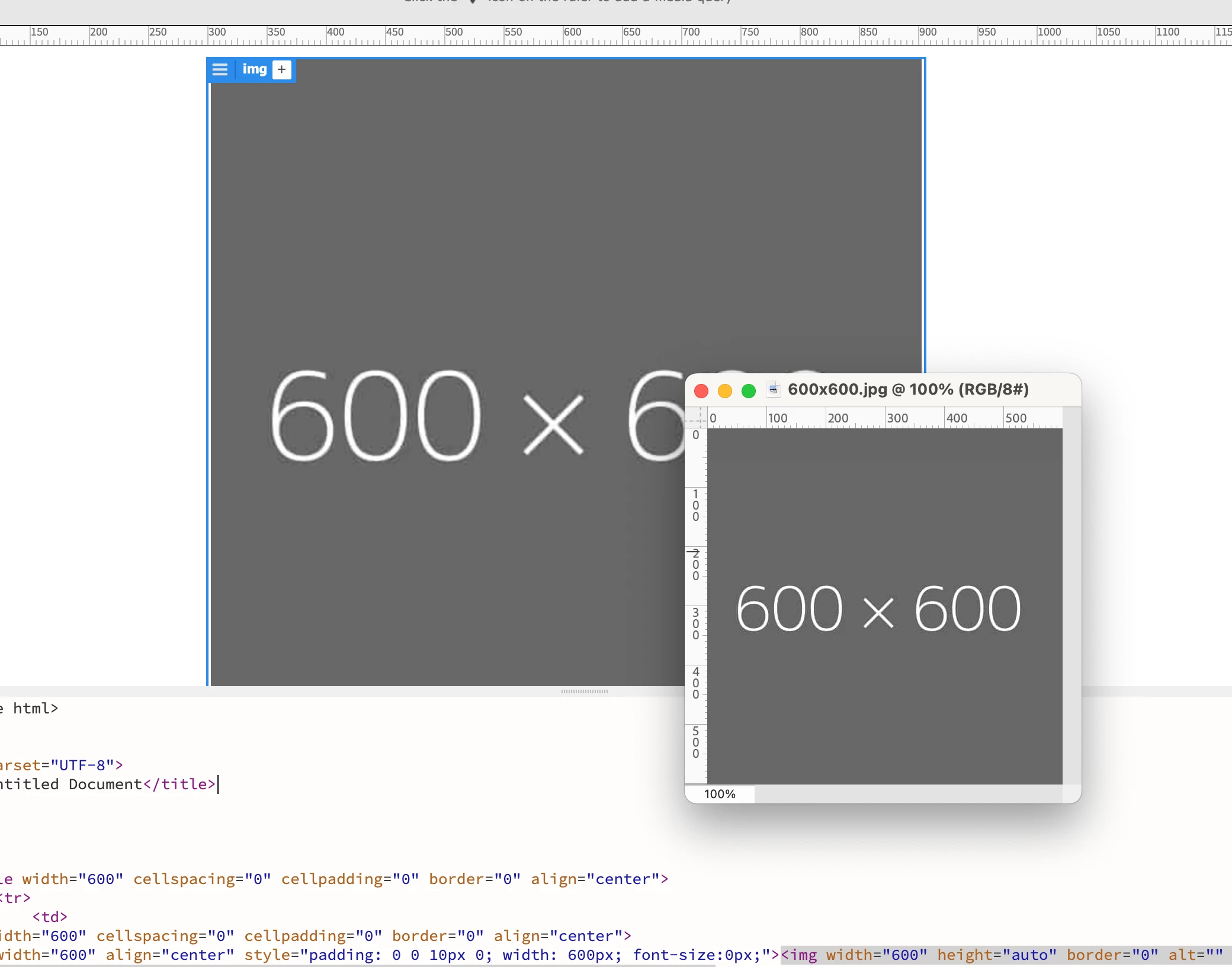
So my old work Mac was running on it's last legs. Finally got money in the budget to upgrade to the new Mac Studio and Studio Display 5k. When I attempted to open a PDF in Photoshop at 600pixels wide at 300ppi, it's opening at about 1/2 the size that it should be when I compare my two computer/monitors side-by-side. An image that reads 600pixels wide looks like the correct width in my gmail in Chrome, looks correct in Dreamweaver, but in Photoshop, even though it says 600px wide, it's looking like it's 300px wide. A screenshot on my Mac cmd+shft+4 dragged over the Photoshop image confirms that it's measuring 300px wide. I've attached an image placed in Dreamweaver at 600px wide viewed at 100% next to the exact same image viewed in Photoshop at 100%. Not even close. I've tried a couple different versions of Photoshop and they're doing the same thing...

I'm sure there's some setting I'm missing or something very simple that I've overlooked?
 

This topic has been closed for replies.

3 replies

ScottP09
ScottP09Author
Participant
March 8, 2023

Thanks everyone for taking the time to answer. I appreciate it.

Legend
March 8, 2023

To further complicated things, its not always 200%. MacOS scales things depending on the display resolution vs physical resolution. Sometimes that's 4 pixels to 1 pixel but not always. You'll have to test at actual display resolution.

Dan Rodney
Community Expert
Community Expert
March 7, 2023

Photoshop displays the image at the correct size for a high-res (2x) display. Webpages assume they should be displayed like old low-res displays (1x). In your code you will need to reduce the image size in half (50%) and then it will appear the same size (and clarity) as you see in Photoshop.


To learn more, read this blog post I wrote about the subject Retina Web Graphics Explained: 1x versus 2x (Low‑Res versus Hi‑Res) 

— Adobe Certified Expert & Instructor at Noble Desktop | Web Developer, Designer, InDesign Scriptor
D Fosse
Community Expert
Community Expert
March 7, 2023

(deleted, I misread)

D Fosse
Community Expert
Community Expert
March 7, 2023

Photoshop displays correctly! One image pixel is represented by exactly one physical screen pixel.


Other, consumer-oriented image viewers, web browsers etc scale up 2x when they detect a high resolution display. They use four screen pixels to represent one image pixel. In other words, they turn your high resolution display into an ordinary low resolution one.


This is the industry standard workaround to ensure that the same material can be used everywhere, regardless of what screen technology it happens to be seen on.