Inspiring
March 18, 2023
Answered

Photoshop-Taper the ends of Line Tool?

  • March 18, 2023
  • 3 replies
  • 4012 views

Using only the Line Tool/Straight Line Tool in Photoshop 24.2 on Mac OS, can I taper the ends of the lines instead of them being blunt and square? Arrowheads setting will not do this.

This topic has been closed for replies.
Correct answer Mike_Gondek10189183

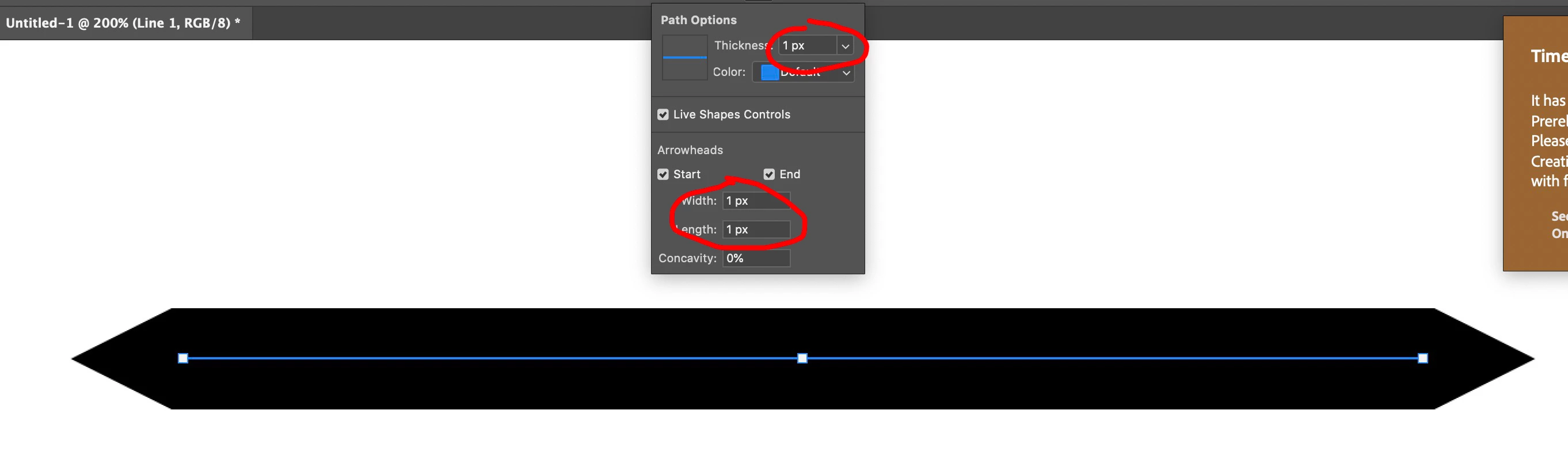
Actually, you can do it with arrowheads with the right settings
 

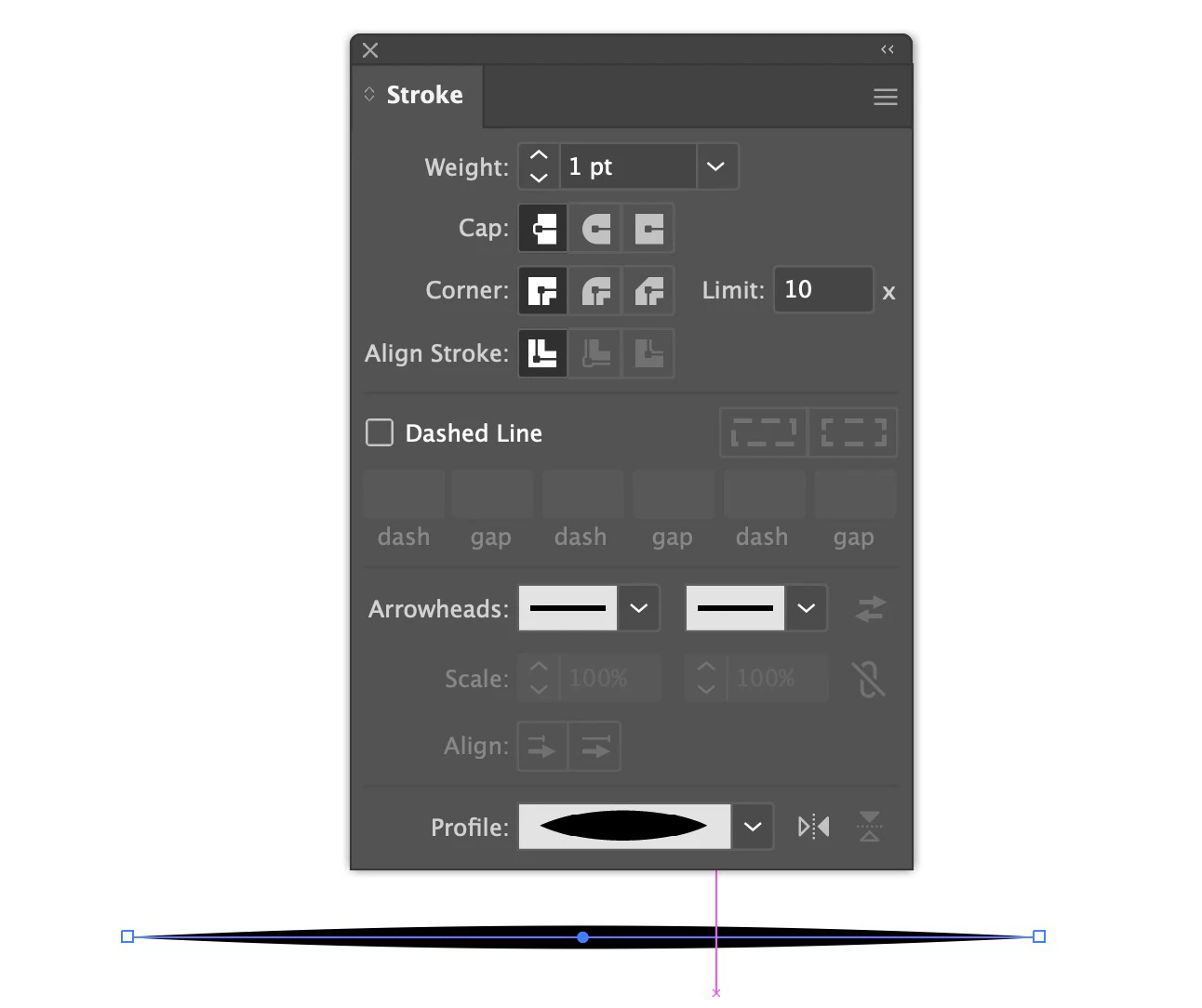
In Illustrator use stroke profile


3 replies

jane-e
Community Expert
Community Expert
March 18, 2023

@markdouglasgrant1 


I can't think of any way to do this in Photoshop, but Illustrator does it quite easily.


In Illustrator. you use the Width tool  (Shift+W) and add a width point as wide or as narrow as you desire to the middle of the path. Then you double-click the top anchor point and set the total width to zero. Repeat for the bottom anchor point.

Photoshop excels at image editing with some drawing ability. Illustrator excels at drawing with close to zero image editing.


Jane


Mike_Gondek10189183
Community Expert
Mike_Gondek10189183Community ExpertCorrect answer
Community Expert
March 18, 2023

Actually, you can do it with arrowheads with the right settings


In Illustrator use stroke profile


Ranjisha Sengupta
Legend
March 18, 2023

Hi @markdouglasgrant1 


Thanks for reaching out.

Photoshop is a great tool to get all the creative imaginations to reality. The answer to your question is: Yes; In Photoshop, you can taper lines according to your wish. There are a lot of ways to achieve the results.

You can check this tutorial for more details: https://www.youtube.com/watch?v=PDQ2V6FwC7I

https://www.youtube.com/watch?v=jlKoZ_xAr98


Let us know how it goes.


Best,

Ranjisha

Inspiring
March 18, 2023

Thank you but not what I asked -- "Using only the Line Tool/Straight Line Tool" 

Mike_Gondek10189183
Community Expert
Community Expert
March 18, 2023

Best you can do is roudn the edges, ntoy a pointy taper.

You could use the line tool to draw a vector path, and then change your brush setting to taper by setting fade in the brush settings.


I don't like that as is hard to guess how many pixels to set and takes alot of back and forth. I would recommend you do in Illustrator, copy and paste it into photoshop.