Srishti Bali
Community Manager
Community Manager
April 24, 2025

Photoshop v26.6 MAX LONDON | Enhanced Object Selection, Color Adjustments, and More!

  • April 24, 2025
  • 4 replies
  • 1908 views

We're happy to announce the release of Photoshop v26.6

Photoshop v26.6 is here with exciting performance upgrades, Smarter Selections, Color Adjustments, and multiple bug fixes. For details, see Fixed Issues!

Update now to experience these improvements and elevate your creativity!


Update the App

Try out the latest Features and Enhancements in Photoshop.

To update Photoshop to v26.6, click "Update" in the Creative Cloud desktop app next to Photoshop. More detailed instructions for updating

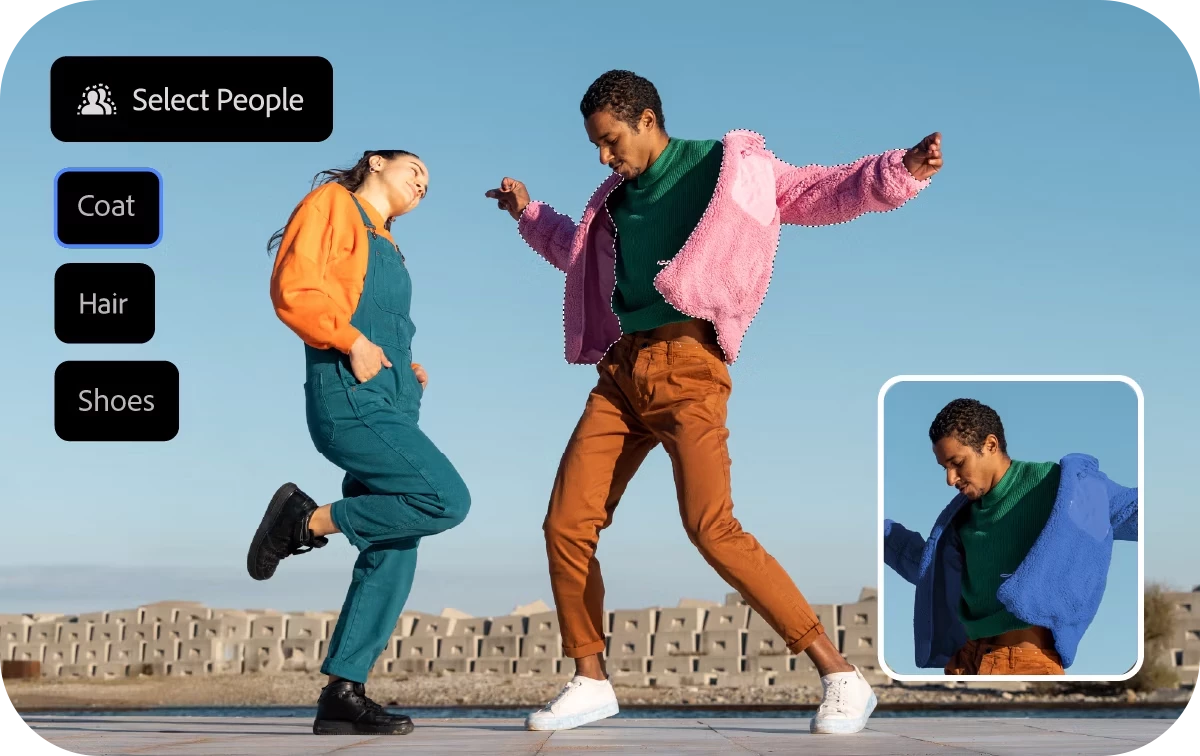
Select Details with the Object Selection Tool!

Easily make precise selections of people and their features—like hair, face, and accessories—with the new Select Details feature in the Object Selection tool.

Hover over a person or use the Select People dropdown to choose detected elements. Then adjust color, lighting, or apply Generative Fill for seamless edits. 
Learn how to use the Object Selection tool to get started.


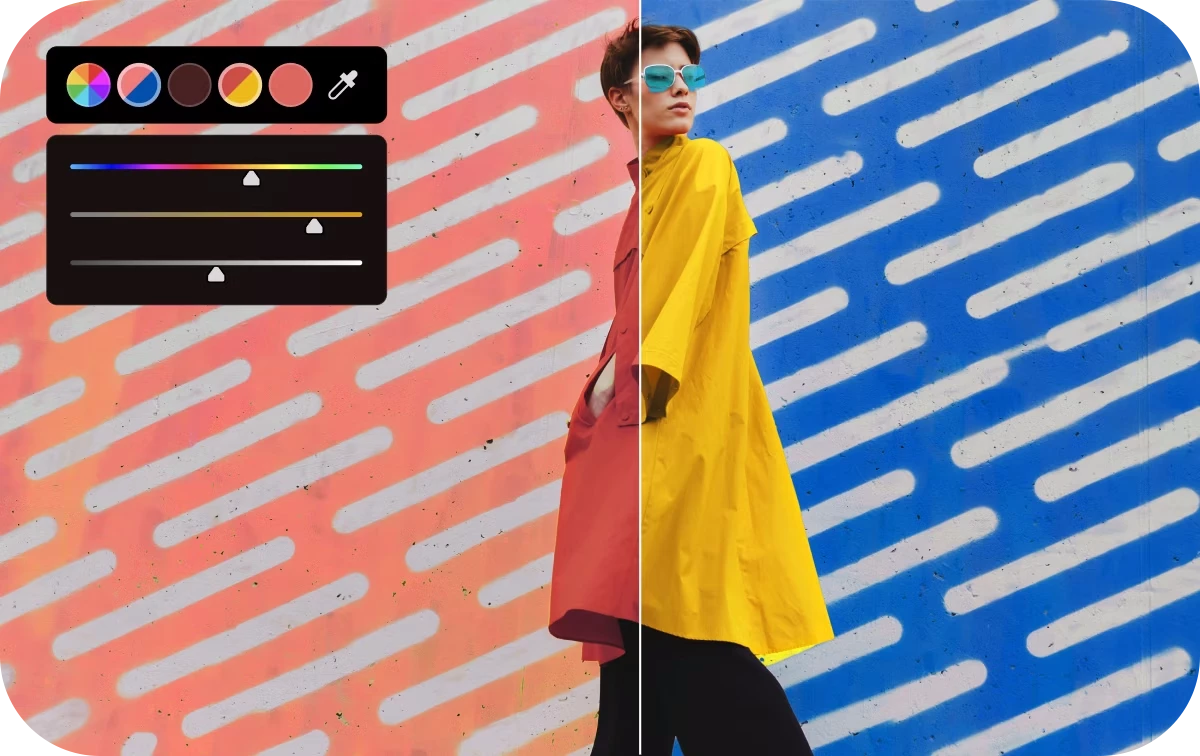
Adjust Colors Capability + Enhanced Hue/Saturation Panel

Quickly and precisely adjust colors with the new Adjust Colors feature. This capability introduces on-canvas controls to modify Hue, Saturation, and Lightness for the six most prominent colors in your image—or use the Eyedropper to sample and tweak a specific one.

The Hue/Saturation adjustment panel has also been redesigned with larger sliders and swatches for easier fine-tuning.


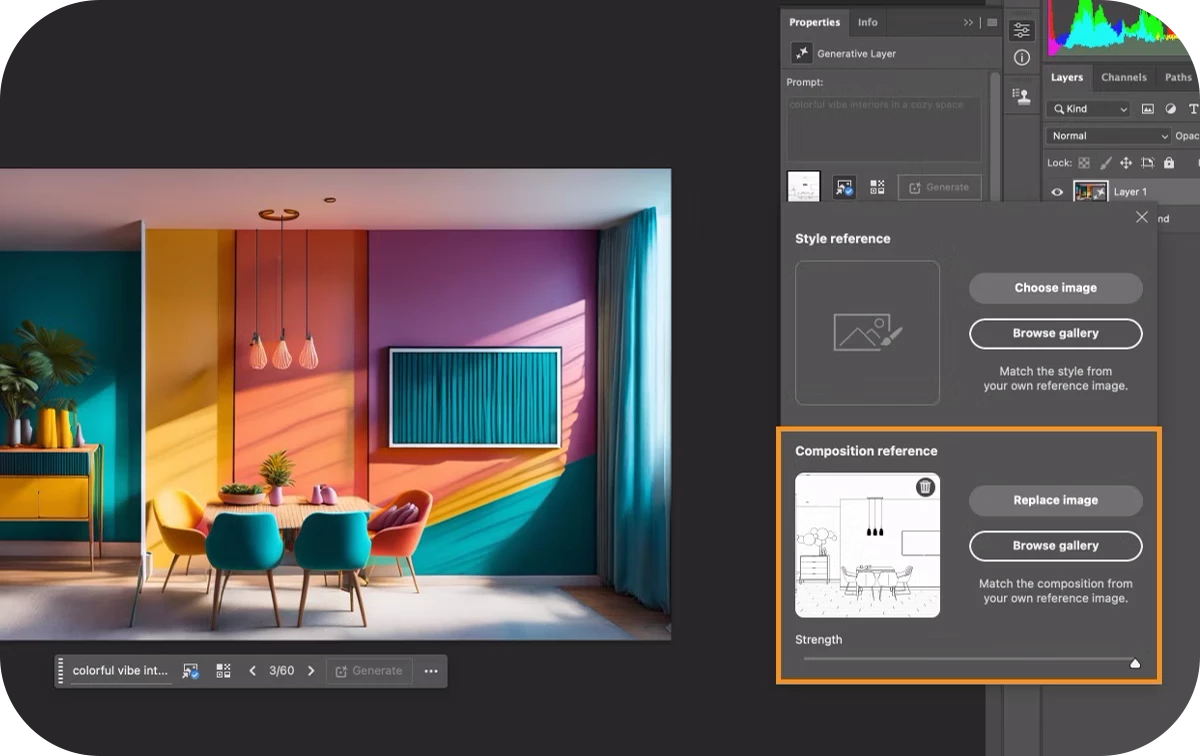
Composition Reference Setting in Generate Image

Maintain structure and visual consistency in AI-generated assets with the new Composition Reference setting in Generate Image.

By using a reference image with a clear structure and defined layout, you can guide the AI to generate results that better match your intended design. Start with descriptive text prompts, then apply the Composition Reference to maintain layout fidelity.

We’d love to hear from you!

Try out v26.6 and let us know your thoughts. Feel free to reach out if you have any questions or need more tips!

If this was helpful, please click the Upvote icon in the top left corner of this post. Your feedback helps us improve the experience. Thank you!


Have questions? Click 'Reply' below to ask.

Click 'Follow' below to bookmark this post for easy reference.

    4 replies

    Participant
    July 24, 2025

    Just tried the new object selection tool it’s way more accurate now, especially with clean backgrounds. If you're into design, this is definitely worth a watch!

    Participant
    May 25, 2025

    Hi everyone,


    I’m thrilled about Photoshop v26.6’s Object Selection Tool—perfect for isolating perfume bottles in product photography! At Fragrancesy, we’ve used similar tools to showcase artisanal perfumes for weddings and galas. The AI-driven precision saves so much time, especially when editing intricate bottle designs. Has anyone tried the new Neural Filters for enhancing bottle reflections or lighting? I’d love to hear your workflows!

    Participating Frequently
    May 7, 2025

    Thanks for the update, Srishti!

    The new Select Details enhancement in the Object Selection tool is a huge time-saver—especially for complex edits involving hair and accessories. The on-canvas Adjust Colors feature also makes color correction more intuitive and efficient.

    I'm particularly interested in testing the Composition Reference setting with Generative Fill to see how well it preserves layout consistency in multi-layered designs.

    Great job to the team—looking forward to seeing what’s next!

    mehmood
    Srishti Bali
    Community Manager
    Community Manager
    April 24, 2025

    We’d love to see what you’ve created using these features and hear about your experience!
    Feel free to share your work or feedback with us.

    For any other questions or issues, please create a new post in the community — we’re here to help!

    Trevor.Dennis
    Community Expert
    Community Expert
    April 27, 2025

    We've had at least one poster recently, who was desperate to access the much improved selection tools, but he was using Photoshop at work, and not surprisingly, they were not allowed to used the beta version.  So, he'll be happy.  We all look forward to the October MAX for the Sneek Peaks, and major version updates, but it never ocurred to me that MAX London would be celebrated with such stella updates.  There'll be some smilling faces around the world, I'm sure.