

azlxns
Participant
April 27, 2020
Question

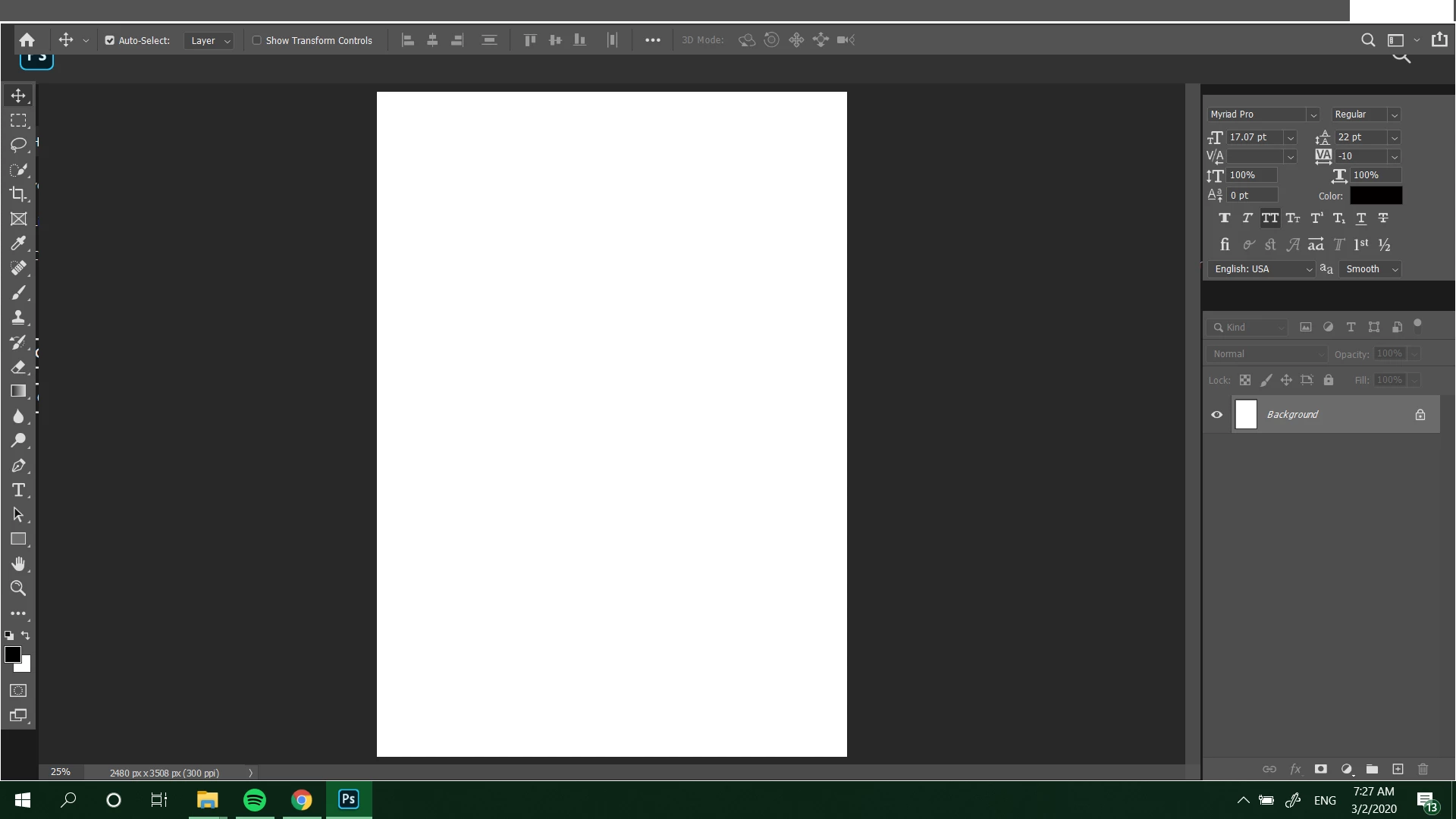
Photoshop work space layout blanking out

  • April 27, 2020
  • 1 reply
  • 210 views

can someone help me out as to why the layout of my photoshop isn't full (refer to attached screenshot)? like i can't see the top bar menu and some parts of the sides are also blank. this is ever since i subscribe to the adobe and downloaded ps through creative cloud. idk if it's a glitch or something but even after updating ps it's still the same. it's hard to do any work because it bothers me so much and especially when i can't navigate through the top menu. 
 

This topic has been closed for replies.

1 reply

c.pfaffenbichler
Community Expert
Community Expert
April 27, 2020

Please post the screenshot n this Forum directly (there seems to be an issue with attachmenst at current). 


Does turning off »Use Graphics Processor« in the Performance Preferences (Photoshop > Preferences > Performance > Graphic Processor Settings) and restarting Photoshop have any bearing on the issue? 

azlxns
azlxnsAuthor
Participant
April 27, 2020

yea should've done that, just updated it with the screenshot tho. 


i haven't tried that yet. will do in a sec. thanks!


update: tried that but it's still the same.