

Please fix 'View > Flip Horizontal' to flip canvas on it's vertical axis to maintain it's location.
Hello,
I am using the 'View > Flip Horizontal' option to flip my canvas quite frequently to review my design and make changes, time and again. While doing so, the canvas location moves and forces me to bring it back to it's original location by manually dragging it with the hand tool. Doing this frequently, breaks the flow of working efficiently, and slows down work when having to do it multiple times is quite the norm.
This is the canvas, in it's original orientation :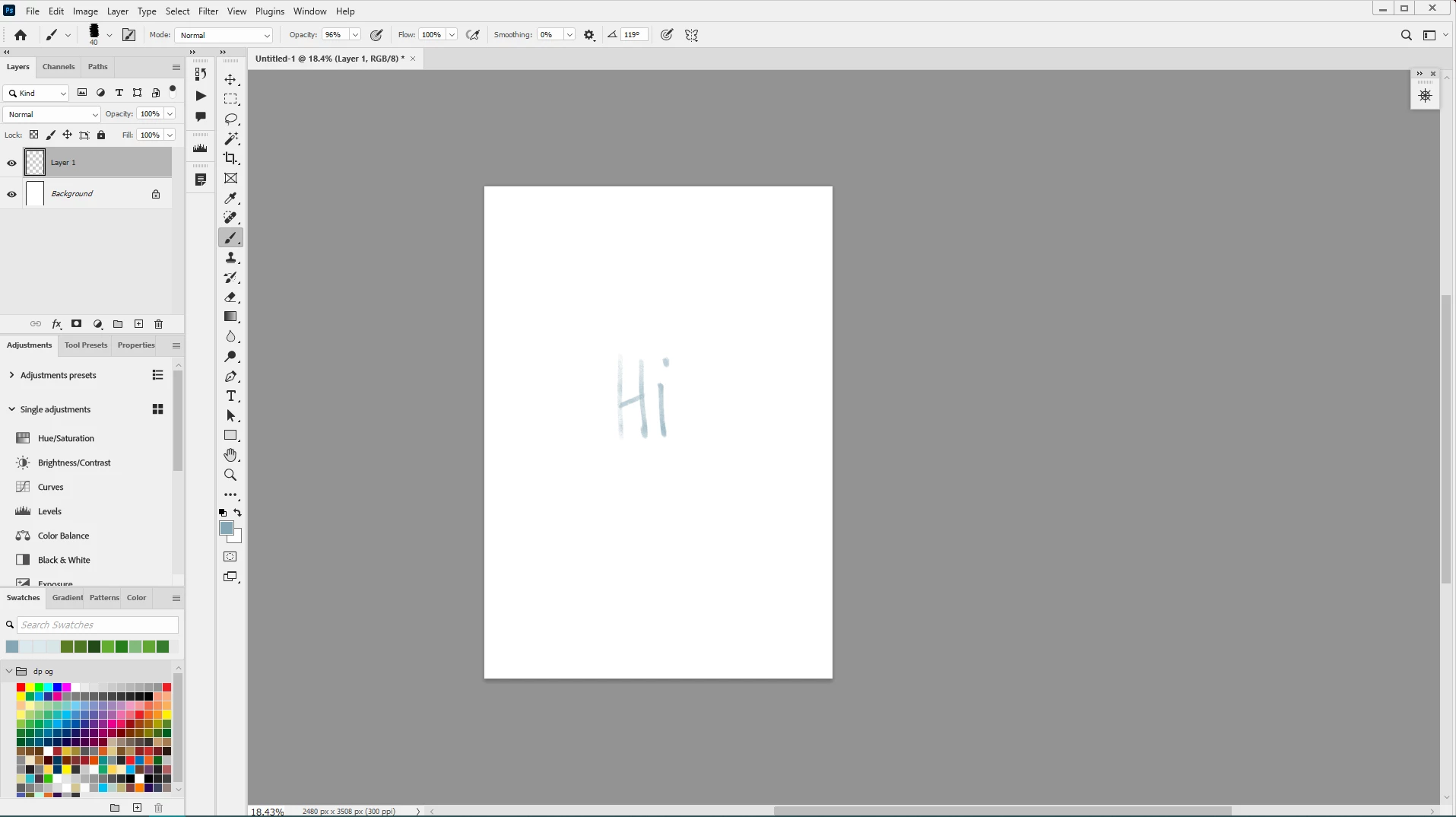
The canvas when flipped via View > Flip Horizontal :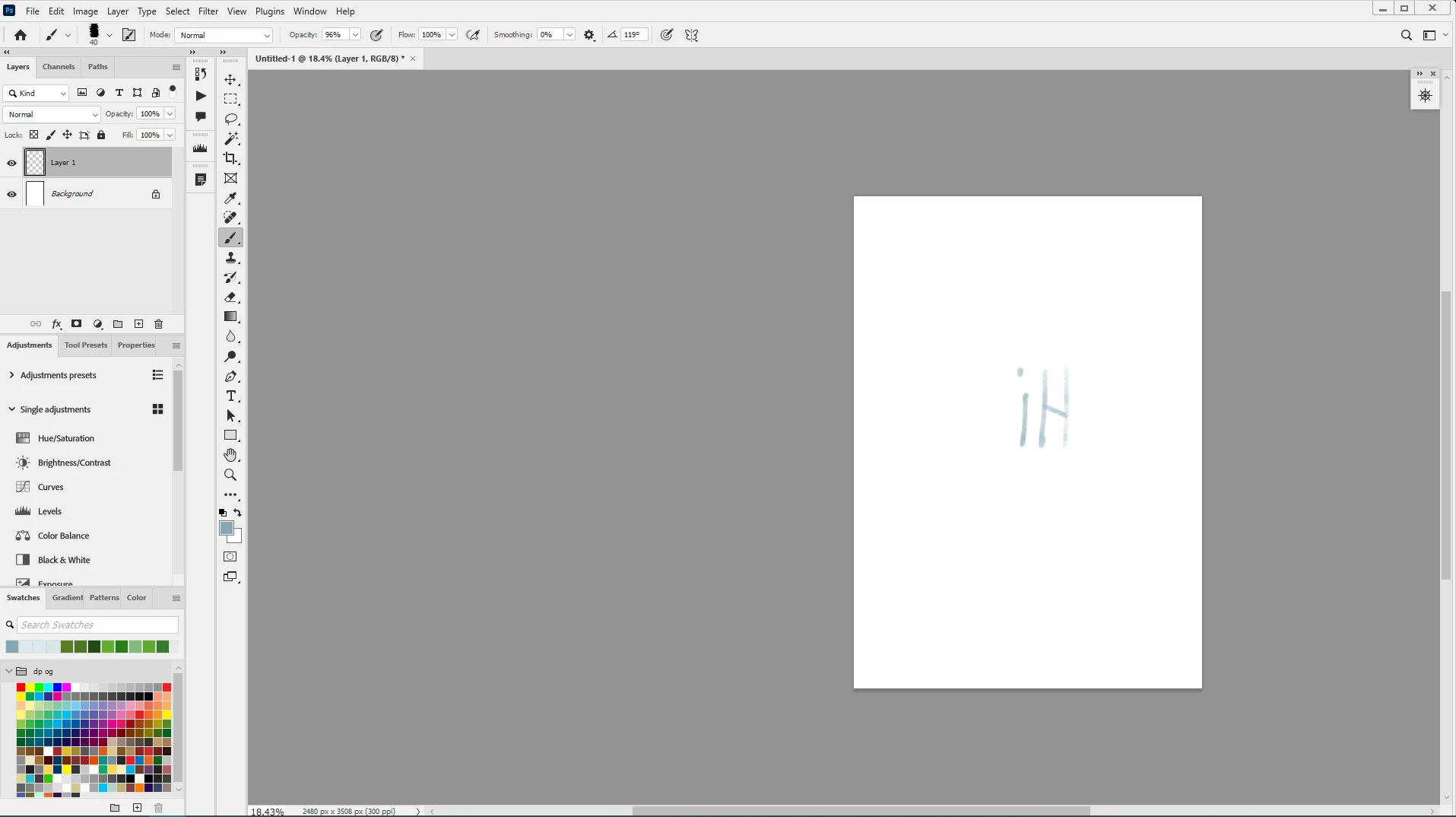
What is actually expected: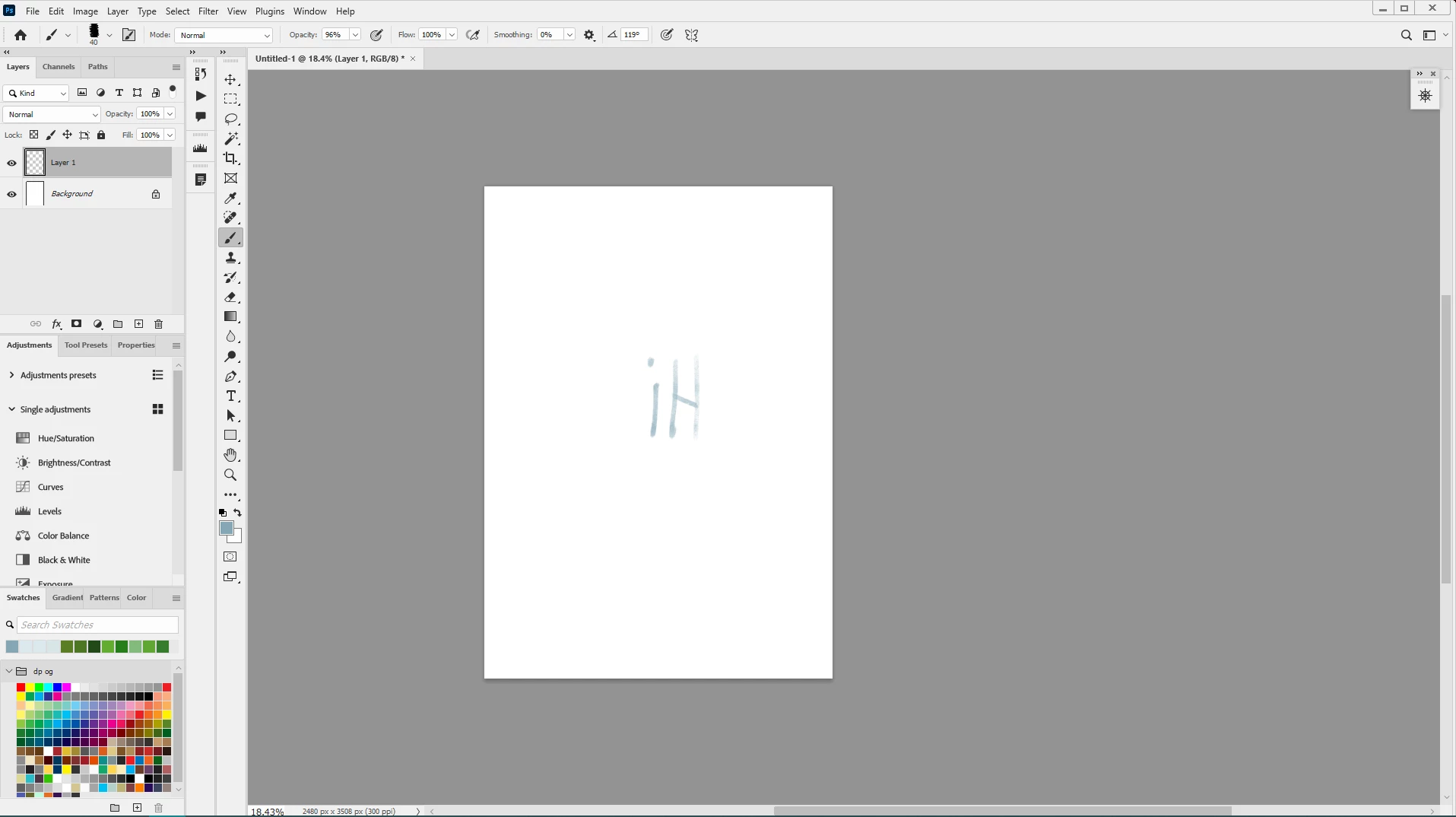
This accurate flipping of the canvas is possible via Image > Image Rotation > Flip Canvas Horizontal, but gets very laggy when there are lots of layers and all of them have to be flipped on the canvas at the same time, only to get laggy again when we have to flip them back to their original orientation, which slows down working considerably while taking you out of the creativity mode.
Which is why the 'View > Flip Horizontal' is a great option for a virtual preview of flipping the canvas, but it needs to retain it's flipping on the vertical axis, just like the option 'Image > Image Rotation > Flip Canvas Horizontal' does, otherwise, it defeats the purpose with having to reset the location of the canvas on every flip.
I hope it is resolved at the earliest. 🙂
Using PS 25.4.0
Win 10
GPU : Nvidia GeForce GTX 1060 6TB
#photoshop #flip #fliphorizontal #maintainverticalaxisonflippingcanvas
 AdChoices