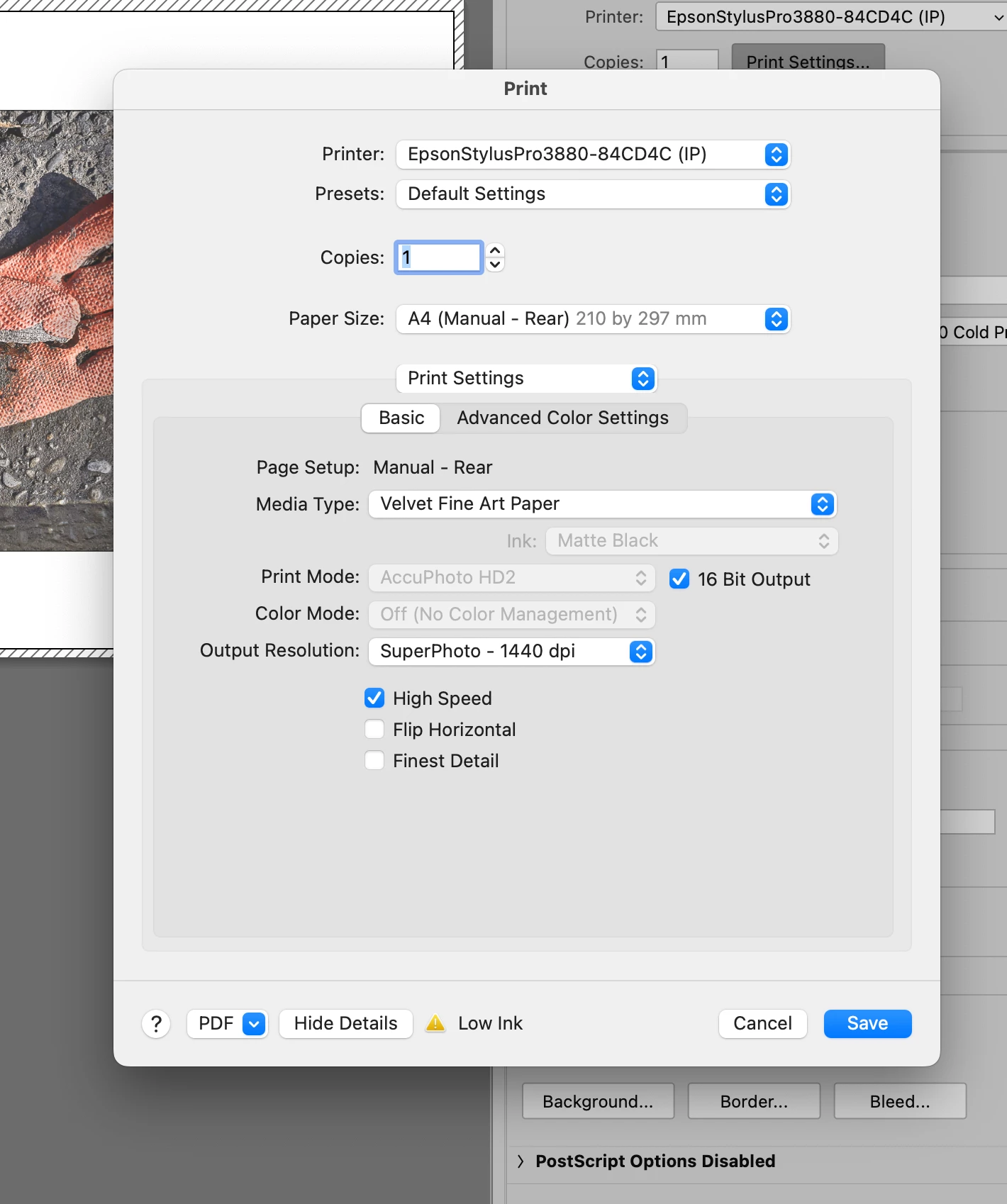
It looks like the other two screen shots are from a manual that was printed many years ago, because the style of the Print dialog box in the manual is from an older version of macOS. It has not looked that way in macOS in recent years. Based on the printer name in your screen shots, if those pages are from the Epson Stylus Pro 3880 manual, that printer (which I also use) was first released 14 years ago in 2009, when Macs ran Mac OS X 10.6.
Did you also update macOS recently, and did the macOS Print dialog box look different after that? Because the style of the Print dialog box in your first screen shot looks like how it was in the versions up through macOS 12. In the current version, macOS 13 Ventura, Apple updated the Print dialog box design again. So in any Mac running macOS 13, the Epson printer options now look like this:
Thank you Conrad. Yes, you are right about the screen shots being from an old manual. Yes I did update recently and the printer dialog box has changed to the one shown in your screen shot. So this is standard and I have no need to worry, right?
@jon bovey I agree Jon, you'll get used to it - this makes good sense as that looks like the current Epspon interface to me
I hope this helps neil barstow, colourmanagement net - adobe forum volunteer - co-author: 'getting colour right' google me "neil barstow colourmanagement" for lots of free articles on colour management
Please explain, is that screenshot what you want? That's an Epson driver - what are you seeing now?
Please insert a screenshot of the current driver options.
macOS native driver is quite different, maybe that’s what you have now.
I hope this helps neil barstow, colourmanagement net - adobe forum volunteer - co-author: 'getting colour right' google me "neil barstow colourmanagement" for lots of free articles on colour management
Thanks Neil. I'm working on a 2015/16 imac with macOSMonterey version 12.6.7 (see attached). I cannot supply a screen shot of the previous setup because it has changed to the current setup. The old setup gave an option to choose photo or matte. It would also bring up a list of media type e.g Epson Hot Press Natural. It also gave the AccuPhoto HD2 option. Are you saying that the current box is now standard? Is the screen shot attached the "current driver options" you have asked for?
I am not sure. When I use the same settings, I see what looks like the full range of papers there (see below).
The only ideas I have are to do with the version of the Epson printer driver, and the way it was installed. I can tell you that I am running the 3880 printer driver from the installer listed on the Epson web site as SP3880_1262_AM.dmg dated October 31, 2022. This shows up in both Epson Printer Utility 4 and macOS as printer driver version 10.90.
In addition, when I added my printer to macOS 12, it offers two options: Bonjour and Epson TCPIP. I forget if it’s supposed to make any difference which one you choose, but I noticed that I installed the Bonjour version and your printer name says IP at the end. If you wanted to look into that, you could go into System Preferences / Printers & Scanners and add a second instance of the Epson 3880 the other way, and see if more papers get listed when you select that printer. (Bonjour is an Apple name for a network protocol that helps devices discover each other.)
Thank you Conrad. The closest print to the original screen image, one I was happy with, was with the Color Mode set to EPSON standard (sRGB). However there was no where on the Print or Print Setup boxes that gives a chance to mention the specific photographic paper chosen - just the generic Velvet Fine Art paper. In your reply you show a screen shot of how my computer used to be prior to down loading the the latest printer driver. My Driver Version is 12.62. I've always used Photoshop Manages Colors but overtime found I had to crank up the the color saturation to get a print close to the original. I guess I'm confused as to how I got a good print using EPSON standard (sRGB) when there was no provision for entering the kind of paper used, other than Velvet Fine Art Paper.