Exit
  • Global community
    • Language:
      • Deutsch
      • English
      • Español
      • Français
      • Português
  • 日本語コミュニティ
  • 한국 커뮤니티
0

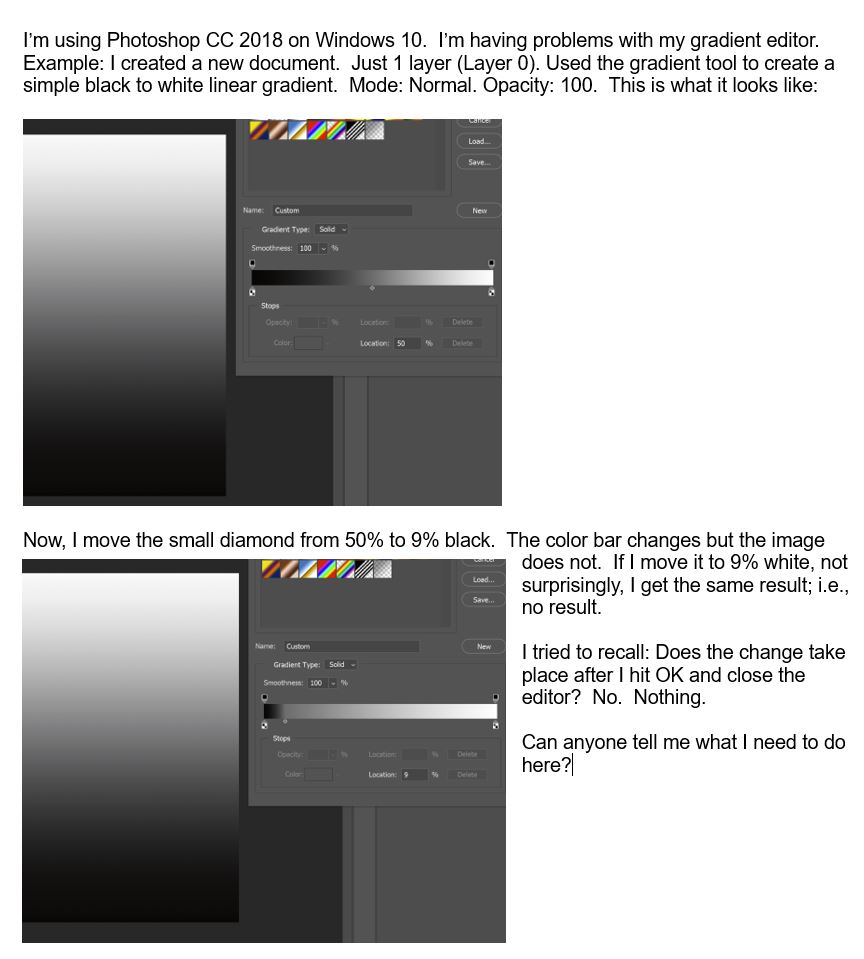
Problem modifying gradients in the gradient editor

Enthusiast ,
May 02, 2018 May 02, 2018

GradientToolNotWorking.JPG

1.9K
Translate
Report
Community guidelines
Be kind and respectful, give credit to the original source of content, and search for duplicates before posting. Learn more
community guidelines

correct answers 1 Correct answer

Community Expert , May 02, 2018 May 02, 2018

The Gradient Tool is a one time thing.

In other words once you draw out a gradient, you can't edit it with the gradient editor.

Try using a Gradient Fill Adjustment Layer. Then you can edit the gradient with the gradient editor and see the changes.

Layer>New Fill Layer>Gradient.

Or you could use a Gradient Overlay Layer Style.

Layer>Layer Style>Gradient Overlay.

Translate
Adobe
Community Expert ,
May 02, 2018 May 02, 2018

The Gradient Tool is a one time thing.

In other words once you draw out a gradient, you can't edit it with the gradient editor.

Try using a Gradient Fill Adjustment Layer. Then you can edit the gradient with the gradient editor and see the changes.

Layer>New Fill Layer>Gradient.

Or you could use a Gradient Overlay Layer Style.

Layer>Layer Style>Gradient Overlay.

Translate
Report
Community guidelines
Be kind and respectful, give credit to the original source of content, and search for duplicates before posting. Learn more
community guidelines
Enthusiast ,
May 03, 2018 May 03, 2018
LATEST

Thanks, very much.  Now it all makes sense.  I always started with the gradient layer and used the editor.  I just thought it would be quicker and easier to start by drawing the gradient with the tool.  It never occurred to me that a gradient created with the tool could not be edited.  Thanks, again.

Translate
Report
Community guidelines
Be kind and respectful, give credit to the original source of content, and search for duplicates before posting. Learn more
community guidelines