color and contrast problems when opening a file in photoshop

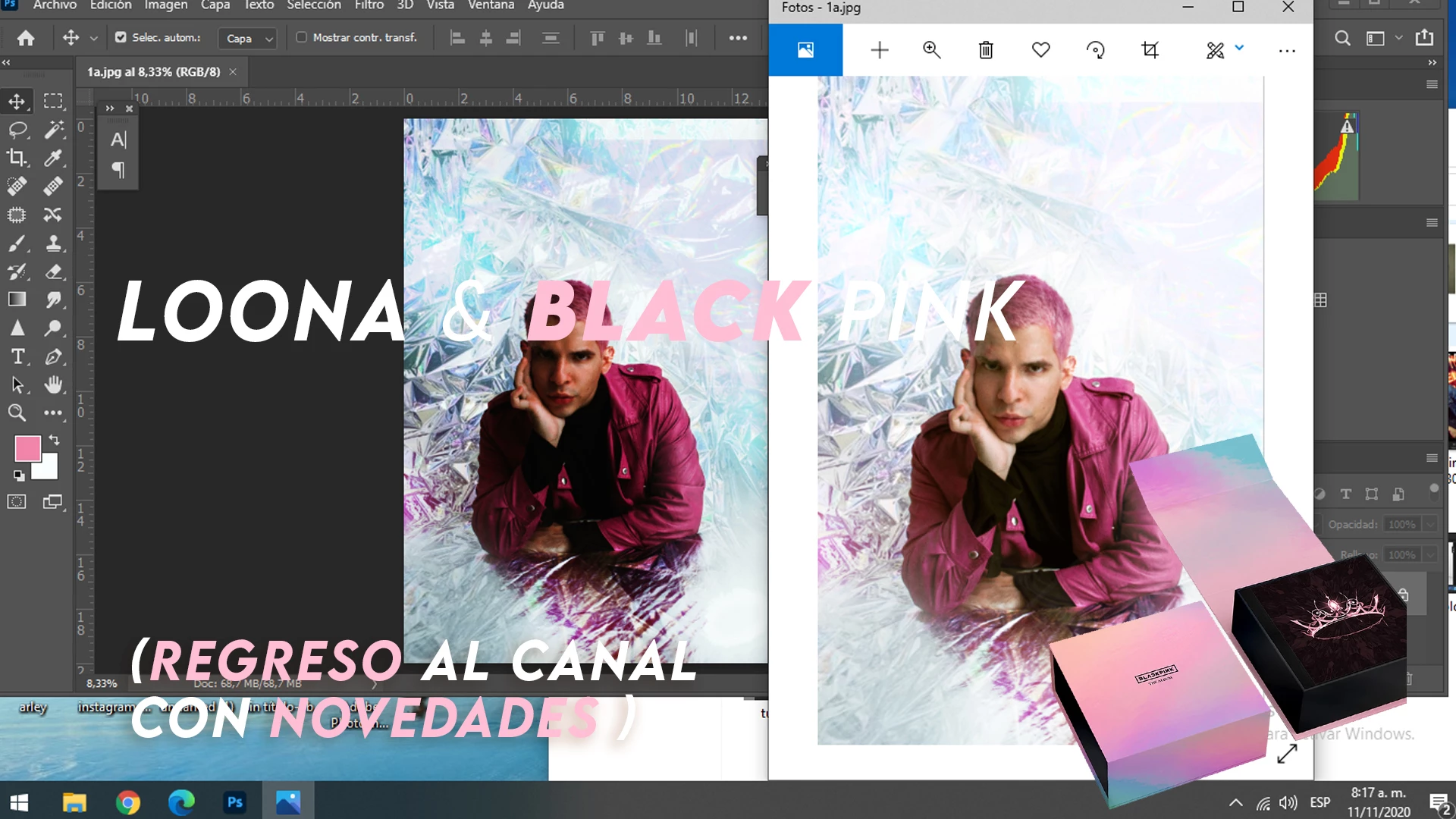
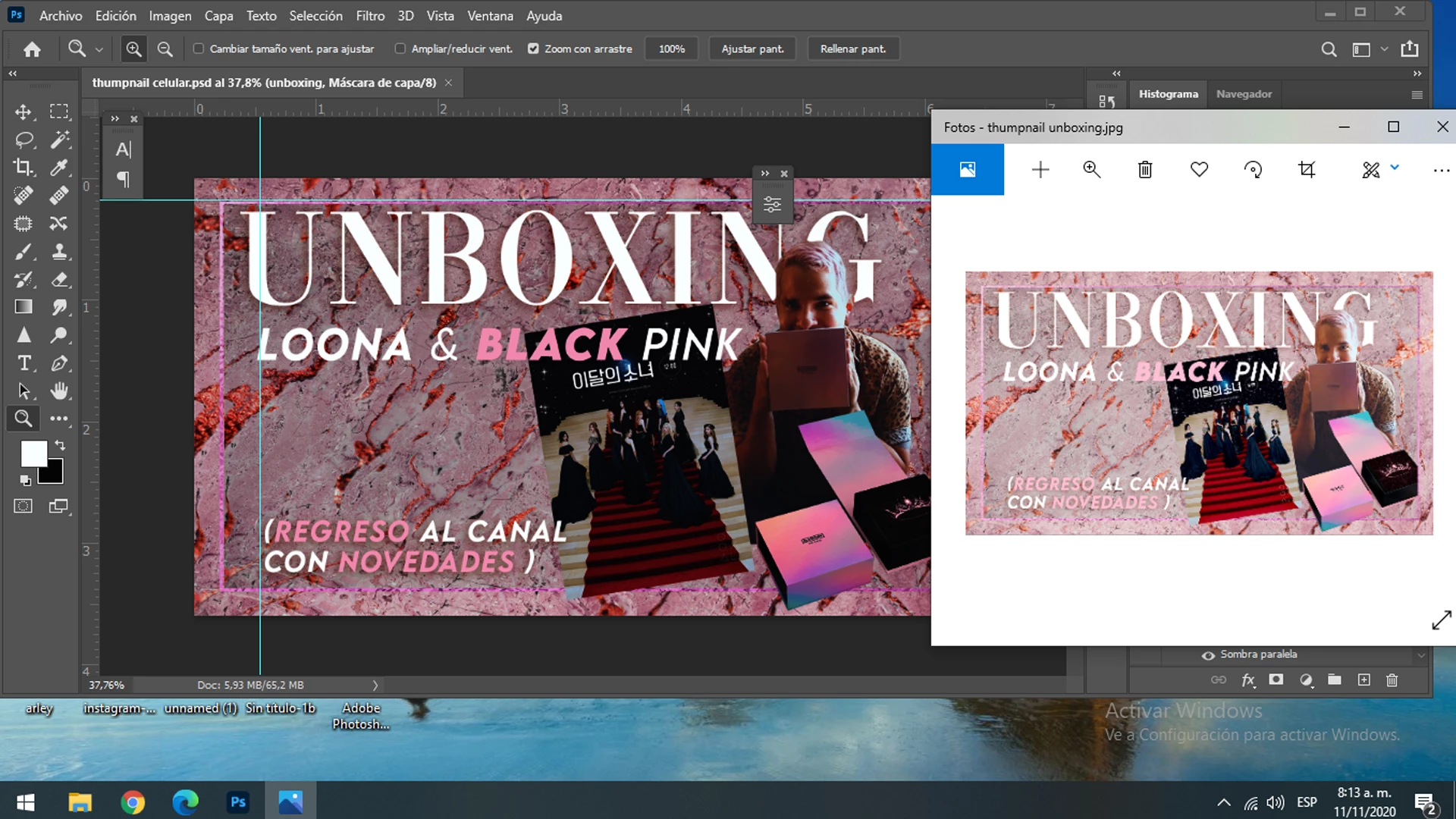
Hello hello, I wanted to ask you if someone is happening or this has happened to you, and if you have a way of solusing, it turns out that overnight I start to fail photoshop ( and illustrator), when I open a file, be it psd, jpg or raw, the file opens more saturated and contrasted than it is originally, but the difference is absurd , and when I save jpg, it saves it to me just as I was working before, that is, more real than what you see on the screens of the devices.
already install and un install the photoshop several times, and the problem goes on.
here attached images,
This is most likely cause by a defective monitor profile, probably delivered by a Windows update.
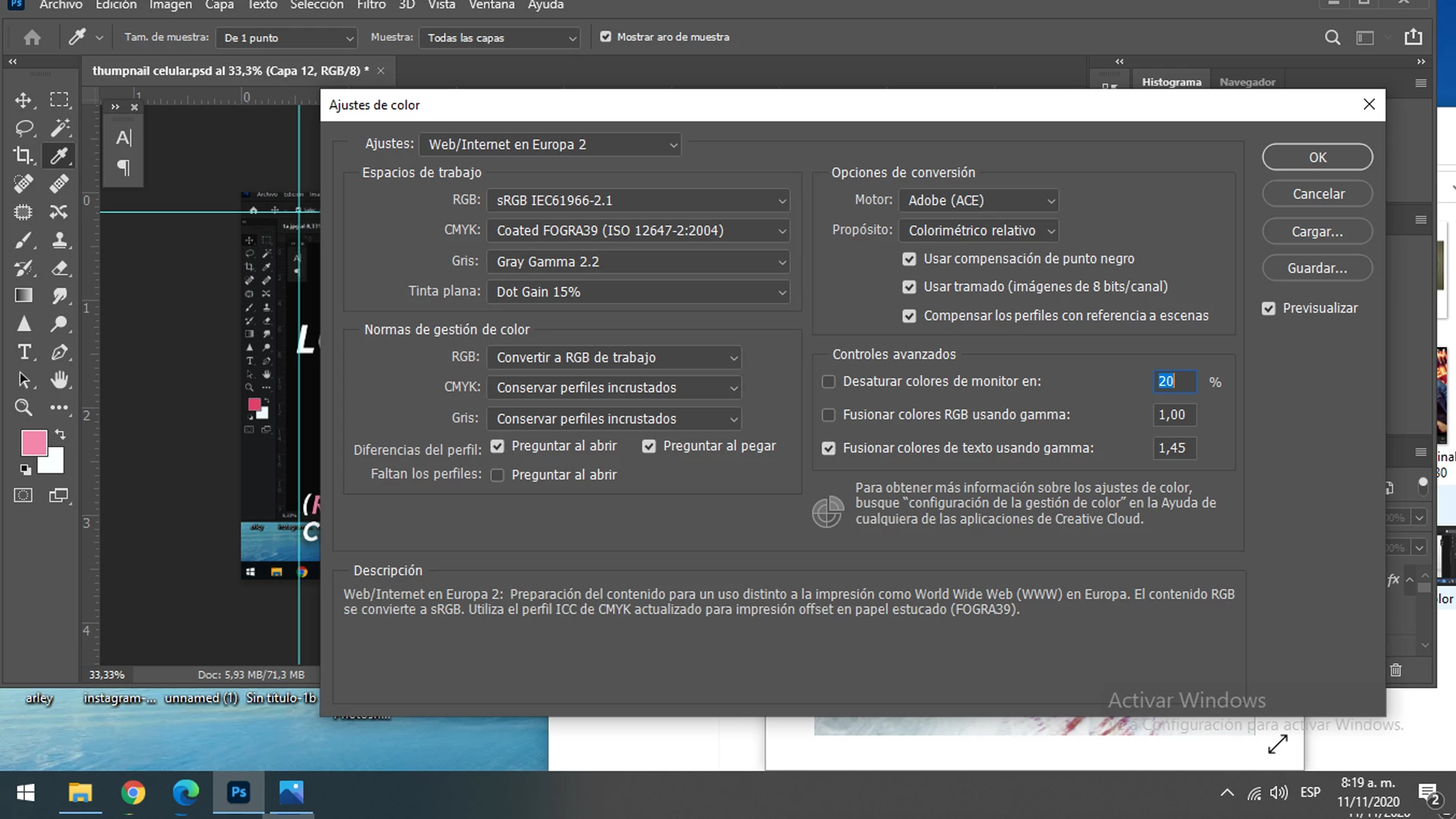
Photoshop is color managed, and relies on a sound and correct monitor profile to display correct colors.
The Photos app is not color managed, and will be unaffected by a bad profile.
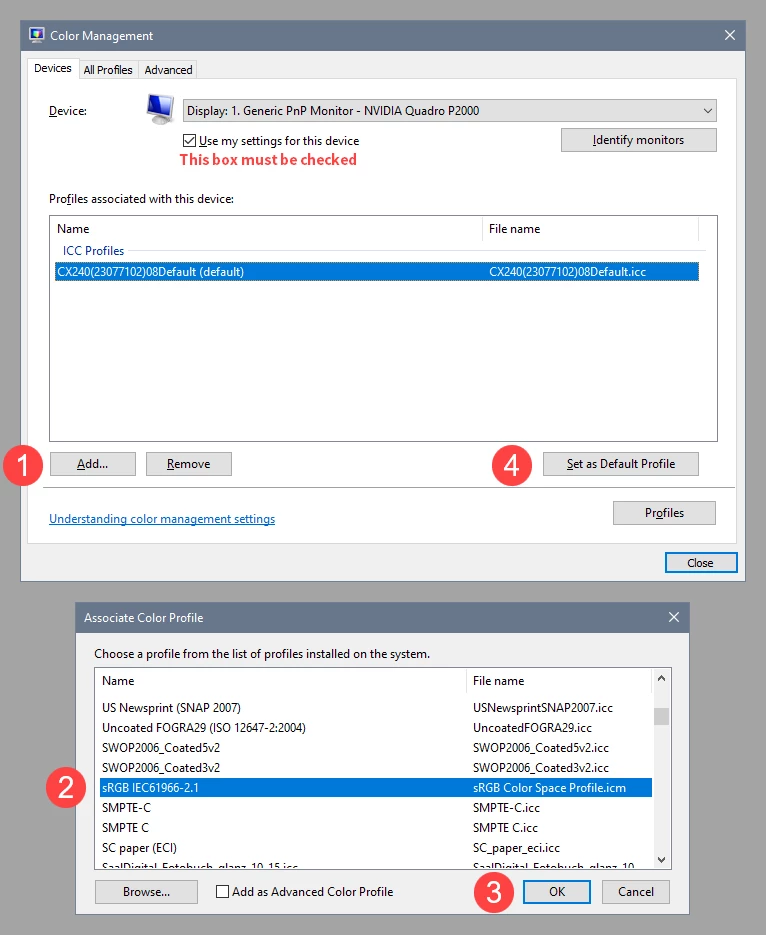
As troubleshooting, and as a possible temporary fix, try setting the monitor profile to sRGB (use Adobe RGB if you have a wide gamut monitor).
If this fixes the issue, it is recommended that you calibrate the monitor with a hardware calibrator.
This will also create and install a custom monitor profile that describes your monitor accurately.
With Photoshop closed, press the Windows key + R, type colorcpl in the box and press Enter.
Add the sRGB profile, then set it as default.



 AdChoices