Sandygrove
Known Participant
September 18, 2017
Answered

Puppet Warp & New View

  • September 18, 2017
  • 3 replies
  • 804 views

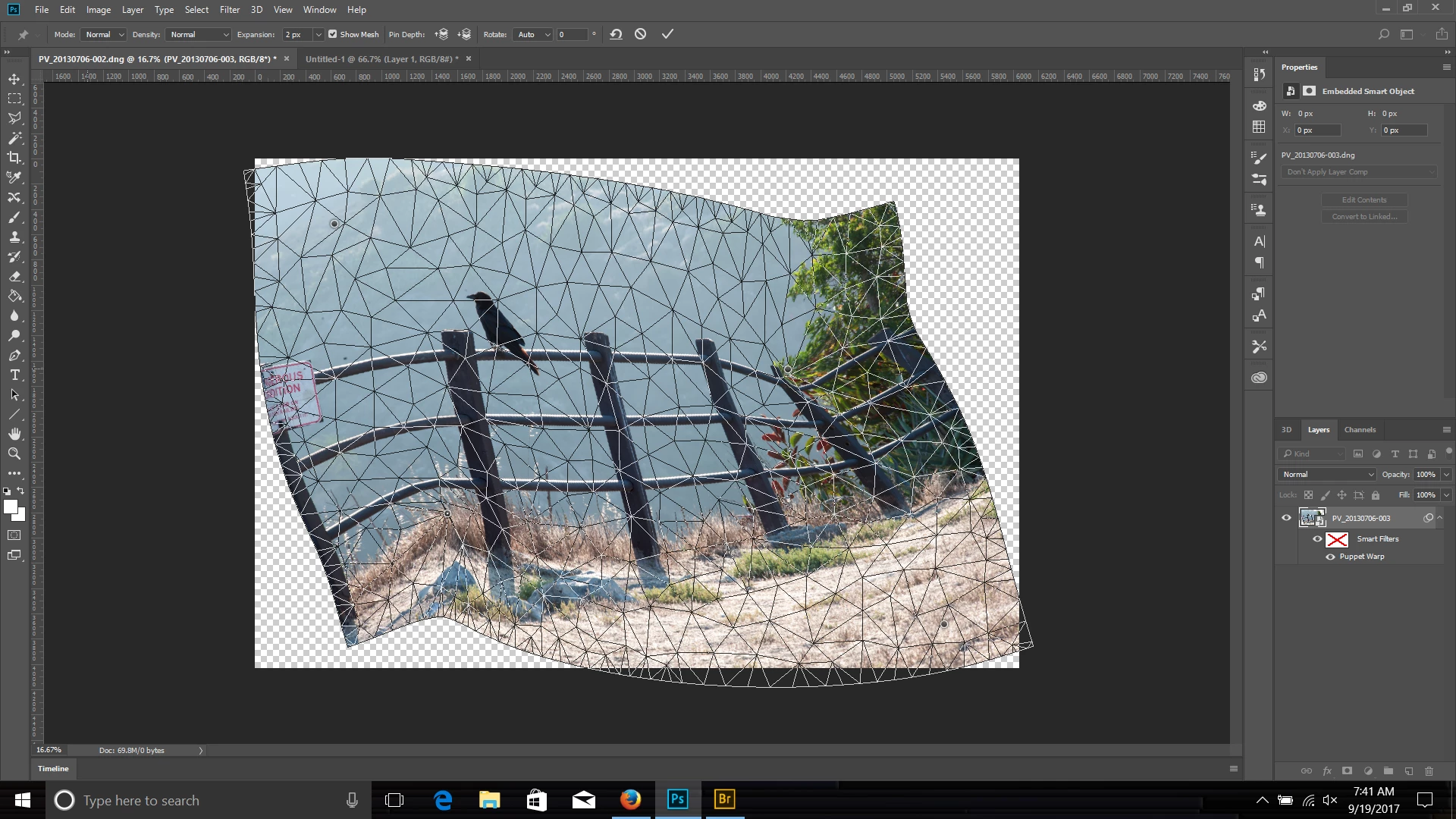
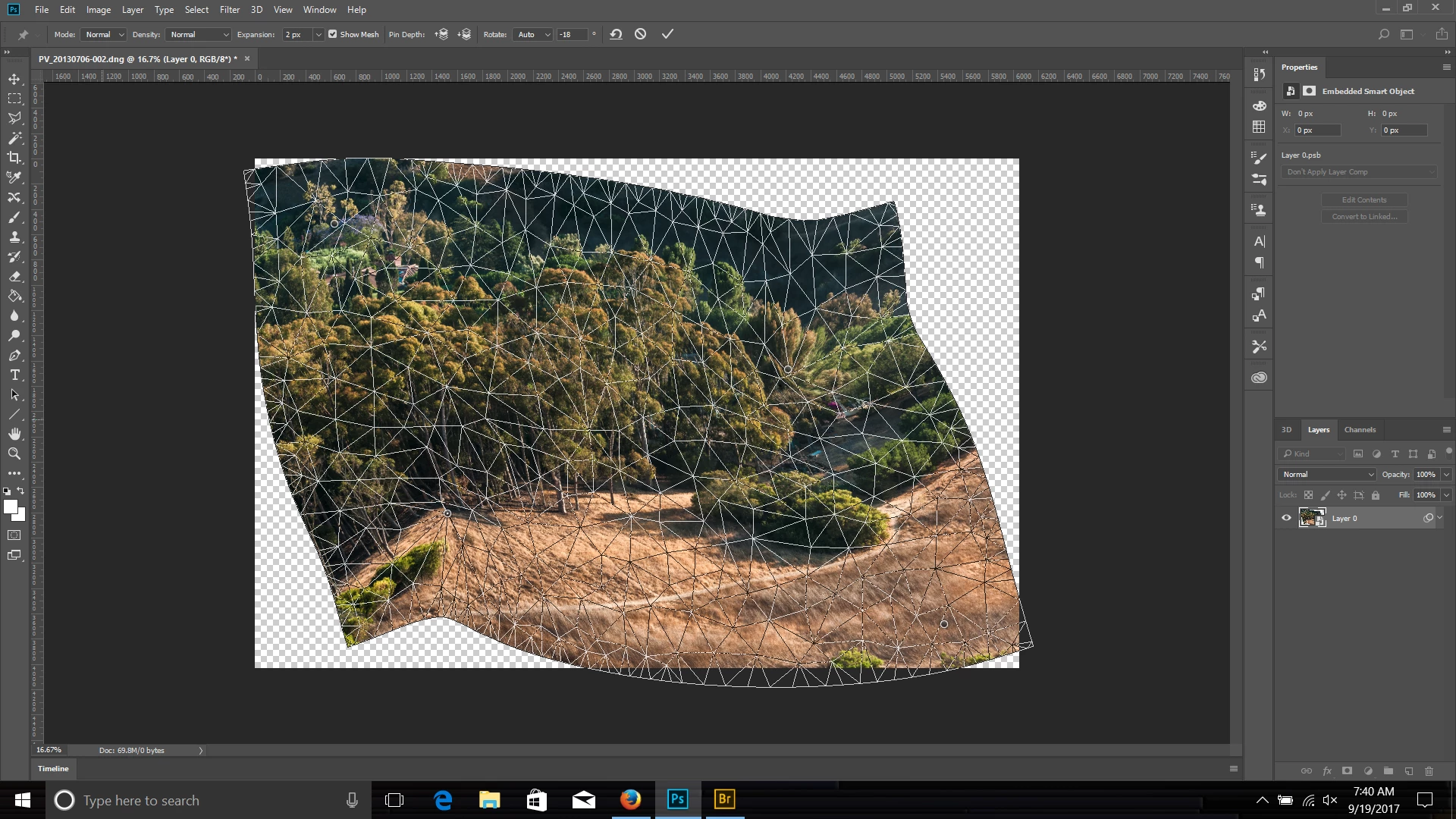
I have Photoshop CS6. I am running on iMac OSX 10.8.4. I have two questions.  Can you save finished Puppet Warp meshes?  If so, how? 

I used to work with Photoshop Elements 1.0.   It had Veiw > New View.  If you were working way zoomed in one view, you could look at the New View version at normal size and see how your edits looked in real time.  Does Photoshop have this?  Or under another menu or other name?

Thank You for your help Very Much,

Thank You,

Sandy
    This topic has been closed for replies.
    Correct answer Chuck Uebele

    SO = Smart Object. The only way I know to "Save" the mesh, is to use a smart object and replace the contents of that smart object with another image.

    3 replies

    Chuck Uebele
    Community Expert
    Chuck UebeleCommunity ExpertCorrect answer
    Community Expert
    September 19, 2017

    SO = Smart Object. The only way I know to "Save" the mesh, is to use a smart object and replace the contents of that smart object with another image.

    Sandygrove
    Known Participant
    September 19, 2017

    Okay, I see what you mean with SO review and study.  Thank You very much for the information.

    Thank You Again!

    Sandy

    Jeff Arola
    Community Expert
    Community Expert
    September 19, 2017

    For pse 1's View>New View in cs6 it's Window>Arrange>New Window

    Sandygrove
    Known Participant
    September 19, 2017

    Thank You so much for the help,

    Thank You Again,

    Sandy

    Chuck Uebele
    Community Expert
    Community Expert
    September 19, 2017

    You can make the layer a smart object and it will save the mesh. I think this can be done with CS6. I don't believe you can just save the mesh for use with other images, other than copying and editing the smart object and replacing the image within the SO.

    Sandygrove
    Known Participant
    September 19, 2017

    Chuck,

    Yes that is what I was wondering if I could save the mesh and use it for other images.  You lost me on the answer: 

    "other than copying and editing the smart object and replacing the image within the SO" ...I don't understand, I don't know what SO stands for.  Sorry,   I thought there might be a way to save the mesh, but that is why I came here, I don't know if or how that could be done.  Thank You for explaining further.  I have not worked or studied smart objects much yet, but I have a Photoshop CC book by Martin Evening, and what I can find out from the web which is a good outline.  I just don't know how you are using this to get to the outcome.  Thank You for any help!

    Sandy