
dzgnr89
Inspiring
June 3, 2017
Question

quick replacement of autocad blocks in photoshop?

  • June 3, 2017
  • 1 reply
  • 516 views

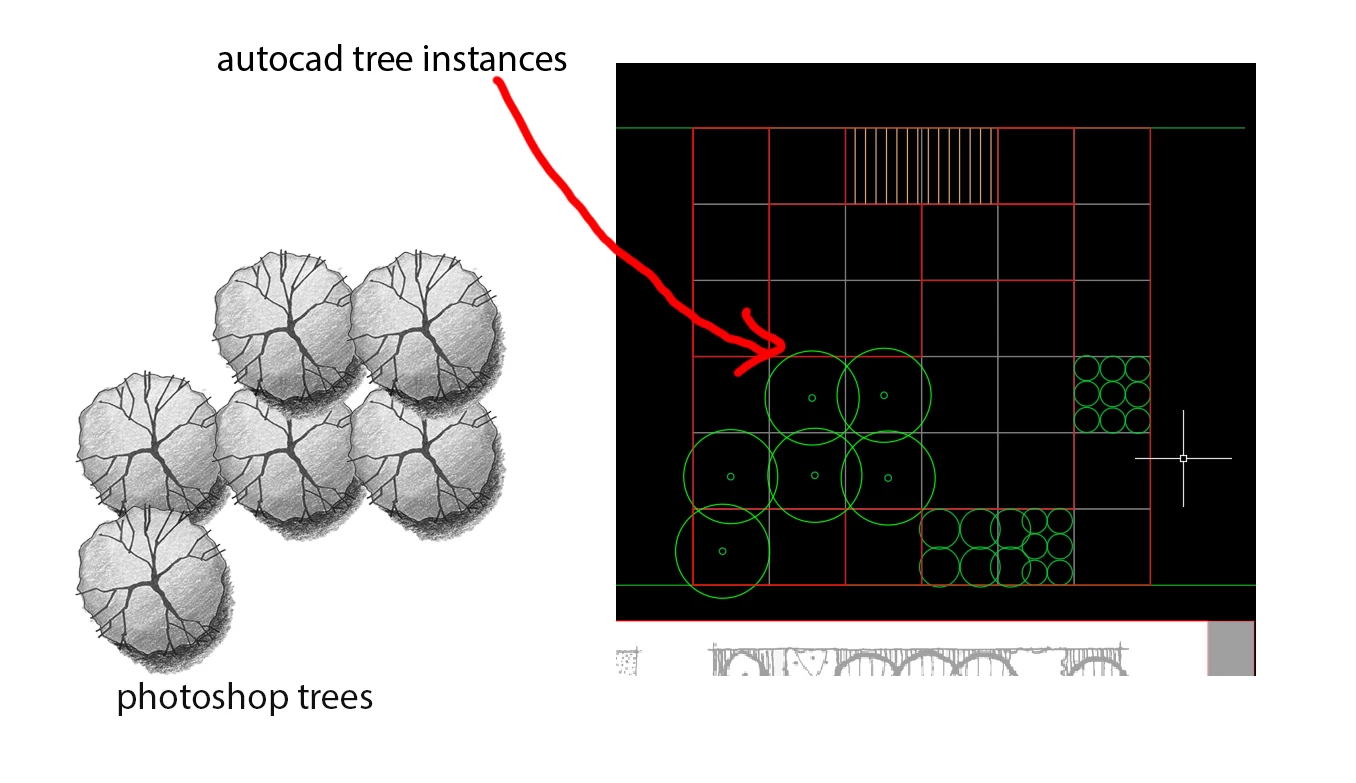
I am rendering a site plan where I have same tree repeated over and over again in autocad. Those trees are as simple circles as blocks in autocad. This means that if I change the radius of one circle, all the tree circles change automatically of that particular instance.

. Now, I want to replace those circles in photoshop with tree. Replacing them one by one is taking time. Is there a quick way to replace autocad block trees of autocad in photoshop with a different tree jpeg so that time is saved?
    This topic has been closed for replies.

    1 reply

    Mylenium
    Legend
    June 3, 2017

    Not really. It is to some extent possible using Smart Objects and replacing theri contents, but quite generally this is something you might rather want to do in Illustrator or other programs that deal with "objects" rather than just pixels.

    Mylenium

    dzgnr89
    dzgnr89Author
    Inspiring
    June 3, 2017

    Mylenium  wrote

    Not really. It is to some extent possible using Smart Objects and replacing theri contents, but quite generally this is something you might rather want to do in Illustrator or other programs that deal with "objects" rather than just pixels.

    Mylenium

    Hmm,. Smart objects don't solve the purpose. Moreover, illustrator also doesn't preserve blocks of autocad ( they should become symbols in illustrator, precisely speaking) and they become individual objects not having any smart objects behaviour as seen in photoshop.