Known Participant
August 16, 2012
Answered

Quick simple way to make something look isometric?

  • August 16, 2012
  • 2 replies
  • 78999 views

I'm working on a card game where I want to make my straight on designed cards look isometric. Does anyone have the quickest/simplest way to do this with the 3D tool in photoshop? I imagine it's something like Postcard, and then using the orthographic, with some angles set? I've had a try but can't get it right.

Thanks for any advice.
Correct answer c.pfaffenbichler

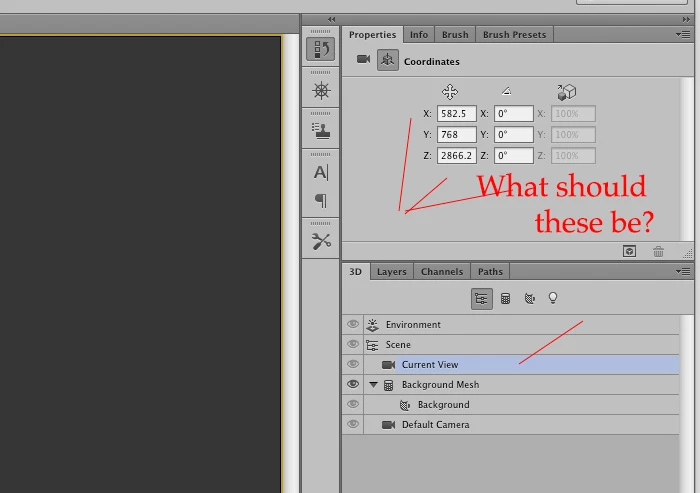
I want to change these values to achieve the isometric look.


I don’t think you are doing yourself any favours with that.

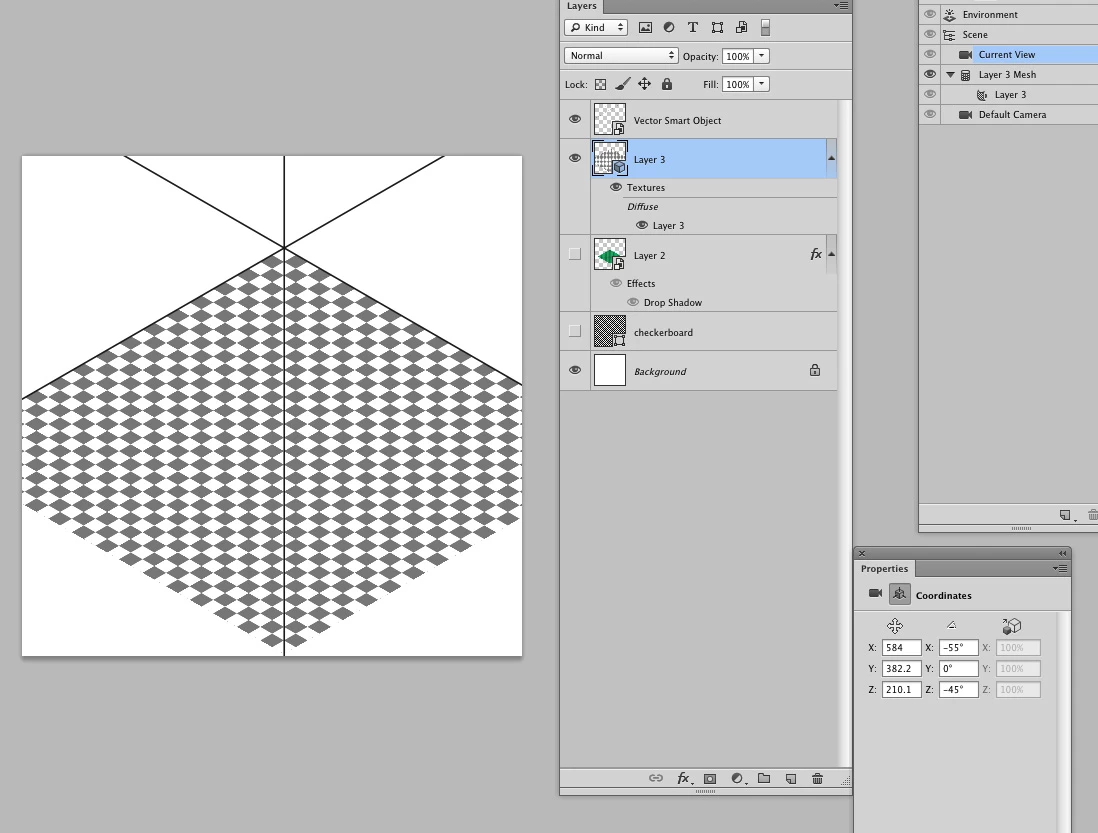
Anyway, with trial and error (and without understanding why) I get these values:

2 replies

c.pfaffenbichler
Community Expert
August 16, 2012

Why postcard? Don’t you want depth?

If so a simple transformation of a Smart Object should do nicely in my opinion.

Otherwise try orthographic.

Noel Carboni
Brainiac
August 16, 2012

By the way Christoph, try saving your screen grabs as PNG files - the forum software doesn't botch up the red places as badly.

-Noel

conroy
Participating Frequently
August 16, 2012

-55 or -54.7 for the x though?


Hi

-54.7 is more precise but I don't think it would make a visible difference to the renderings.

Noel Carboni
Brainiac
August 16, 2012

You're not talking about making them look like they have perspective, but truly isometric?

If you're not already in the 3D world with these things, there are a couple of Edit - Transform functions that can do it for you.

You can use Edit - Transform - Skew, then a bit of Free Transform to narrow the result to make something look like it's on an angle and be isometric (equal angles)...

You can use Edit - Transform - Perspective, then a bit of Free Transform shortening to give something the look of perspective...

-Noel

c.pfaffenbichler
Community Expert
August 16, 2012

I think the OP means »no foreshortening« when they say »isometric«.

GameViewPoint, could you please post an example?