Participant
May 18, 2021 6:43 PM UTC
Answered

"Could not transform the path because the source rectangle is empty"

I have come upon an issue. Whenever I try to transform any of the images I have in photshop it gives me this message. Initially when I embed the image in it allows me to transform but once I hit enter there is no going back. Has anyone else experinced this and if so please help!

This topic is closed to new replies. Start a new post to keep the conversation going.
chanaart
chanaartCorrect answer
Community Expert
May 18, 2021 7:07 PM UTC

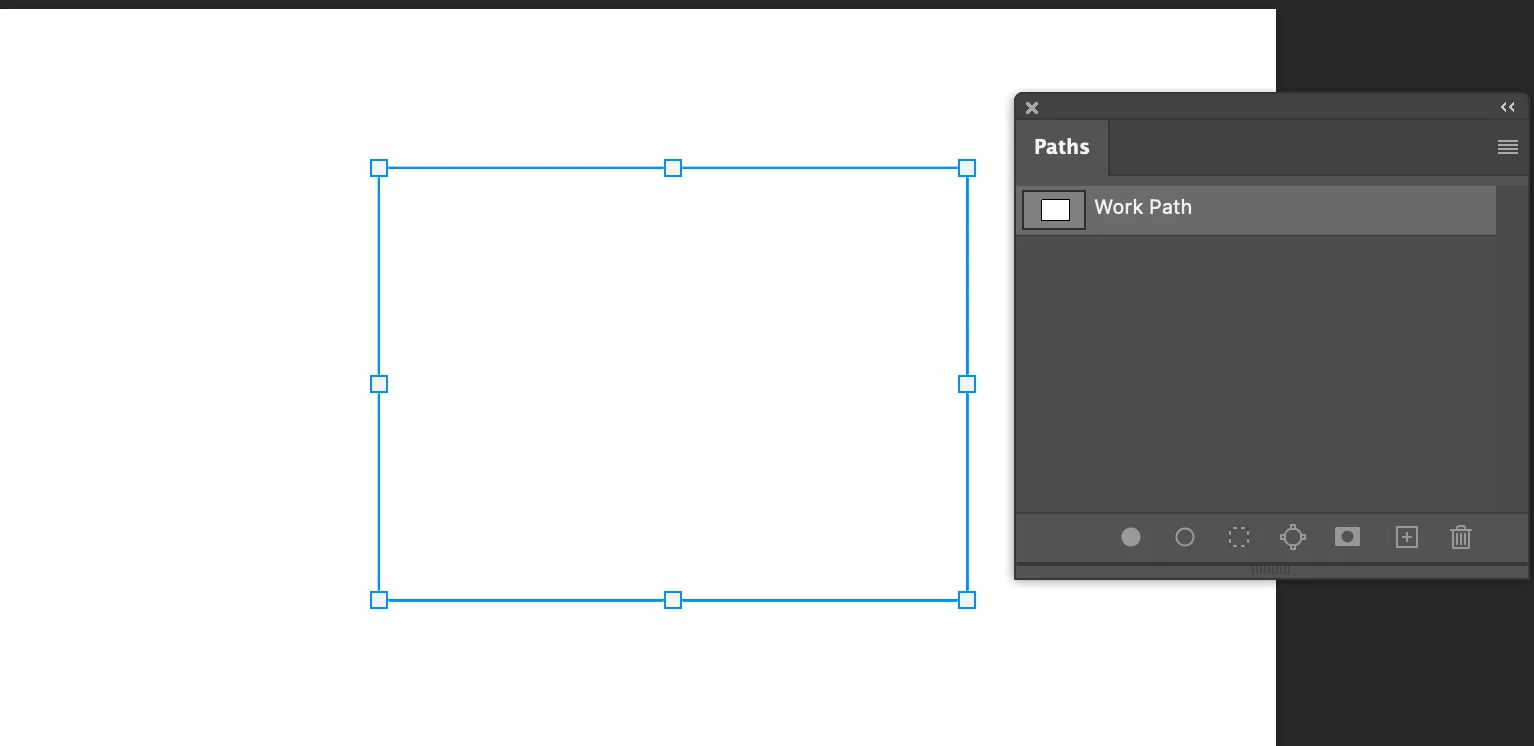
Just read it again with Path it is a bnit different. 

You need to have the path active

checkout the 2 screenshot.

If it is a path you can activate it and it does not matter if you are on a certain layer. 

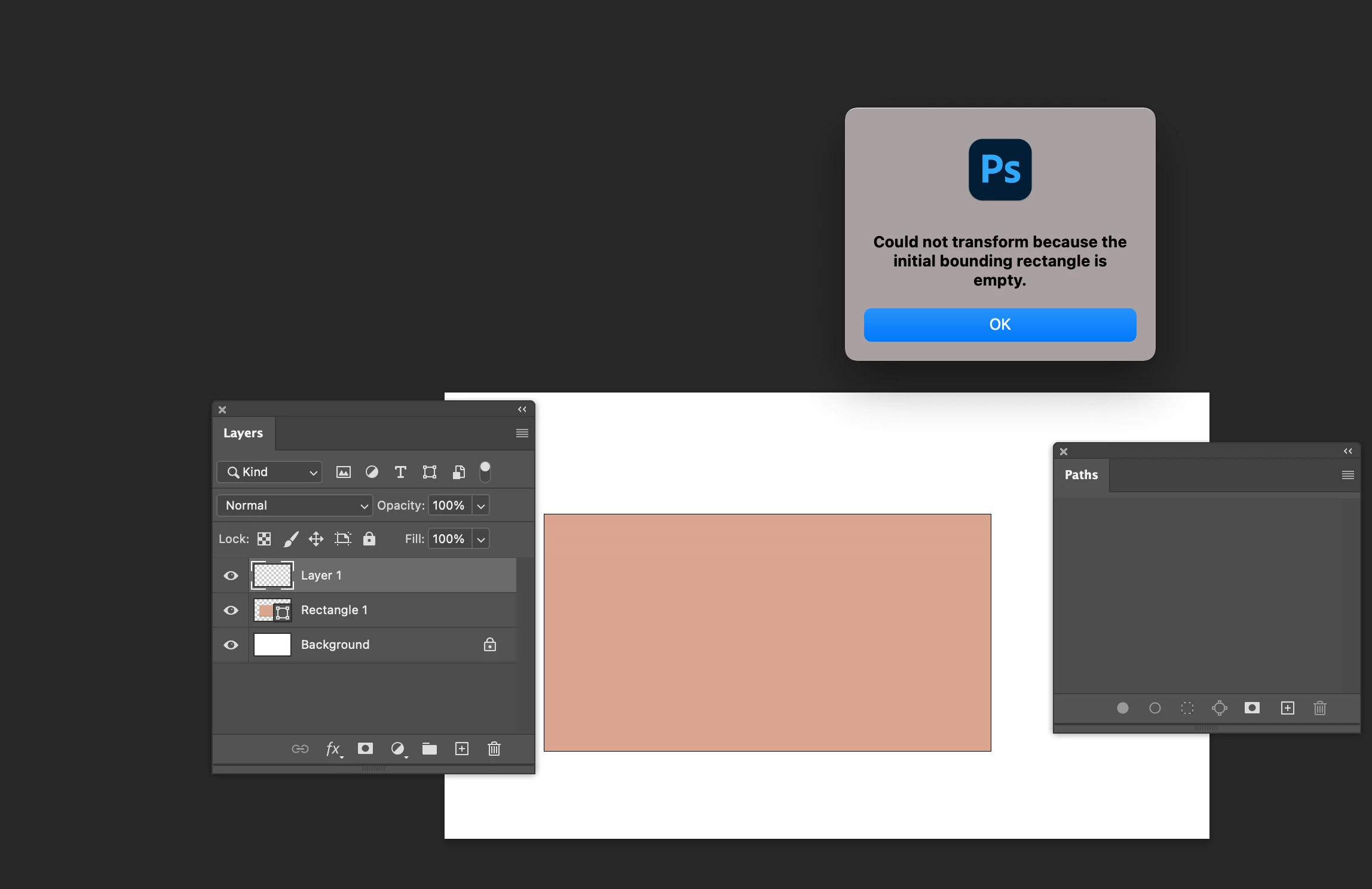
If you create a shape layer and need to transform you need to be on the layer the shape is. 

Look at the screenshot Below I am on the wrong layer. Got the error message.

Hope it helps.


2 replies

chanaart
Community Expert
Community Expert
May 18, 2021 7:00 PM UTC

Can you send us a screenshot?

Also check your channels and make sureyou are on the correct RGB channel...and on the correct layer.

Chana

Translate
chanaart
Community Expert
chanaartCommunity ExpertCorrect answer
Community Expert
May 18, 2021 7:07 PM UTC

Just read it again with Path it is a bnit different. 

You need to have the path active

checkout the 2 screenshot.

If it is a path you can activate it and it does not matter if you are on a certain layer. 

If you create a shape layer and need to transform you need to be on the layer the shape is. 

Look at the screenshot Below I am on the wrong layer. Got the error message.

Hope it helps.


Translate