
AdamLC
Participating Frequently
October 14, 2021
Question

Rasterize Layer Style with Bevel & Emboss changes appearance

  • October 14, 2021
  • 3 replies
  • 2273 views

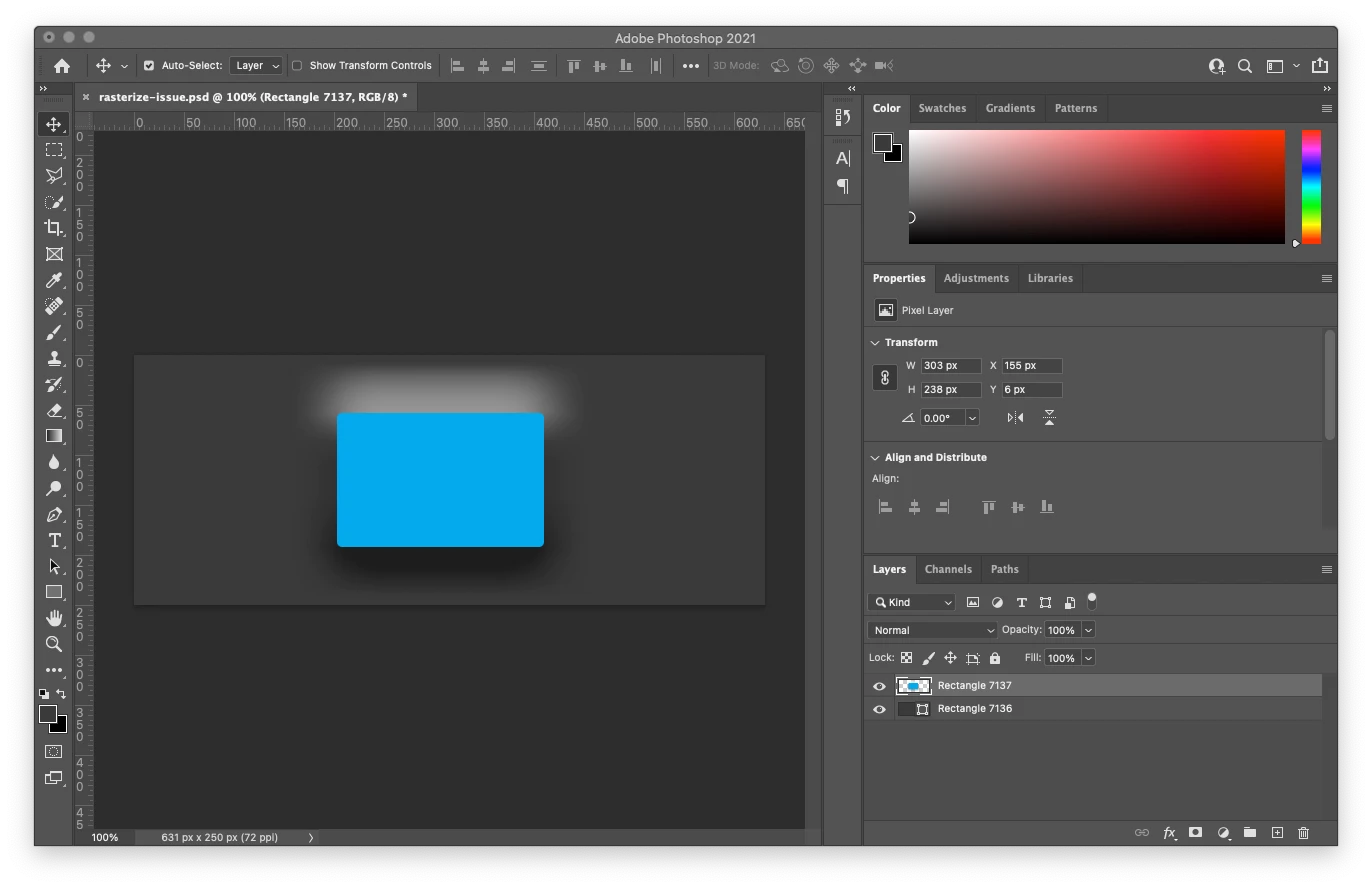
Working on serveral designs in Photoshop where I have the Bevel & Emboss effect turned on and getting unwanted results when I rasterize the layer or just try and export the layer as PNG file.


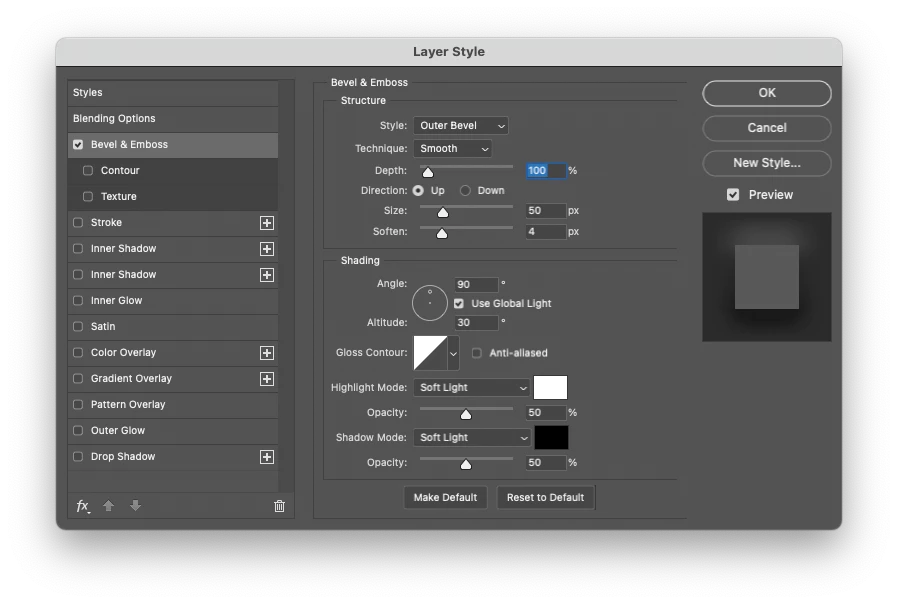
I need to rasterize the effects in order to export several layers as PNGs. This issue happnes whenever I export a layer with effects to PNG and tansparency, or if I just rasterize layer in the PSD.  I am using an "Outer Bevel" on a shape, Technique is "Smooth" with Highlight Mode and Shadow Mode set as soft light. Rasterizing, the effect seems to get enhanced. I've been able to replicate the issue in a new PSD. Anyone seen this or can help? 


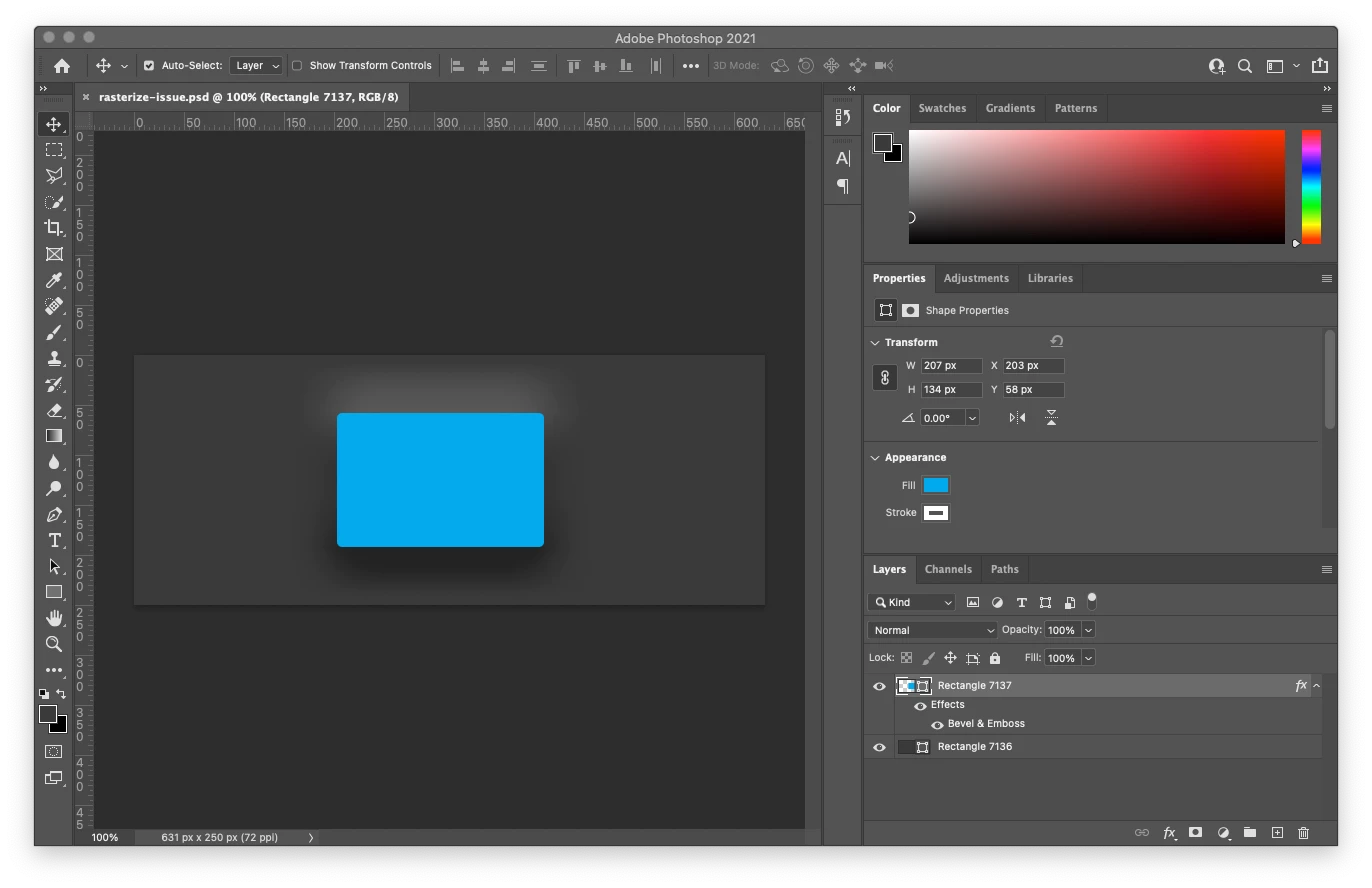
1- This is the inital file. Shows as I want. 
2 - This is my Bevel & Emboss settings. 
3 - This is the unwanted result. 
 

This topic has been closed for replies.

3 replies

c.pfaffenbichler
Community Expert
Community Expert
October 14, 2021

One Layer cannot have more than one Blend Mode. 

So the »Soft Light« setting in the Layer Style cannot be maintained in one rasterized Layer. 

Jeff Arola
Community Expert
Community Expert
October 14, 2021

You have a White Stroke on the Blue Rectangle.

Can you show us those settings?


AdamLC
AdamLCAuthor
Participating Frequently
October 14, 2021

It is set to 0PX. 

Nancy OShea
Community Expert
Community Expert
October 14, 2021

Rasterize layer first, then apply Bevel & Emboss fx.


Nancy O'Shea— Product User & Community Expert
AdamLC
AdamLCAuthor
Participating Frequently
October 14, 2021

Unfortuanlty that didn't work. Even after I rasterize the layer, the problem still happens when I Rasterize the Layer Style or export jus tthe layer as a PNG.