kjp77
Participant
September 22, 2018
Answered

Red dialog box will not go away.

  • September 22, 2018
  • 3 replies
  • 1009 views

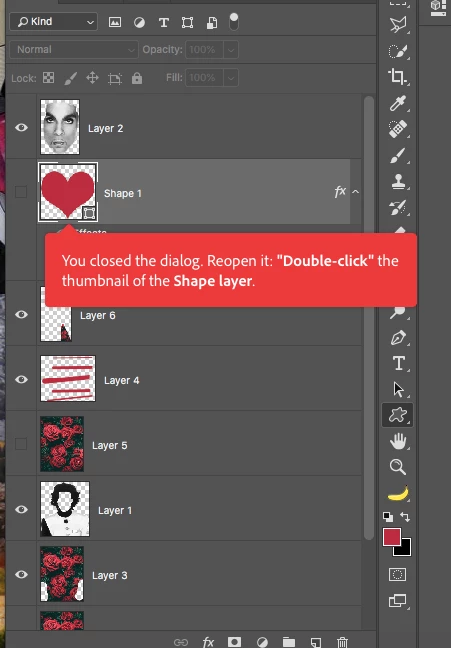
I keep on getting this floating red dialog box. I'm not sure how to get rid of it. Any ideas?? Thanks!

    This topic has been closed for replies.
    Correct answer Barb Binder

    BarbBinder  wrote

    Hi JohanEl54  :

    Adobe has added the coachmarks to various applications (though in my experience they have always been blue).

    ~Barb

    Yes, that is why I was thinking about a third party system. However, maybe a coachmark turns red if you did something wrong while following a tutorial. I've never used them.


    Hi JohanEl54:

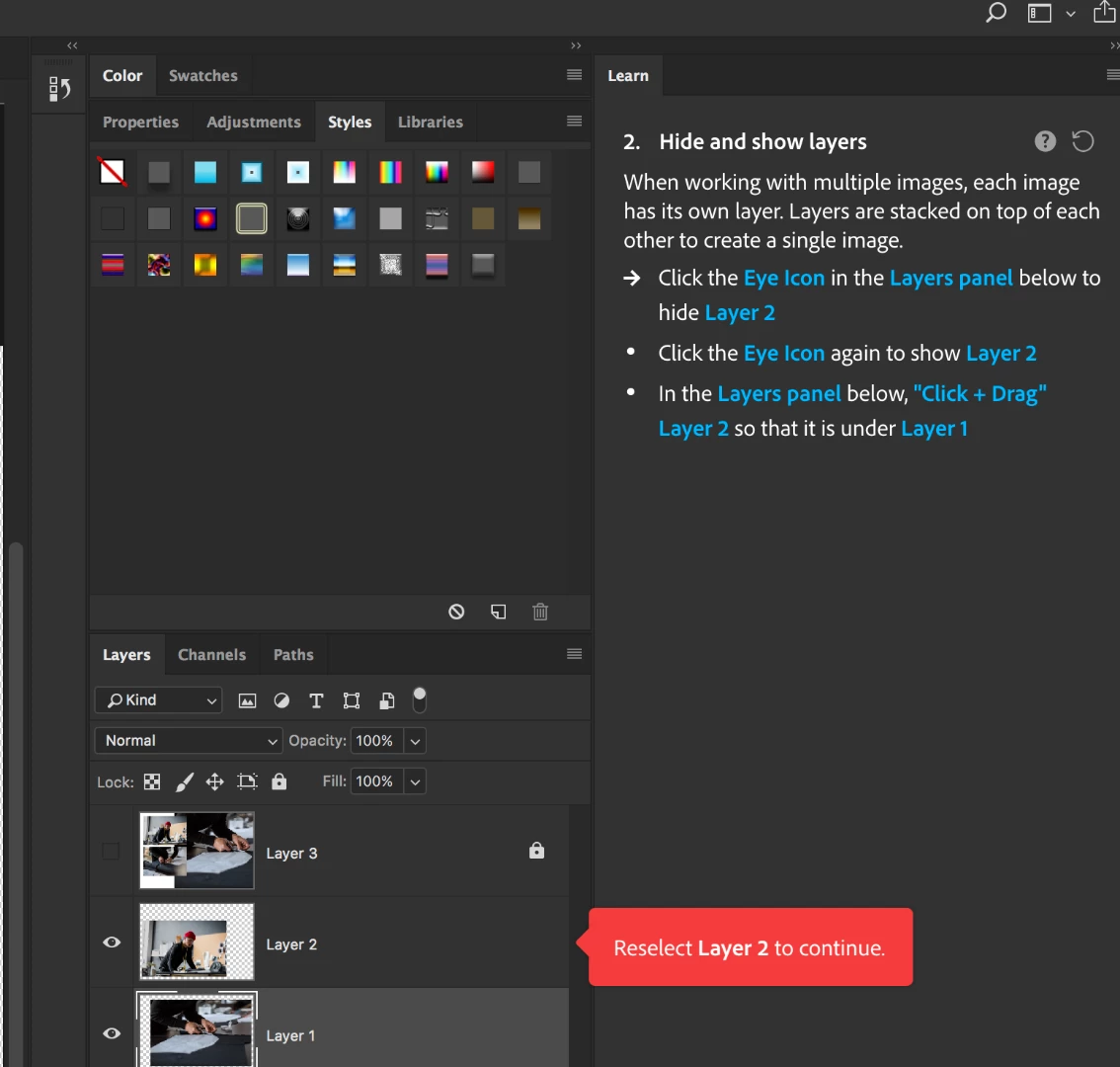
    maybe a coachmark turns red if you did something wrong while following a tutorial

    You are right! I just tried not following the instructions and the coachmark turned red. I have one of those awful "follow the rules" personalities and never mis-clicked when testing a tutorial. LOL.
    ~Barb

    3 replies

    JohanElzenga
    Community Expert
    Community Expert
    September 22, 2018

    Looks like you are using some third party help system.

    -- Johan W. Elzenga
    Barb Binder
    Community Expert
    Community Expert
    September 22, 2018

    Hi JohanEl54 :

    Adobe has added the coachmarks to various applications (though in my experience they have always been blue).

    But kjp77, that does bring up the question of if you are following a tutorial in the Learning panel. If so, Derek's first response is one of the correct ways to get rid the the coachmark—just follow the on-screen instructions to move through the tutorial. An alternative is click the All projects button on the bottom left of the Learn panel, or just click Next Next Next until you complete the tutorial.

    ~Barb

    ~Barb at Rocky Mountain Training
    JohanElzenga
    Community Expert
    Community Expert
    September 22, 2018

    BarbBinder  wrote

    Hi JohanEl54  :

    Adobe has added the coachmarks to various applications (though in my experience they have always been blue).

    ~Barb

    Yes, that is why I was thinking about a third party system. However, maybe a coachmark turns red if you did something wrong while following a tutorial. I've never used them.

    -- Johan W. Elzenga
    Barb Binder
    Community Expert
    Community Expert
    September 22, 2018

    Hi kjp77:

    That looks like a coachmark, designed to help you figure out Photoshop on your own, but I can't even make it appear.

    What version of Photoshop and what operating system?

    Did you try closing and reopening Photoshop? Or resetting preferences? (Preferences > General > Reset Preferences on Quit).

    ~Barb

    ~Barb at Rocky Mountain Training
    Derek Cross
    Community Expert
    Community Expert
    September 22, 2018

    What happens when you double click on it?

    By the way, it would be good if you learnt to work non-destructively using, for example, Layer Masks