Participant
October 2, 2017
Question

Refine and Mask with background same color as hair fails

  • October 2, 2017
  • 3 replies
  • 3263 views

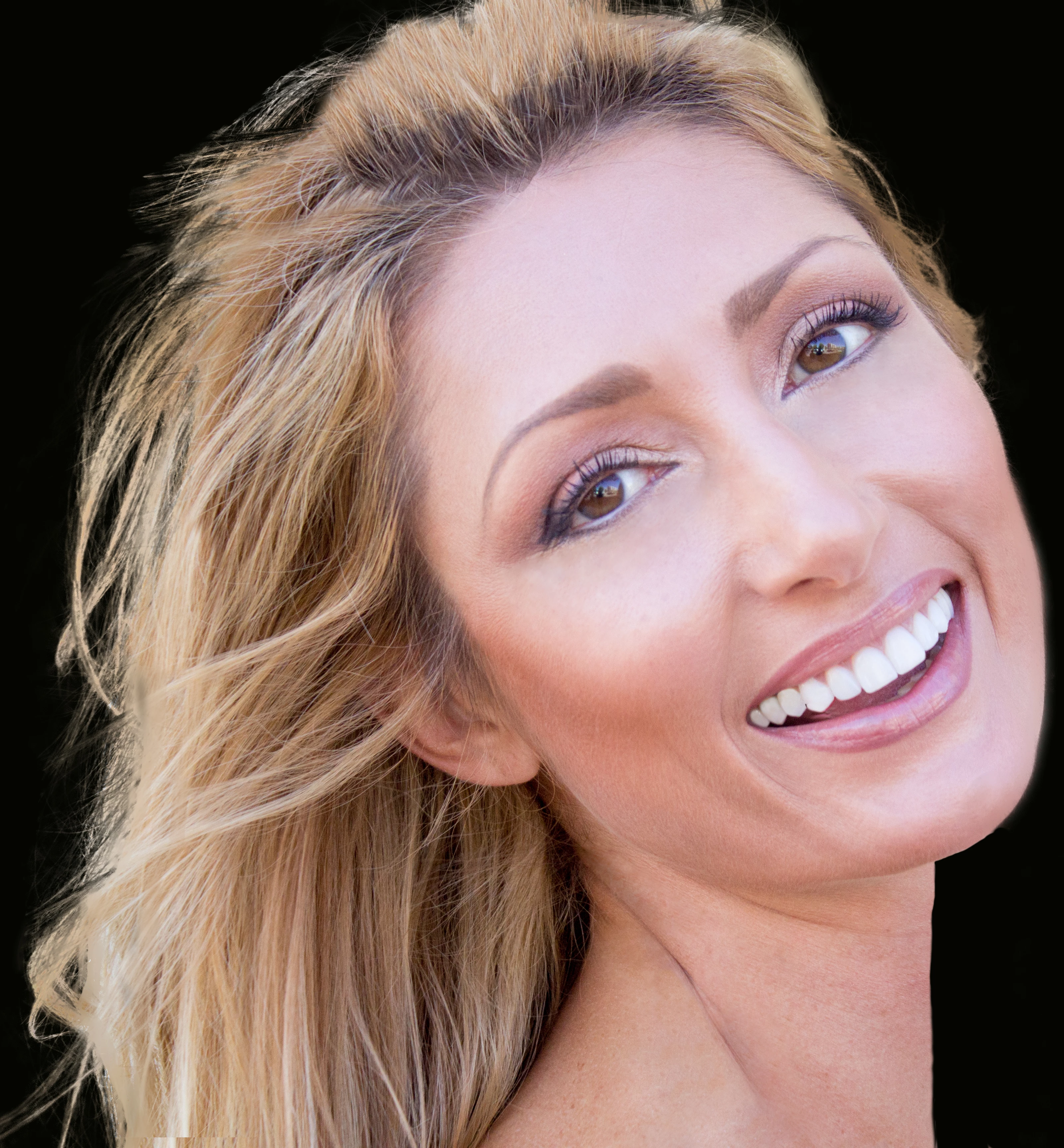
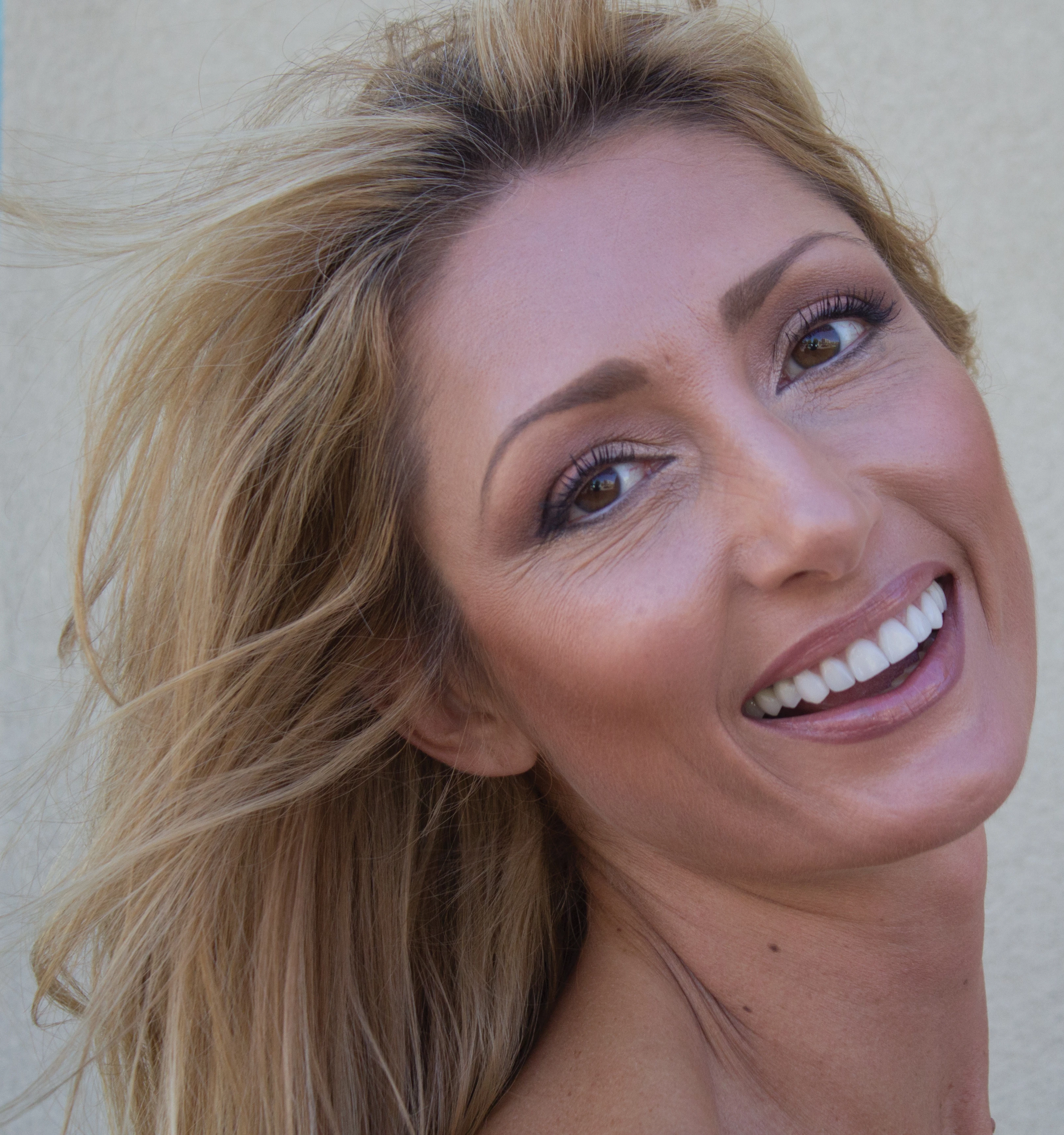
Hi, I have a 300 DPI CMYK photo of a model with blowing hair against a wall a very similar color to her hair.  Here's my failed results:

1. Quick Select all but 1/2" of edge of hair or all of hair to edges

2. Select and Mask

3. Paint over edge of hair

4. I get a blurry partially removed section of hair all the way around where the mask ends, regardless of REFINE AND MASK settings:

     a. Decontaminate colors

     b. New layer with mask

     c. Smart Radius

Since the masking brush isn't working as expected, I must be doing something wrong. I attached both JPG from CR2 of before, and the after results I get trying to mask with a black BG to show results.  Anyone know what I'm doing wrong?

The best results I could get was to duplicate image twice, remove hair from one, face from the other, mask the hair layer only, overlay them.

This is going large on a car wrap, and it has to look clean.  Thank you.
This topic has been closed for replies.

3 replies

davescm
Community Expert
Community Expert
October 3, 2017

Hi

The issue you have with that image is poor contrast. In some areas the wanted detail is the same tone as the background, in some wanted hair is darker than the background and in some it is lighter. You could make the mask in several passes and then paint in the mask for areas where the foreground and background are the same tone. Be prepared to put in the hours though.

I love a good masking challenge - but if you are going to use that masked image at a large size (you mentioned a vehicle wrap) then in all honesty I would retake the picture. Decide what background you are finally going to put it against (dark or light) and shoot against black or white accordingly. Your aim is to get good contrast in the image to be masked.

A couple of general pointers on select and mask though:

a. Do as much as you can with the quick mask tool

b. Use refine edge only on edges - that means a very small brush (I find 10-15px at 1% spacing hardness 90-100 and smart radius off works well for hair).

c. Do not use decontaminate colours - it is destructive and frankly does not work.
Instead, to decontaminate, add a layer above the masked image and clip it to the masked layer (Alt click on the border in the layers panel). Set that new layer blending mode to color and brush on with colour picked up from other parts of the hair.

Good luck

Dave

melissapiccone
Community Expert
Community Expert
October 2, 2017

What version of PS are you using? CC 2015 Select and Mask sucks... it's fixed in CC 2017.

Melissa Piccone | Adobe Trainer | Online Courses Author | Fine Artist
Abambo
Community Expert
Community Expert
October 2, 2017
ABAMBO | Hard- and Software Engineer | Photographer