


Question
Removing specific color tone from the entire picture using Photoshop
Hi,
I am trying to print the following image on a piece of paper that matches the color of the background color of this image:
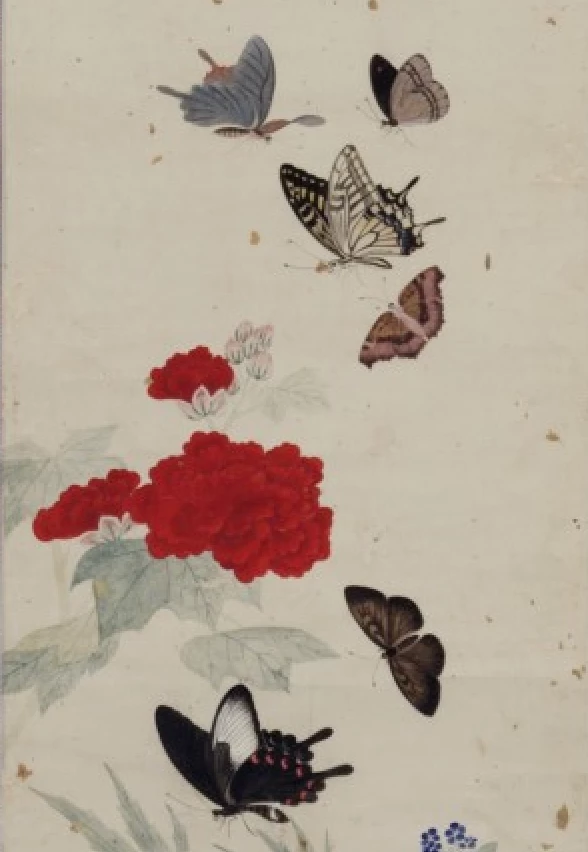
Is there any way I could remove the background ivory color tone from the entire image so that the printed image looks similar to the original one? I cannot just print the original image on white paper because I am trying to imitate the texture and patterns(what looks like dark speckles in this image are pieces of gold leaves mixed into the original paper) of the original paper using a piece of paper that matches the color and patterns of the original one.
Thanks!
 AdChoices