/t5/photoshop-ecosystem-discussions/replacing-an-image-with-another-in-photoshop/td-p/11857240Feb 25, 2021
Feb 25, 2021
Copy link to clipboard
Copied
i am trying to replace a silouette of a girl with an image of the stars but it wont let me select the girl. could some one help or advise some different tools to use
/t5/photoshop-ecosystem-discussions/replacing-an-image-with-another-in-photoshop/m-p/11857806#M516112Feb 25, 2021
Feb 25, 2021
Copy link to clipboard
Copied
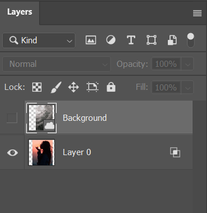
To select the girl either select that layer in the layers panel, before making your selection within it, or turn on "Sample all layers" in the options bar for the quick selection tool
/t5/photoshop-ecosystem-discussions/replacing-an-image-with-another-in-photoshop/m-p/11857899#M516124Feb 25, 2021
Feb 25, 2021
Copy link to clipboard
Copied
LATEST
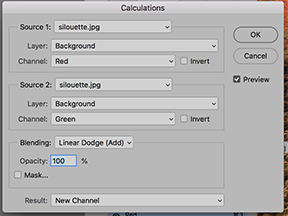
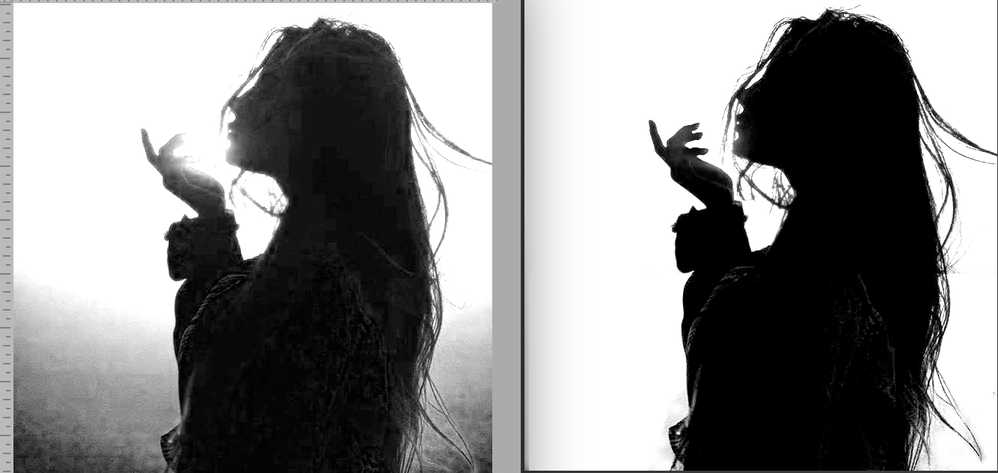
Calculations commnd set as shown will produce the left image. Use the Lasso tool and Edit > Fill to clean up the white areas and finish by using the Brush tool > Options bar: Ovetlay and set to White and then to Black to finish the silhouette. (It does an excellent job on the hand.) Work with an upsized view of the image.





 4
Replies
4
Replies








 AdChoices