Participant
November 20, 2020
Answered

Roll back to previous version of photoshop

  • November 20, 2020
  • 2 replies
  • 3635 views

Hello,

I want to roll back to a previous version of phtoshop : version 21.2.1 or before
but creative cloud doesn't give me this possibility.
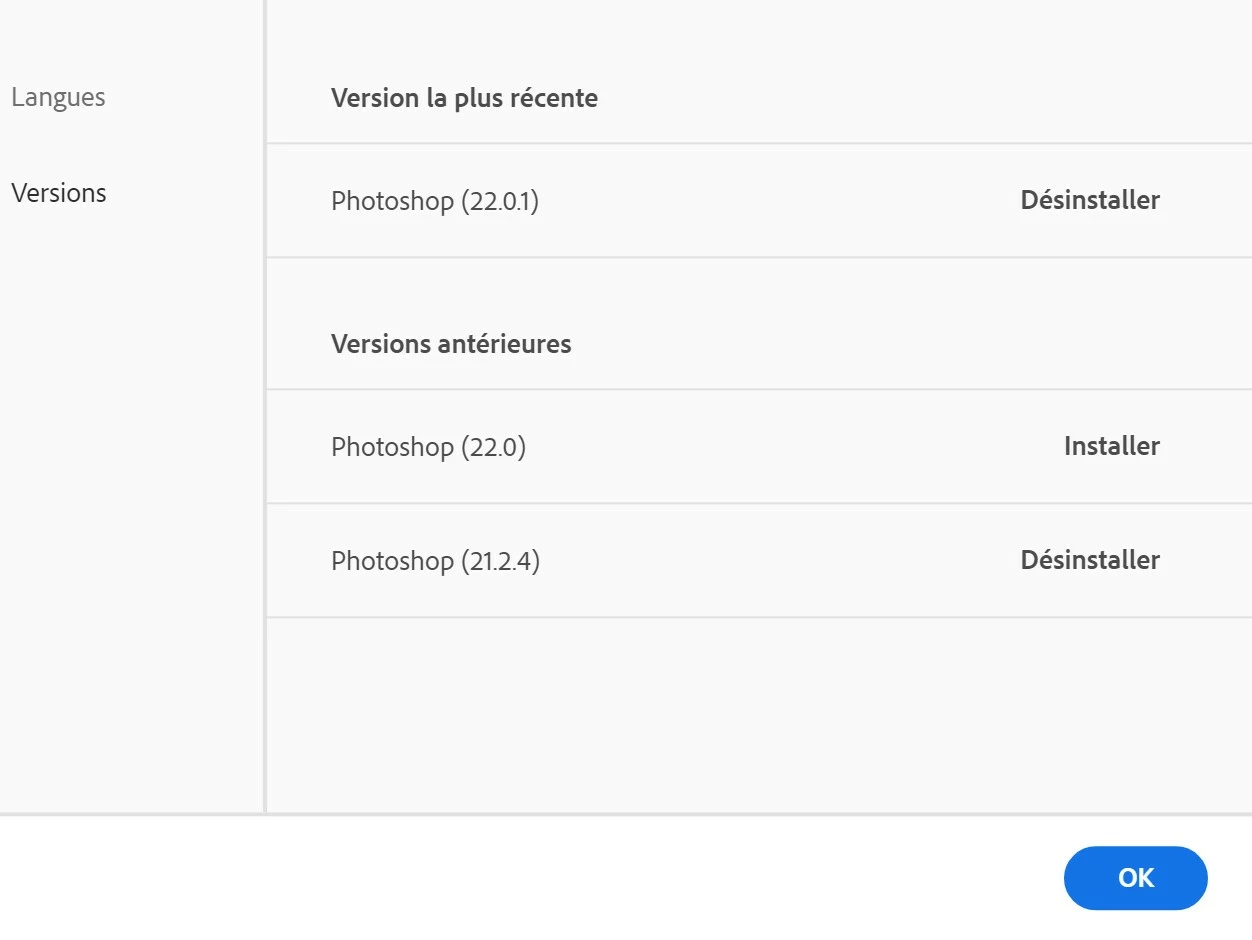


Any clue on how to do this ? 
Thanks for your help.

This topic has been closed for replies.
Correct answer jane-e

@davescm is correct. Adobe offers the current version and the one previous. Dot releases are only for the current version. That's why I never uninstall and I keep all old versions.


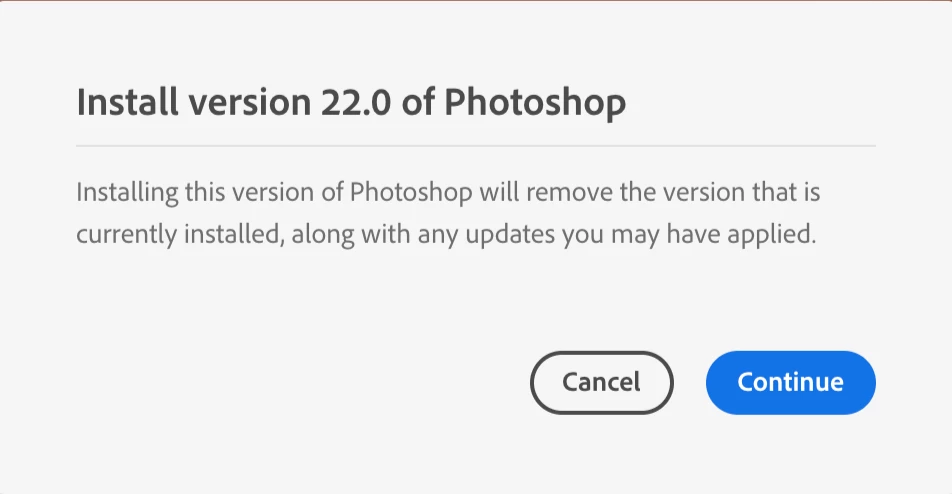
If I try to install 22.0, CC says it will remove 22.1, but I'll cancel.
 

ProDesign Tools says their direct link to download CC2019 still works. You can try that in addition to Customer Care.

https://prodesigntools.com/adobe-cc-2019-direct-download-links.html


~ Jane


2 replies

davescm
Community Expert
Community Expert
November 20, 2020

Jane is spot on. You have both versions installed and can open either 22.0.1 or 21.2.4 from the CC desktop app, no need to roll back.


Dave

Participant
November 20, 2020

Hello dave,


thank for your reply.
i still want to roll back to previews version because of issues with dual brush option.
photoshop version 21.2.1 is the one i want and not 21.2.4. i don't have any option to do it in creative cloud.


if it's not possible to have the 21.2.1 why not so i can go back to a previews version like the version 20 for exemple.

Anyway Creative cloud doesn't give me this possibility. i juste have two options :

 Any clues ?


Thanks

davescm
Community Expert
Community Expert
November 20, 2020

As far as I know you can step back in major versions e.g. 22.x,  21.x etc  but not minor versions e.g 21.2.x 21.2.y

You could try Adobe customer care and ask for a direct link to the version you require


Dave

jane-e
Community Expert
Community Expert
November 20, 2020

Hi

You get to that screen when you select Other Versions from the Ellipses.


It appears that PS 21.2.4 is already installed and you can open it from the CC app. (See the Open buttons on my screen.) If you want to install 22.0, you need to deinstall 22.0.1 first.


~ Jane

Participant
November 20, 2020

Hello jane-e


Thanks for your reply.
i still want to roll back to previews version because of issues with dual brush option.
photoshop version 21.2.1 is the one i want and not 21.2.4. i don't have any option to get it in creative cloud.


if it's not possible to have the 21.2.1 why not maybe i can go back to a previews version like the version 20 for exemple.

i can see it in the screenshot your creative cloud interface. But Creative cloud doesn't give me this possibility, I juste have two options :


is there a mysterious trick to get it ? 


Thanks for your time.