Copy link to clipboard
Copied
I'm not sure if this is normal or not (and if it is, it's stupid), but whenever I create a new custom shape and add it to my self-made Custom Shapes 1 file, and am then prompted to save when I switch to a different catalogue, I can't actually save over the existing Custom Shapes 1 file. I have to save it as a separate file, then paste into Presets/Custom Shapes and rename it "Custom Shapes 1" after deleting the previous version. this seems very inefficient and tedious, and I can't help but think I'm doing something wrong.

Copy link to clipboard
Copied
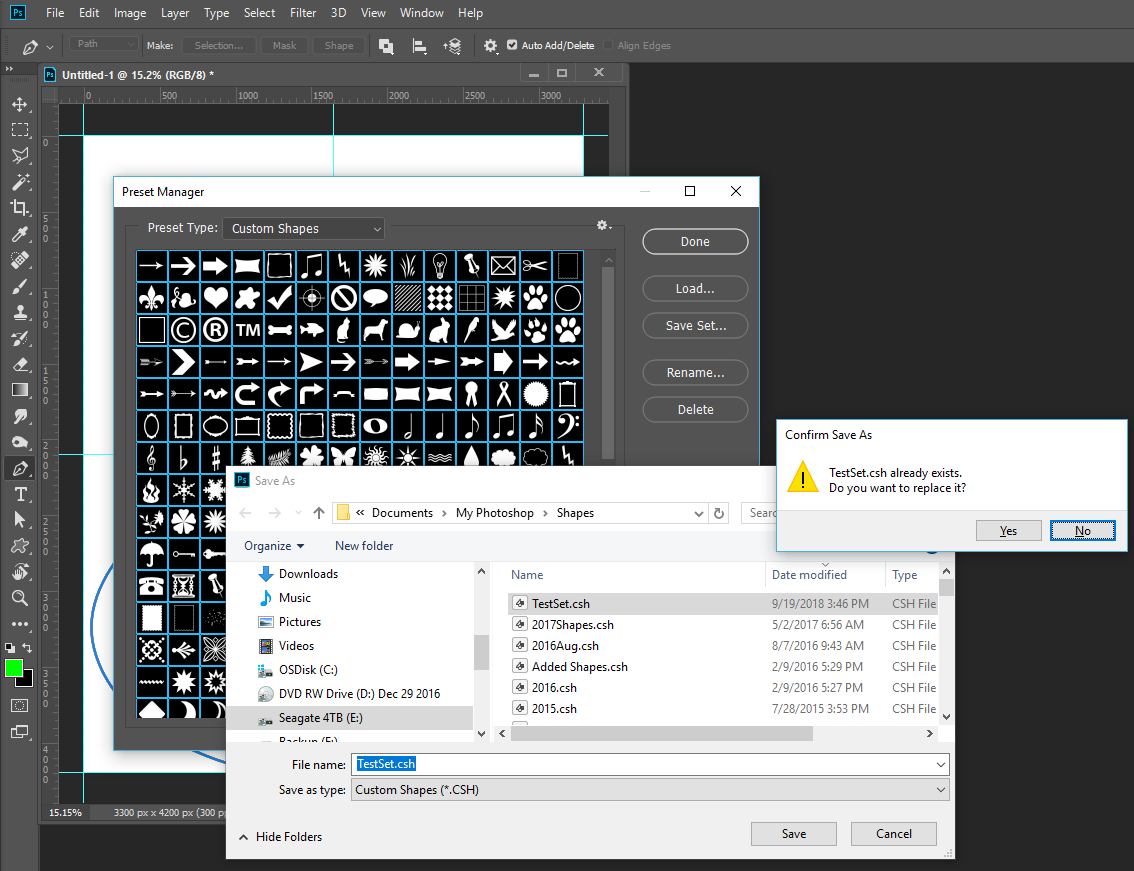
What OS are you useinf abd where are you saving your shapes. When If doe the from the Presetmanager one Windows I hans always receved ate pop-up dialof that stater the file exists. Doe you want to over write it. I can just click Yes tp over write the defaulr is No.

Copy link to clipboard
Copied
I'm on Windows 10 64-bit. whenever I see that popup, I click yes but it tells me that either I don't have permission (which I do) or that its being used by another program (which it technically is - by Photoshop).
Copy link to clipboard
Copied
Thay is why I ask where you are saving the the file. It seems it would replace the file if you had the correct permissions. I find even though my user ID in an Administrator user there are time when I can not save files within the C:\Program Files\ Path or C:\ root frome some applications. With Photoshop I can not say I have a Problem for I always save thing I add to Photoshop in Folders I created on met external USB drive. Never folders Adobe installers create. I do not want to lose thing I use. So I always save into my folders and load them into Photoshop from my folders. That way I know where things are and they are safe.
Get ready! An upgraded Adobe Community experience is coming in January.
Learn more