

Screen Mode / Full Screen Mode With Menu Bar (Odd Behavior)
The easiest way for me to explain this is through screen shots.
I can't find a pattern to when this issue appears, but I am beginning to lean toward something to do with low RAM.
I mostly work in Full Screen Mode With Menu Bar, and sometimes the panels (AND MENU BAR) disappears. This is not a matter of hitting the TAB key in order to bring back the panels. The menu bar itself has disappeared (you will notice the empty space in the screen shot).
This is Standard Mode.
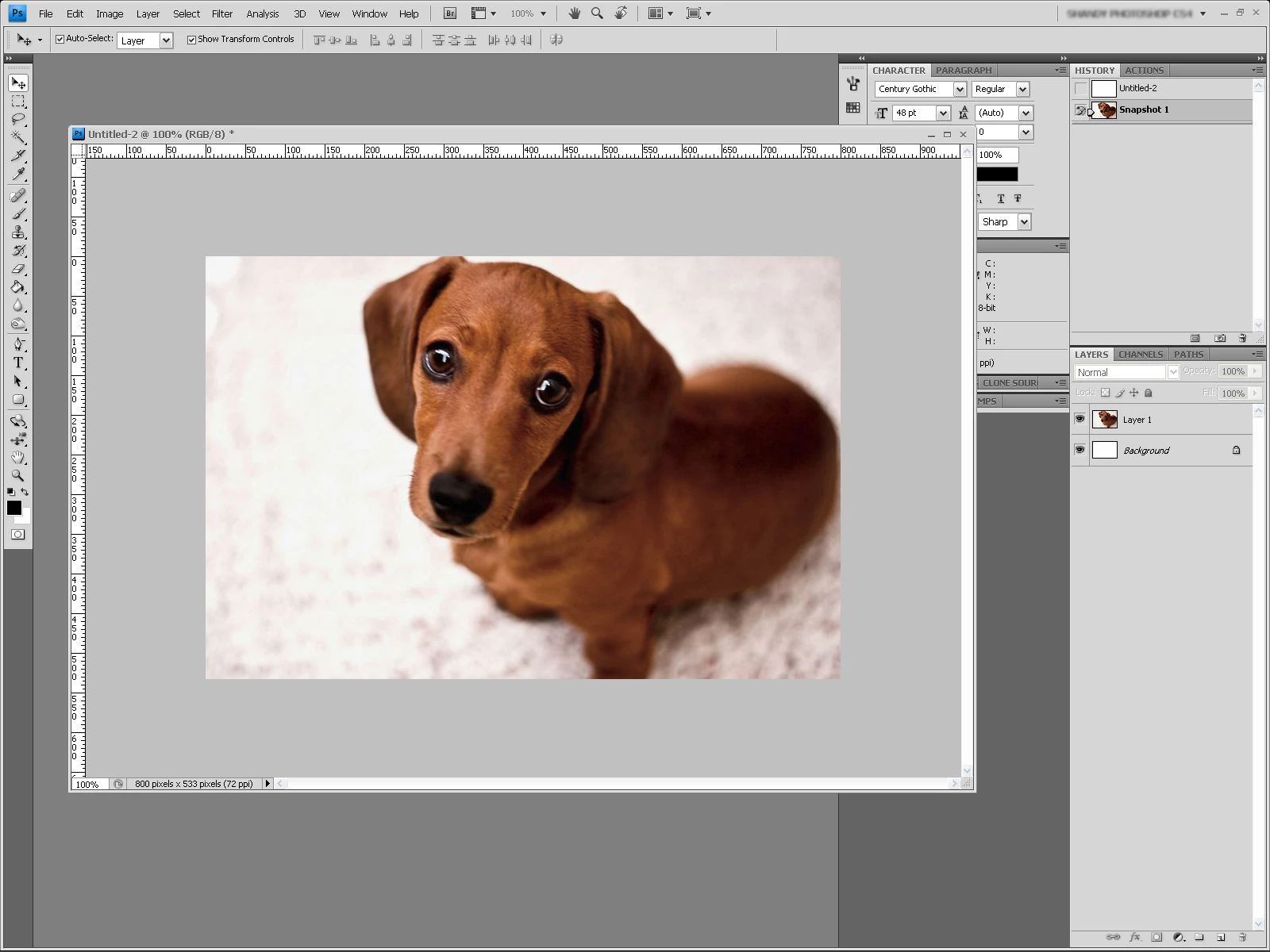
This is Full Screen Mode with Menu Bar (as it should be).
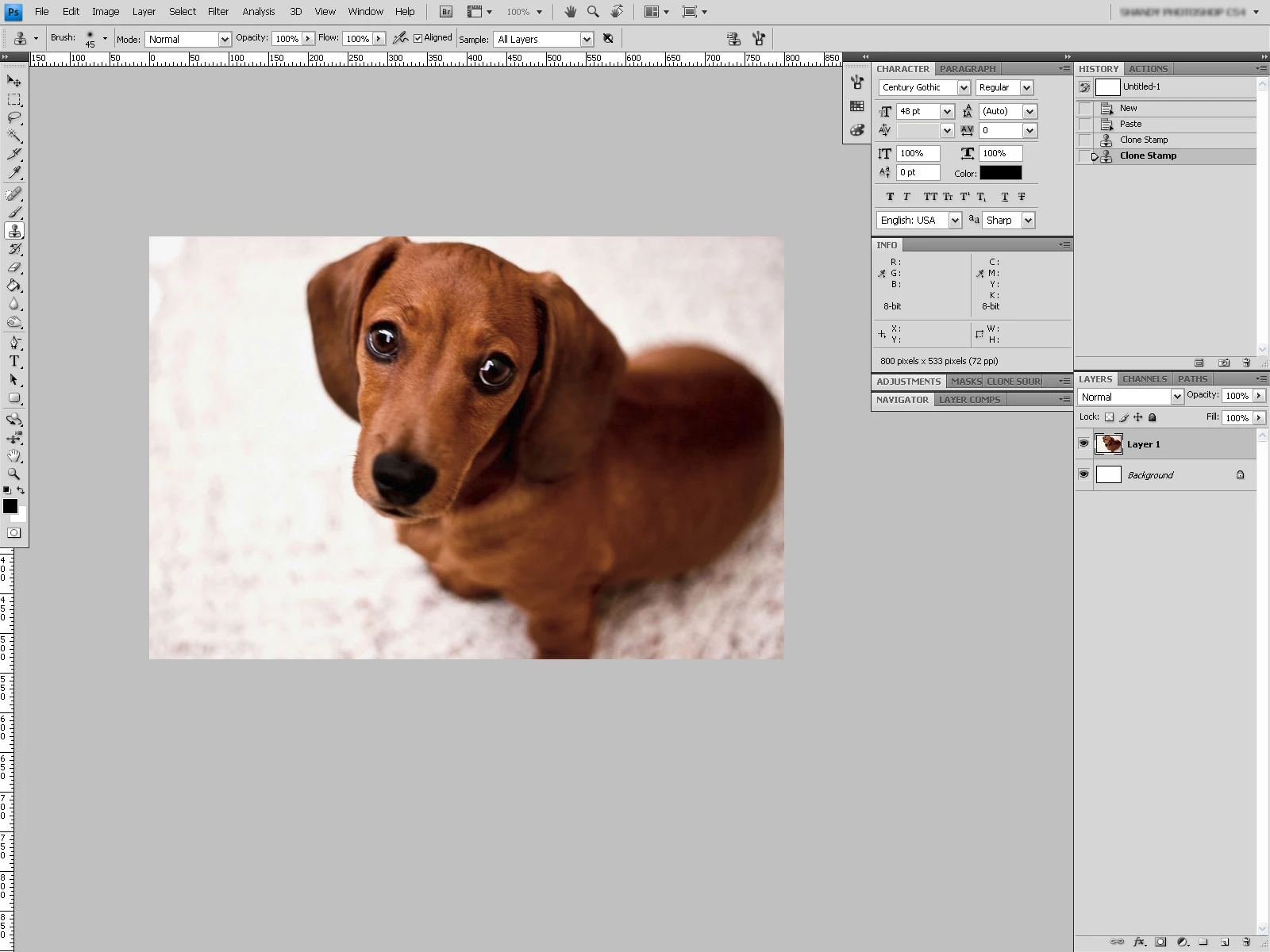
This is the problem (when Full Screen Mode with Menu Bar disappears). I have tried to reset the workspace and even tried to change workspaces, but this issue sticks around until I restart Photoshop. Full Screen Mode itself works just fine.
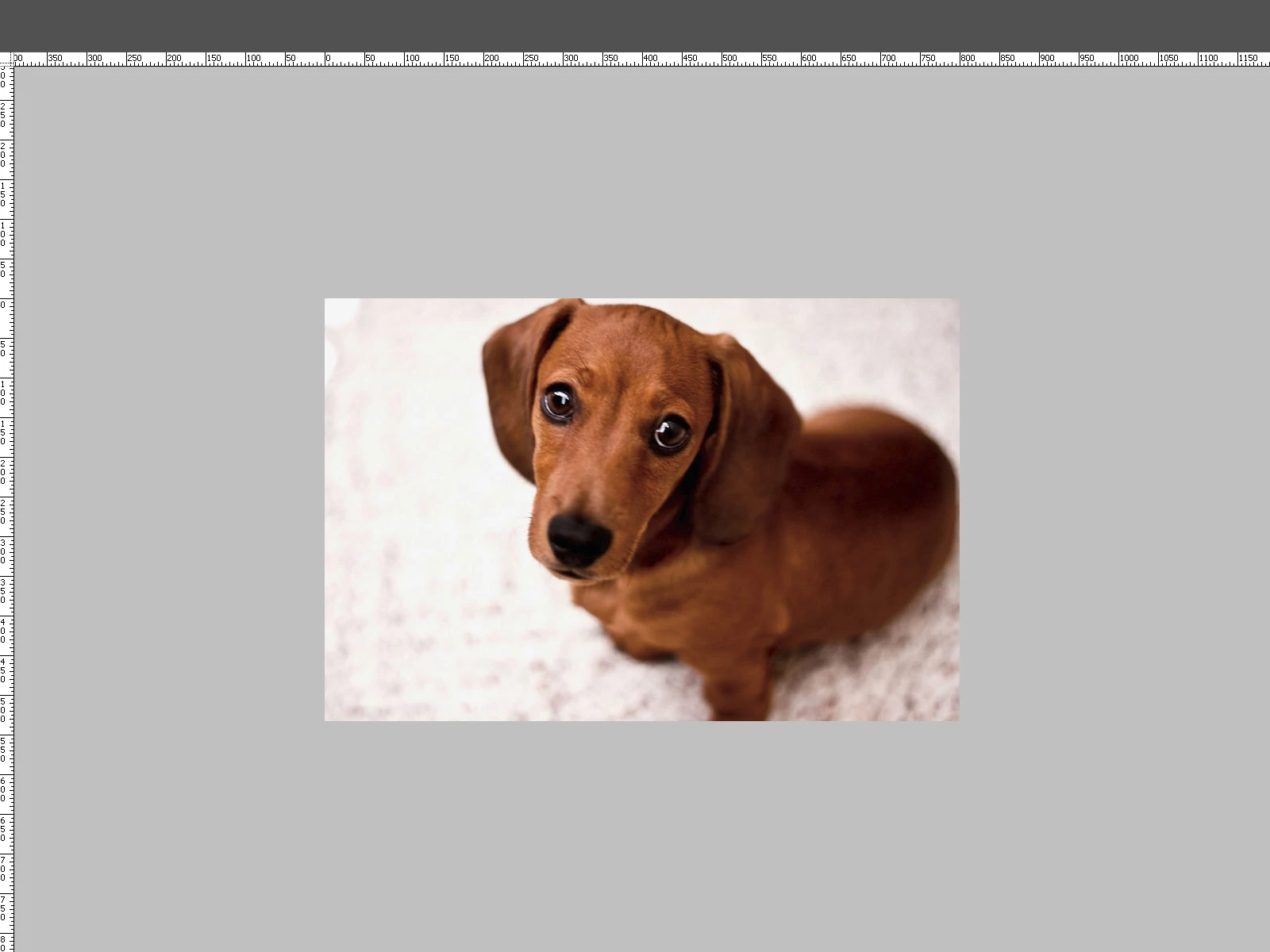
Any ideas?
 AdChoices