Exit
  • Global community
    • Language:
      • Deutsch
      • English
      • Español
      • Français
      • Português
  • 日本語コミュニティ
  • 한국 커뮤니티
0

Scripts not visible in list, Actions not reading scripts. Began with 22.4.2 update.

Community Beginner ,
Jul 20, 2021 Jul 20, 2021

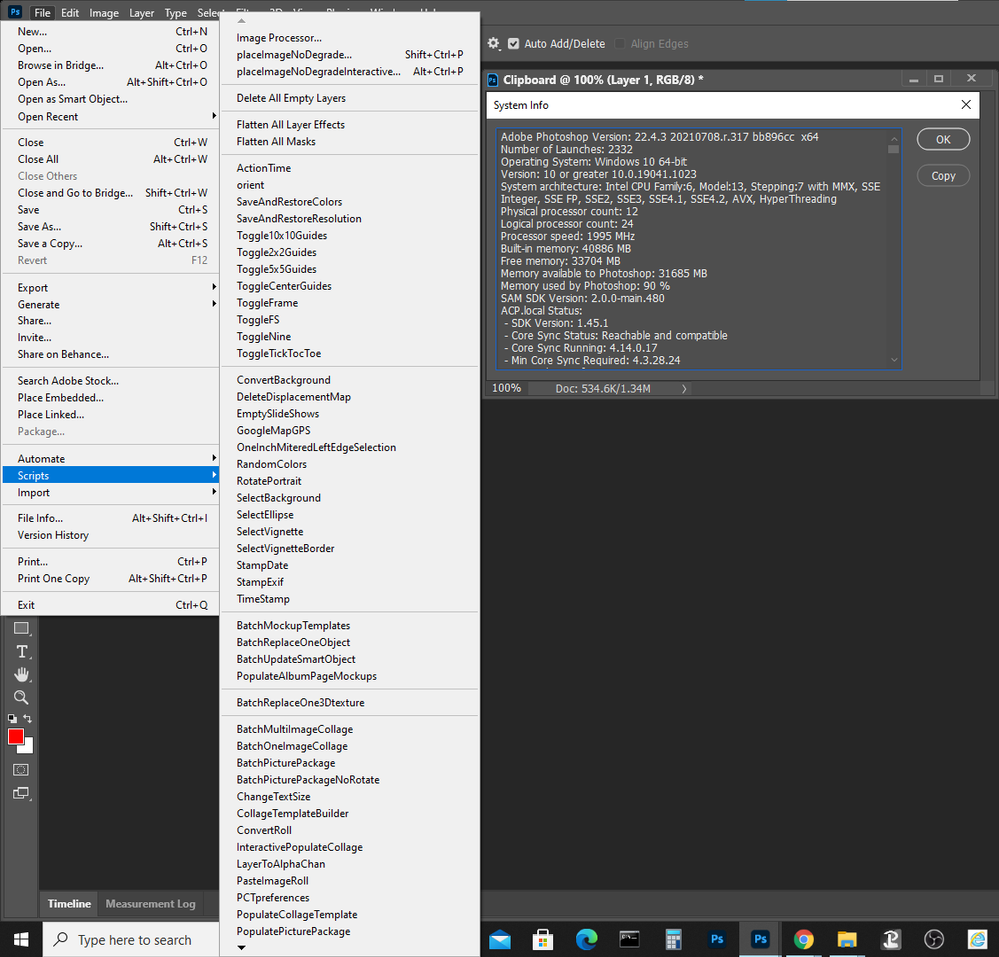
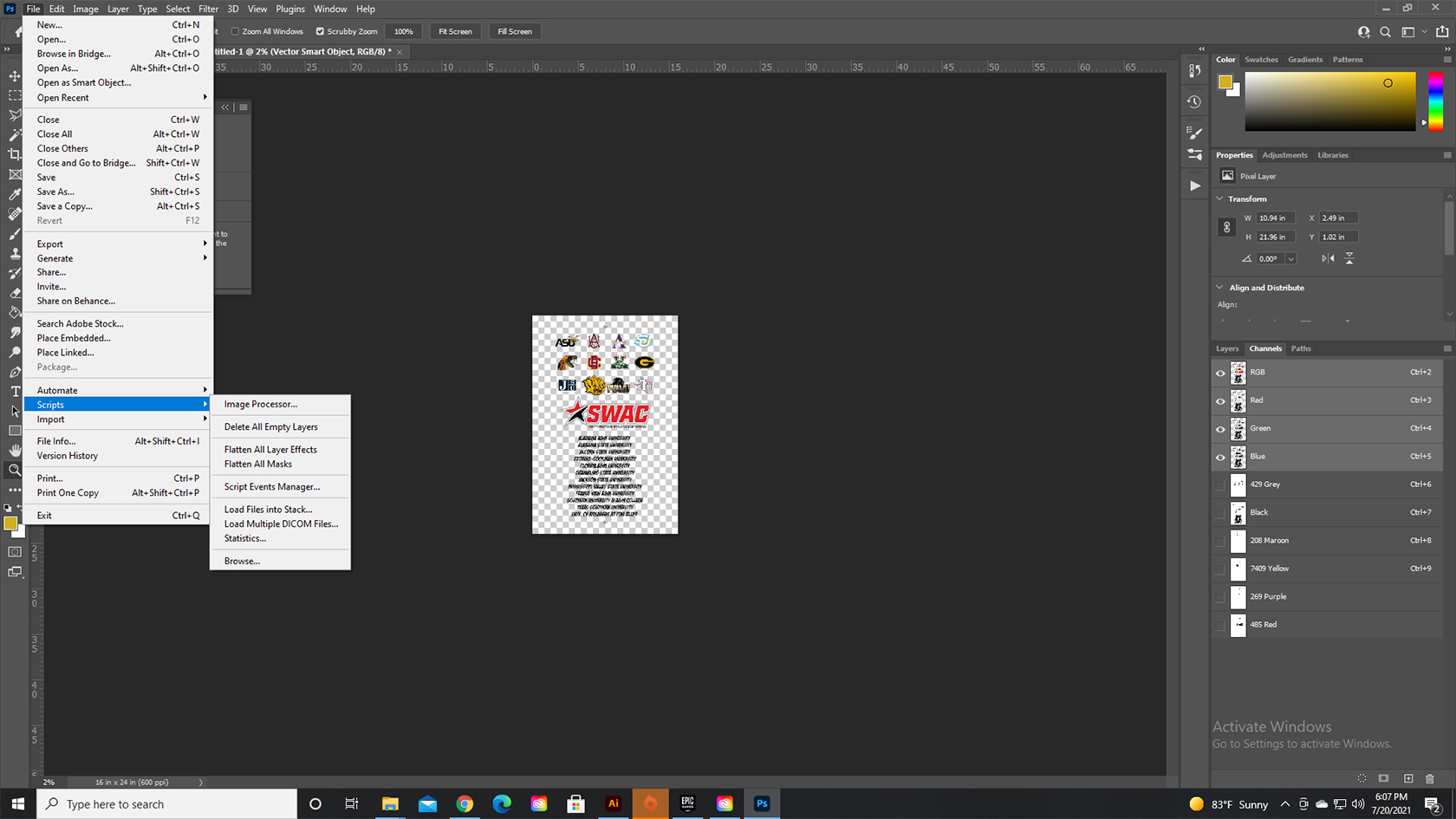
My scripts no longer show up in my scripts list after this latest update. The script files are all there in the proper folder. I have certain custom actions which require these scripts in their functionality, and this is quite literally destroying my workflow. Windows 10, Photoshop 22.4.2. Just updated to 22.4.3, issue still exists. I am a daily, professional user. Please, how do I regain the lost functionality? 

TOPICS
Actions and scripting , Windows
1.2K
Translate
Report
Community guidelines
Be kind and respectful, give credit to the original source of content, and search for duplicates before posting. Learn more
community guidelines

correct answers 1 Correct answer

Community Expert , Jul 21, 2021 Jul 21, 2021

The screenshot seems to show the folder for PHOTOHSOP 2020, not 2021. 

Translate
Adobe
LEGEND ,
Jul 20, 2021 Jul 20, 2021

Maybe reset preferences to default.

Translate
Report
Community guidelines
Be kind and respectful, give credit to the original source of content, and search for duplicates before posting. Learn more
community guidelines
Community Expert ,
Jul 20, 2021 Jul 20, 2021

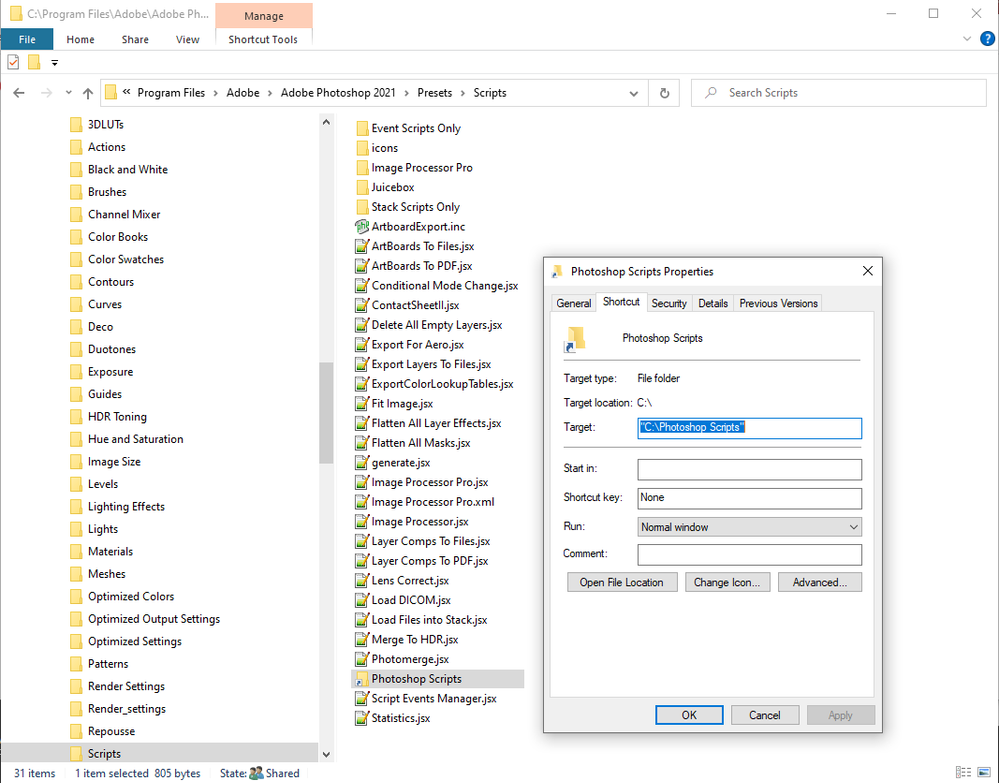
Show the file list in the tree  "Photoshop version\presets\Scripts\". Note I link Photoshop Scripts to my Scripts  tree.

image.png

image.png

JJMack
Translate
Report
Community guidelines
Be kind and respectful, give credit to the original source of content, and search for duplicates before posting. Learn more
community guidelines
Community Beginner ,
Jul 21, 2021 Jul 21, 2021

Nothing has changed, other than the photoshop updates.

Translate
Report
Community guidelines
Be kind and respectful, give credit to the original source of content, and search for duplicates before posting. Learn more
community guidelines
Community Beginner ,
Jul 21, 2021 Jul 21, 2021

Screenshots of my folder contents and the scripts list.

Translate
Report
Community guidelines
Be kind and respectful, give credit to the original source of content, and search for duplicates before posting. Learn more
community guidelines
Community Expert ,
Jul 21, 2021 Jul 21, 2021

The screenshot seems to show the folder for PHOTOHSOP 2020, not 2021. 

Translate
Report
Community guidelines
Be kind and respectful, give credit to the original source of content, and search for duplicates before posting. Learn more
community guidelines
LEGEND ,
Jul 21, 2021 Jul 21, 2021

On your screenshots we see there are 2 Photoshops installed. You refer to the wrong one.

Translate
Report
Community guidelines
Be kind and respectful, give credit to the original source of content, and search for duplicates before posting. Learn more
community guidelines
Community Beginner ,
Jul 21, 2021 Jul 21, 2021

And that was exactly the problem. The photoshop 2021 folder didn't look like a folder, it looked like an executable file.  I placed the files in the proper folder and they now show up.  Still confused about it, really, they were working fine, then stopped. Anyway, thanks so much for pointing that out.  Kind of feel like an idiot now, but that's ok, too.  LOL

Translate
Report
Community guidelines
Be kind and respectful, give credit to the original source of content, and search for duplicates before posting. Learn more
community guidelines
LEGEND ,
Jul 21, 2021 Jul 21, 2021
LATEST

If we helped you, mark the correct answer, so it's going to be useful for other users too 😉

Translate
Report
Community guidelines
Be kind and respectful, give credit to the original source of content, and search for duplicates before posting. Learn more
community guidelines