Participating Frequently
March 3, 2020
Answered

Selection Tools acting erratically

  • March 3, 2020
  • 1 reply
  • 2450 views

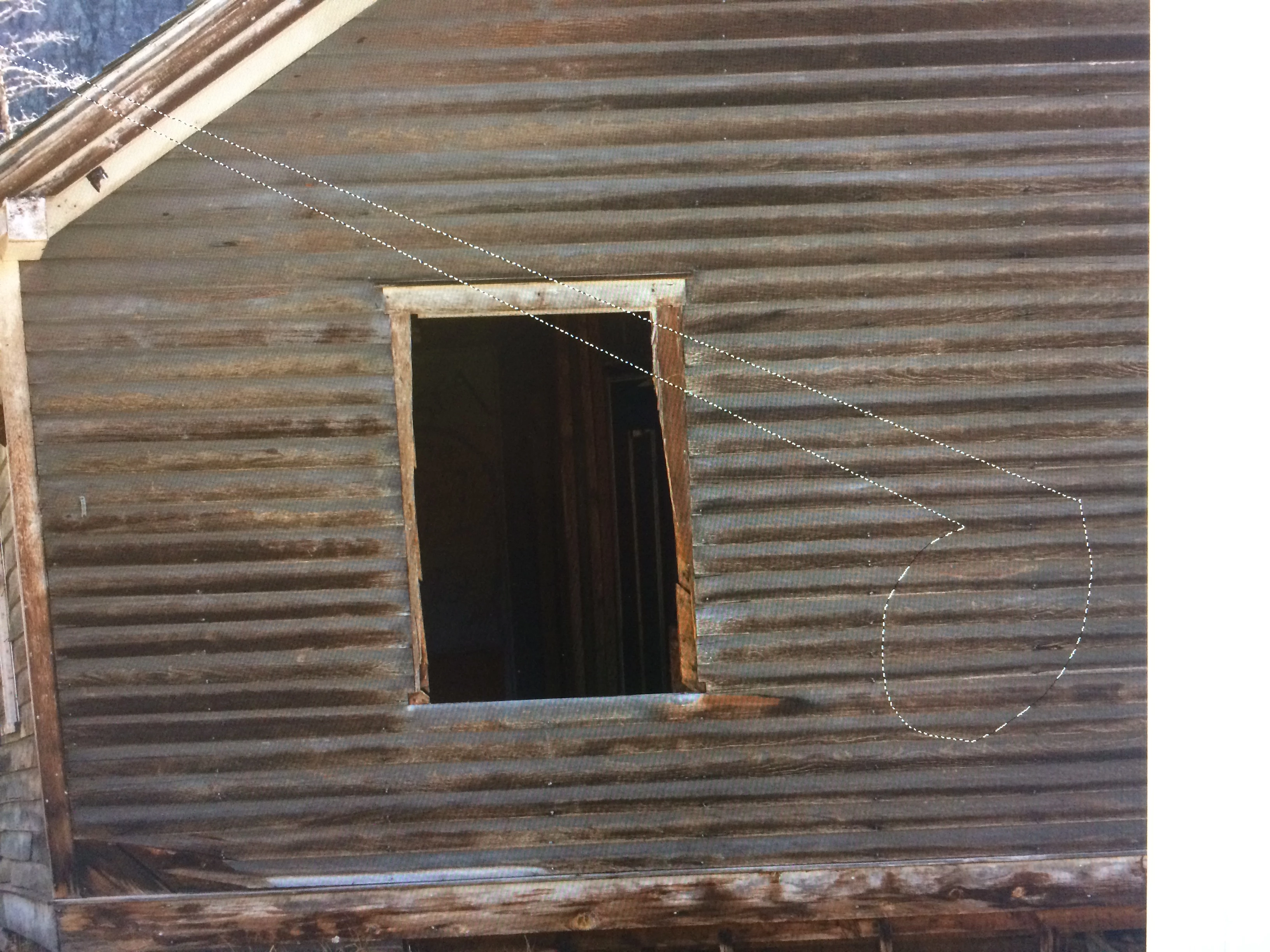
So, when I make a selection with one of the selection tools, the selection snaps to a shape other than what I intended.  Usually the shape takes on the form of a triangle with one side of the triangle resembling the intended selection.  I tried resetting the tool bar, reloading PS, making changes to the Graphics Processor setting, but nothing helps. In the photo below, I was using the Lasso Tool. I'm stumped! 
 

This topic has been closed for replies.
Correct answer fredericd81291465

yes! When I release the mouse.  I just updated (two minutes ago) PS on my laptop (a different machine) and I get the same problem!!! It must be a photoshop udate issue.  I'm going to try to restore yo an earlier version and see what happens. 

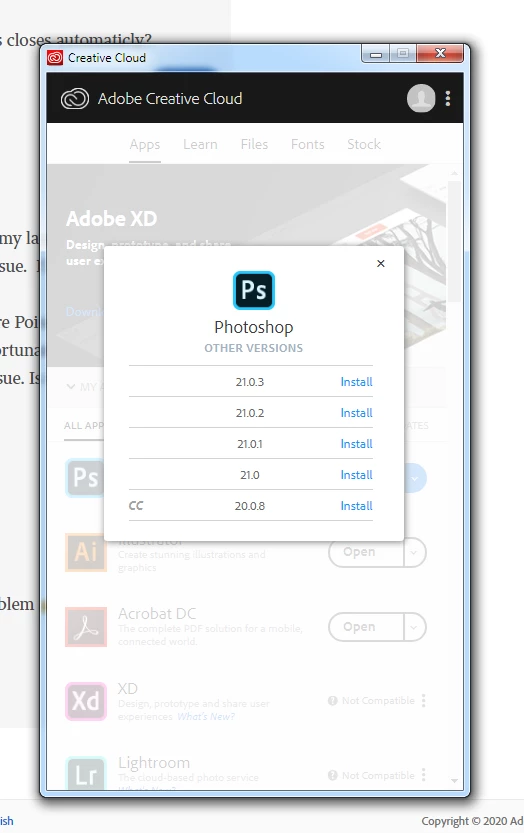
Post note: I was able to restore my laptop to an earlier version via Restore Point. This also restored my PS to an earlier version that does not have selection tool issues. Unfortunately, I wasn’t able to restore my Desktop to an earlier version without the PS selection tool issue. Is there a way to install an earlier version of CC Photoshop? 


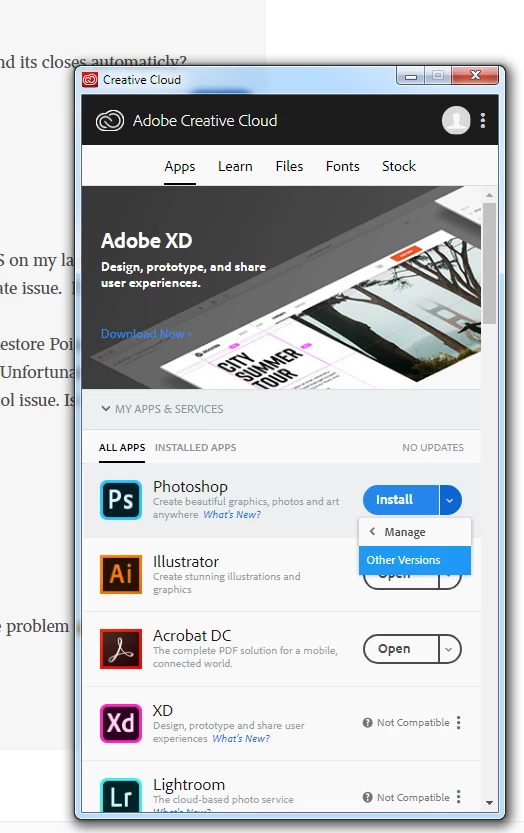
@rongaut1 : i installed earlier version 20.0  for my desktop via Creative cloud and it was OK :  

1 reply

manal shanableh
Legend
March 3, 2020

do you work between lasso tool and polygonal lasso tool by clicking Alt (options)???

Rongaut1Author
Participating Frequently
March 3, 2020

Hello! I never use the polygonal lasso tool. I only use the lasso tool. Of course, I may have done something (Alt click) inadvertingly. What are you thinking?  

Rongaut1Author
Participating Frequently
March 6, 2020

Glad to see that it solved the problem.

Yes i am using Windows 7 but i had the same problem on Selection tool and Eraser tools  on my other computer with Windows10.  I have seen many discussion on that topic on Adobe Support Community these last days.  


Thank you! Good to know that the issue is not related to Windows 7. Lets  hope that Adobe is aware of the problem and provides a fix in the near future.  Thanks again!!