

gattenshochinosuke19526994
Participant
February 2, 2022
Answered

Selection tools and Show Guides do not work what I want

  • February 2, 2022
  • 3 replies
  • 188 views

Hi, team. Can you help me?


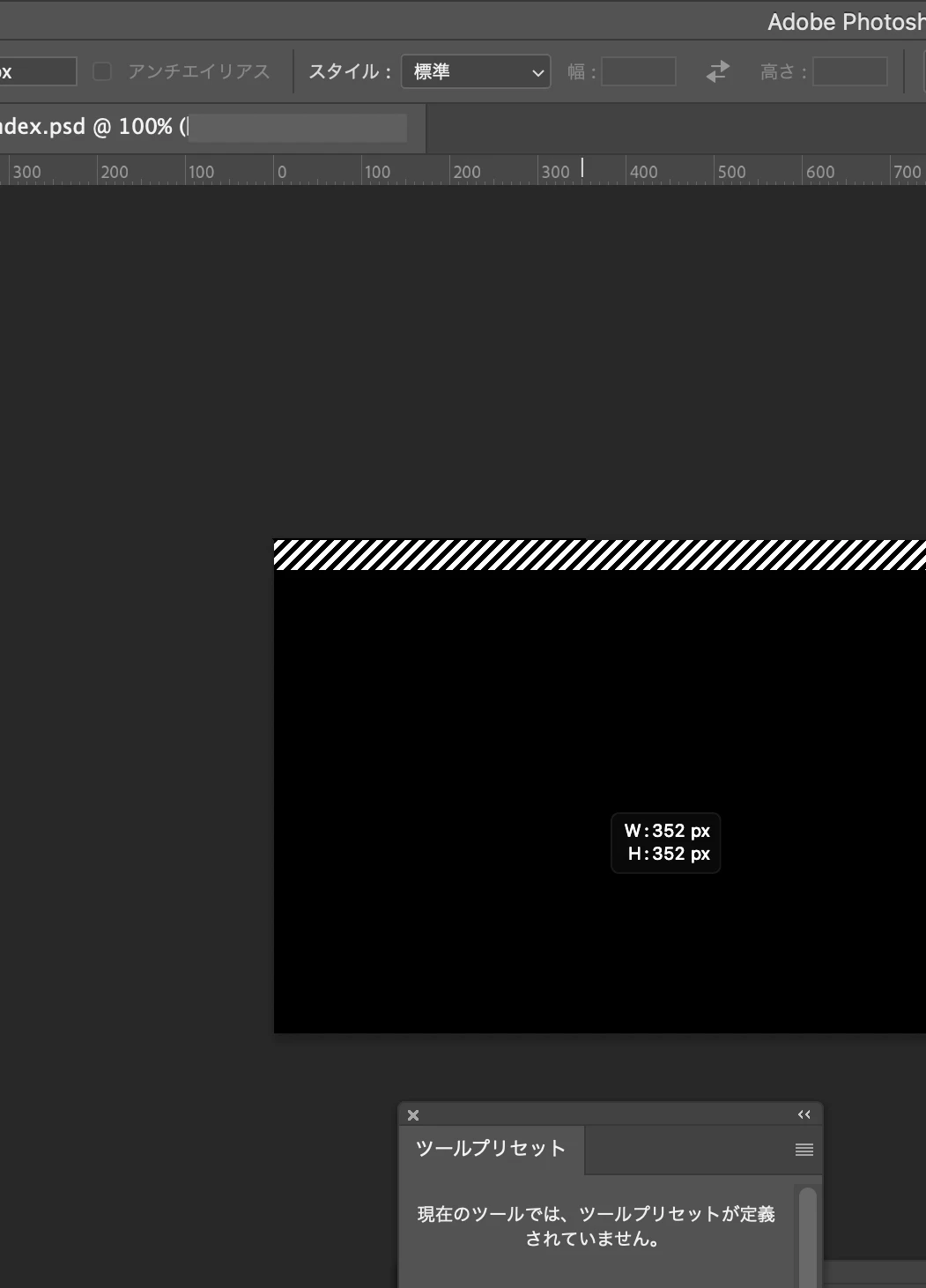
When I use Selection tools such as rectangle or polygon, or try to show Appearance > Guides, the behavior and display is strange.

The attached image shows the selection of an image with the entire image filled in black.
The shaded line at the top is moving in the same way as the selection border.


  1. Version of the app 23.1.1
  2. Platform and OS version mac OS Big Sur 11.6.2
  3. Basic steps to reproduce the problem Use any of the Selection tools or Show Guides
  4. Expected result and actual result I want to make a selection or display a guide. But neither of these things work.
This topic has been closed for replies.
Correct answer J453

Let's make sure we're at a known state in case there are any stale settings:


Restore your preferences using this manual method:
https://helpx.adobe.com/photoshop/using/preferences.html#Manually
Does it work correctly?
If that doesn't solve it, you can quit Photoshop and put the Settings folder back.
If it does solve the problem, I would like to get the folder of settings to try and figure out what is bad with them.

3 replies

gattenshochinosuke19526994
Participant
February 3, 2022

Hi, Mr. Jeffrey.

I followed your instruction, my problems was solved.
Thank you so much for your help.

J453Correct answer
Legend
February 2, 2022

Let's make sure we're at a known state in case there are any stale settings:


Restore your preferences using this manual method:
https://helpx.adobe.com/photoshop/using/preferences.html#Manually
Does it work correctly?
If that doesn't solve it, you can quit Photoshop and put the Settings folder back.
If it does solve the problem, I would like to get the folder of settings to try and figure out what is bad with them.

gattenshochinosuke19526994
Participant
February 2, 2022

I have taken a video of the screen and will send it to you individually if necessary.