

Trevor.Dennis
Community Expert
Community Expert
March 18, 2022
Question

SFTW 158 — A Matter of Perspective

  • March 18, 2022
  • 15 replies
  • 5636 views

It's my turn to put up a starter for SFTW, and I am going with something a little bit different.  Basically a blank canvas. Regular posters know I am a fan of Lazy Nezumi Pro, and specifically its Vanishing Lines preset as a guide for matching a scene's perspective, but LNP does not work with OSX systems.  The Greatest Living Photoshop Artist, Bert Monroy, has always used Macs, so all he uses for his perspective guides is two or more three point work paths with the central point on the Vanishing Points.  In fact he uses Illustrator to lay out his perspective guide lines with his huge illustrations like Times Square.


Download the attached JPG and open in Photoshop.  Note: you have to obtain the starter image this way to have the work paths.  It will look something like this:
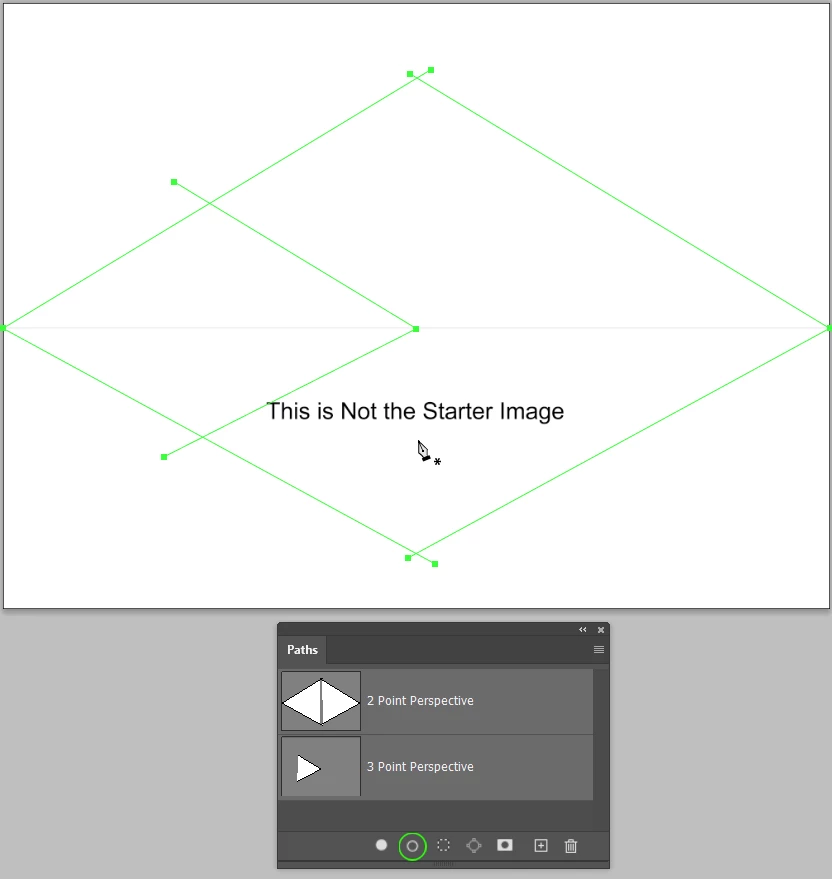
The way I do it is to place a layer at the top of the stack, move the work path end points into position and with a one pixel fully hard brush selected, click on the Stroke icon at the bottom of the Paths panel.  You might need to right click a path and chose Stroke the first time you do this to make sure the Brush is selected.


Tip: Did you know that with the  Move tool selected, you can hold down Ctrl (Cmd) and move work path points?  


Well keep things simple and assume that verticals are perfectly vertical so we can use Guides for those.


I don't want to put ideas into peoples heads, but a blank canvas might be a bit daunting, so this could be a simple way to fill a 2 point perspective.  Note that its rule of thumb that if we assume the terrain is flat, then people's eye lines will coincide with the horizon. 
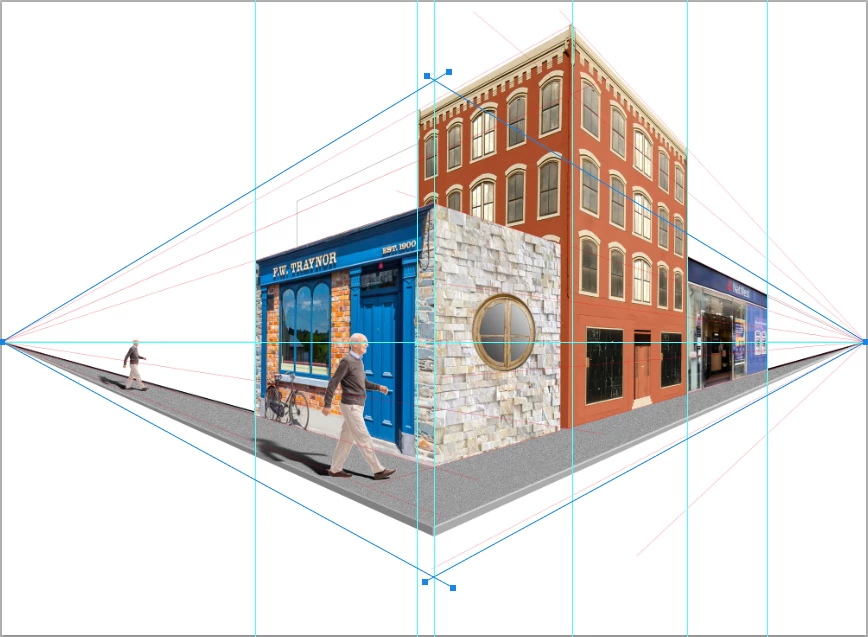
My tip is to find each image element and paste into a new document so you can use Perspective Crop to square it up.  Make it a Smart Object — this makes the corner handles remain at the corners through multiple use of Free Transform.


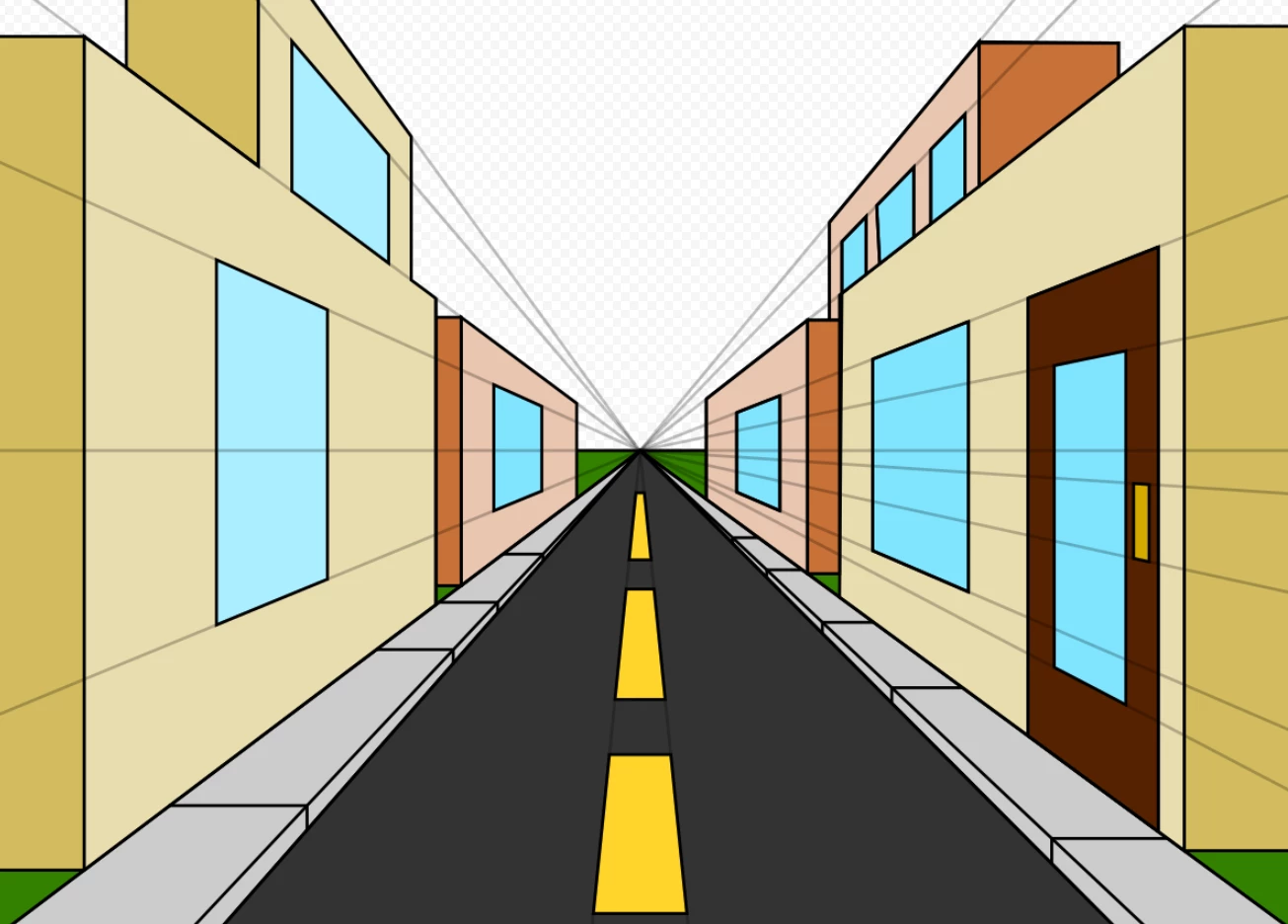
You use either the Two Point Perspective as above, or use the central work path and make it a Single Point Perspective, so your image might look something like this (from Google):
 

The “rules”:

  • Anything goes as long as it meets the forum rules on decency copyright etc.
  • Anyone and everyone is welcome to have a go whether you are a complete beginner or a Photoshop expert. This is not just for our forum “regulars”, and other applications can be used.
  • There are no prizes apart from the chance to practice show off or bring a bit of humour and fun. Don't be shy join in and have a go!


When posting back your image — please use the blue reply button in this first post. If posting a comment on someone else’s entry then please use the grey reply button next to their image post.


Have fun!

Trevor

Fingers crossed that the attachment loads OK, because I can't seee it! 

This topic has been closed for replies.

15 replies

Community Expert
March 30, 2022

Hi Trevor,

Great idea for a SFTW challenge. I'm a bit late to this but will try do something by the end of the week

Jacob Bugge
Community Expert
Community Expert
March 24, 2022


Someone had to do something silly.


Bottom(s) up perspective?


Click/RightClick to get closer, or Click Here to see in Chrome 

Semaphoric
Community Expert
Community Expert
March 23, 2022

More musing —

Some "shallower" guidelines below the horizon alters the viewpoint considerably:


Semaphoric
Community Expert
Community Expert
March 23, 2022

I'm not getting any ideas, so I'll add


Long ago, I saw a book on perspective drawing in the University Bookstore. I sure wish I'd bought it then, since I haven't seen it since. It had a technique for establishing vanishing points so the perspective doesn't look unnatural. It started with the observation that if you stand at the corner of a building and look straight up, you will see a right angle, not acute. It is a rule of Geometry that an angle inscribed in a semicircle is always 90°. So, if you visualize your vanishing points on the diameter of a circle, as long as your image is within that circle, it will have "nice" perspective, but as you move outside it, the more you get that Ultra Wide Angle look, with the exaggerated "Ship's Prow" corner.


Fairly nice perspective:

Add a few storeys, and you  get exaggerated perspective:

Trevor.Dennis
Community Expert
Community Expert
March 23, 2022

John, Perspective Made Easy is still available as a PDF download.  As we have said before, it is old but still relevant.  We talked about it back in 2018 and there some useful links in that thread.  


www.studentartguide.com/articles/one-point-perspective-drawing


The link to the Perspective Drawing Handbook is broken in that thread, but you can find it in the link below.  Unfortunately it is scanned rather than digital.

https://ia800600.us.archive.org/7/items/PerspectiveDrawing/PerspectiveDrawing.pdf


EuanWilliamson
Community Expert
Community Expert
March 23, 2022

How about these two from 1988 !! ( found them recently in a drawer )

https://archive.org/details/perspective-drawing-by-ernest-norling-walter-foster-1969/mode/2up


Best regards, Euan.
War Unicorn
Community Expert
Community Expert
March 22, 2022

EuanWilliamson
Community Expert
Community Expert
March 21, 2022

I've gone off piste with a complete disregard to perspective and made this one of my home town

viewed from across the river.


Best regards, Euan.
davescm
Community Expert
Community Expert
March 21, 2022

Is that Dundee Euan?

Dave

EuanWilliamson
Community Expert
Community Expert
March 22, 2022

Yes indeed. 


Best regards, Euan.
davescm
Community Expert
Community Expert
March 21, 2022

Hi

I said I wouldn't be able to resist this one!

This is a render, set up in Blender using FSpy to align the render camera to the perspective guides in the starter image, before building the scene and rendering it. The bike is one of the Adobe 3D assets that I then textured in Substance Painter.


Dave

jane-e
Community Expert
Community Expert
March 21, 2022

@davescm: Wow!


~ Jane


Trevor.Dennis
Community Expert
Community Expert
March 20, 2022

Right, this me having a go.  I am not sure if it is going to work out, so I am going to record the steps as I go.

I'm starting with an arbitrary shape layer.  I am hoping to place it in perspective with the front facing to the right.

I tried using the star guides but found it much too confusing. YMMV.  So I reverted to the stroking the three point guides, and used my judgement for the width/aspect ratio.  I'm leaving the original flat shape for comparison.

BTW  I messed up and forgot to make the shape a Smart Object and had to start again.  It really is impossible to make adjustments if you don't work with Smart Objects.


I've used the left hand work path to give me some guide lines that fit the outer extent of the shape.

Made a new Smart Object via Copy (I forgot to do this firs time, and when I changed the colour  — so I could identify the backmost shape — the front shape changed as well.

Use Free Transform with the Al (Opt) key to downsize the copied shape, and mopved it to the left to fit the guides.  You can see that the inner guides still pass through where they are supposed to, so looking good so far.  Oops, I can see I missed a guide for the top of the left leaf.

So far so good.  The next step is to make some clipping paths to outline each section of the tapered sidewalls, and fill them with a solid colour.  A different colour for each one so I can differentiate.  The colour doesn't matter.  Note, I got a bit ahead of myself, so I have hidden that layer in a group to avoide confusion.

The way I like to work is to use solid colour layers as clipping masks, and clip a shading layer to it.  Brush in the shading with lots of overlapping so we can blur it without the edges going thin.  Make the clipped layer a Smart Object so we can fine tune the Gaussian blur.  This is unclipped.

And this is clipped. Another reason to make the shading layer a Smart Object is so you can use Free Transform to fine tune alignment.

Using FT > Distort to align the shading (which is why I overlap the shading so much)

Repeat for the other faces.  Turn off the rear cyon face in case it overlaps.  Job done.

I've used Eye Candy 7 to add a bevel & emboss on the front face.  

Perspective guides


Layers.

Who is going to give it a try?  Pictures, shapes, abstract art.  How about Type layers.  It would work really well with type and you could do some stellar fx.


Trevor.Dennis
Community Expert
Community Expert
March 20, 2022

This another way that is a little less accurate, depending on where your guide lines fall, but less messing about moving guides. It's basically using Free Transform Step & Repeat to copy and rotate vector line layers.  You can  make the line density as high as you like, but I have used 5° below.


I've actually made a bit a faux par here.  I added canvas to the original 4000 X 3000 pixels because I was thinking the lines would not reach the corners when rotated, but they are vector so I could simply have scaled them up.  I'll recover by claiming it would have increased the line thickness if upscaled.  Hmmm...   

I merged the vector line layers into one Shape layer for each side, so what I vae done here is select the Shape layers so they appear in the Paths panel, and then drag them to the new Paths icon.  You can see that I have turned off the Shape layers but the work paths are still present.  I'll upload this file so you'll have the work paths, but for good measure, I have stroked the paths with a one pixel brush.  Just move the background layer top the top of the stack and set it to Multiply and you are good to go.  BTW you can move the vanishing points anywhere horizontally. 


mamma murph
Participating Frequently
March 20, 2022

Hello,

I'm new! I discovered SFTW last week...and I was looking forward to the next challenge. I'm not sure if I created exactly what you had in mind for this post, but I had fun approaching this project from a different perspective. [ha! perspective...pun intended!! : ) ]  Here is a link to my thoughts and process: https://docs.google.com/document/d/12wcxF4iT_Mkbnjepi0F8lbdmcV_vnGUGQIDIsUoVpgY/edit?usp=sharing

Enjoy!

-Murphy

mamma murph
Participating Frequently
March 20, 2022

Trevor.Dennis
Community Expert
Community Expert
March 20, 2022

Hi Murphy and welcomee to SFTW.  That's a real work of art.  You could sell it as one of those NFTs — I still don't have the first clue what they are and how they work, but if people want to give you money for them...  


I've found a wee sound file to go with your image.