Exit
  • Global community
    • Language:
      • Deutsch
      • English
      • Español
      • Français
      • Português
  • 日本語コミュニティ
  • 한국 커뮤니티
0

Shadow discoloration and blotchiness

New Here ,
Apr 07, 2019 Apr 07, 2019

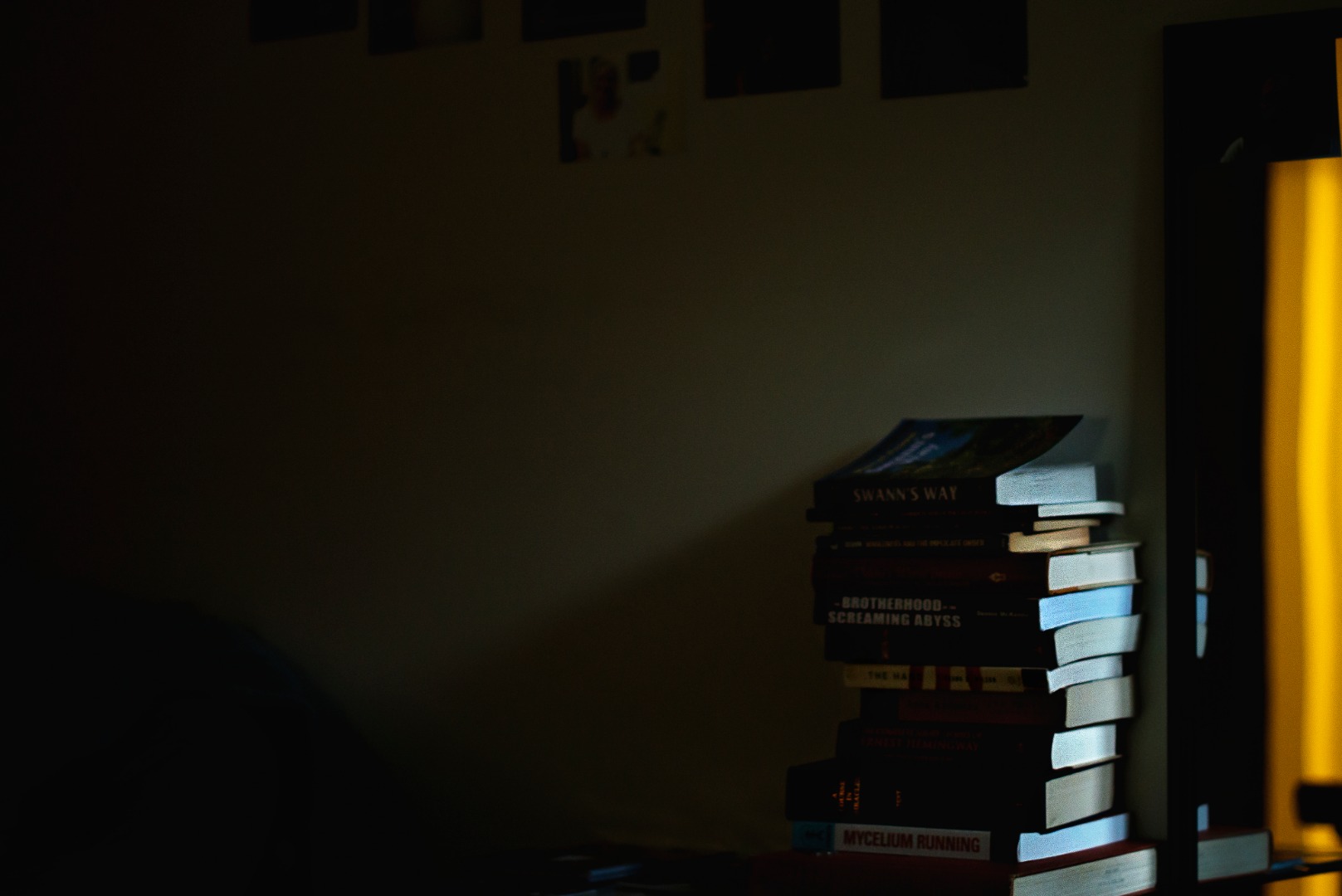
cropexample2.jpgThere is a blotchy pink-reddish discoloration in the shadows and where the shadows begin as you can see here.  There are also sometimes blotchy lines which are more visible when zoomed out.  I know there must be a way to fix this but I don't really know how to word the problem for google even. 

350
Translate
Report
Community guidelines
Be kind and respectful, give credit to the original source of content, and search for duplicates before posting. Learn more
community guidelines
Adobe
Community Expert ,
Apr 07, 2019 Apr 07, 2019

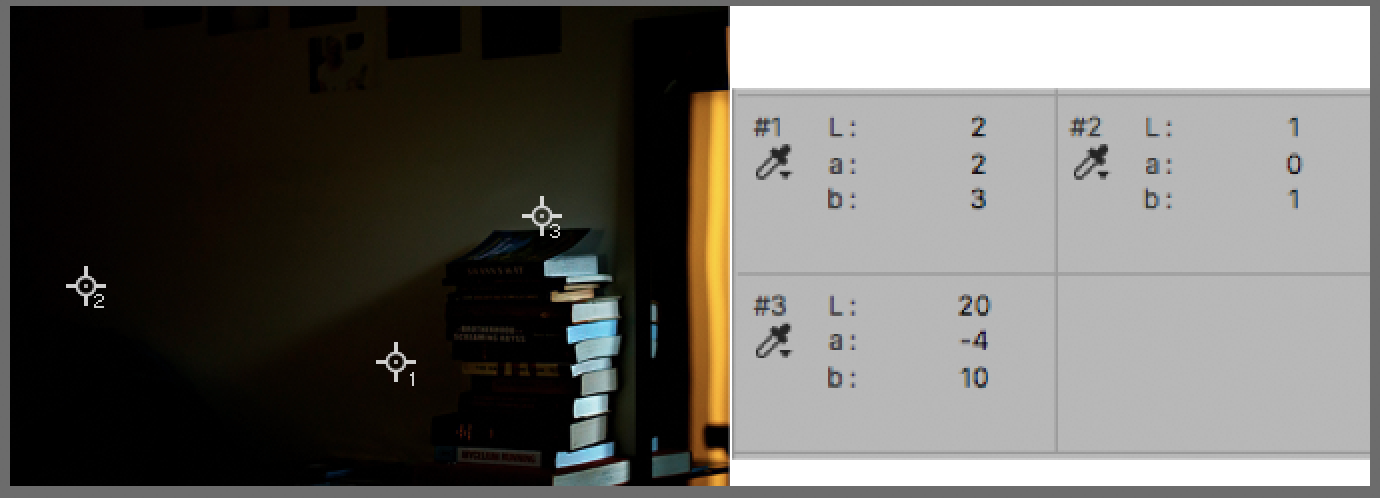
Screen Shot 2019-04-07 at 4.22.38 PM.png

Moving. your file into device-independent Lab Color,

The L Channel denotes Lightness on a scale of 1 to 100. White is 100.

Neutral black would register zero in the a and the b channels on a scale extreme of 0 to 127 for M & Y and  0 to -128 for
G & B.

On such a  large span in the a and. b channels a point or 1 or 2 at the far shadow end of the L scale is rarely noticed. (Make a couple of color patches to prove it to yourself.)  That would suggest Points 1 and 2  (with low L) are very near neutral and Point 3 has a noticeable green/yellow cast. If you see pink/reddish discoloration on your monitor, it is not the result of the values in the file. Run this test on your own computer with the original file to confirm these numbers which were built on the posted version of the file.

Translate
Report
Community guidelines
Be kind and respectful, give credit to the original source of content, and search for duplicates before posting. Learn more
community guidelines
Community Expert ,
Apr 07, 2019 Apr 07, 2019

If you are seeing blotchy pink areas/lines on that image it suggests you may have banding in your display system. As Norman shows , you can check on the colours in your image with the eye dropper.

Try making a neutral gray gradient - what do you see there?

Dave

Translate
Report
Community guidelines
Be kind and respectful, give credit to the original source of content, and search for duplicates before posting. Learn more
community guidelines
Community Expert ,
Apr 07, 2019 Apr 07, 2019

You're working in 8-bit color depth, which only gives you 256 discrete steps per channel.

On top of that you are saving to jpeg, which uses strong data compression, and the color component is much more aggressively compressed than the luminance component.

Considering those two, this is what you can expect. Work in 16 bit depth and use PSD or TIFF.

You also have blue channel low end clipping. That's responsible for the unpleasant yellow cast in the shadow.

Translate
Report
Community guidelines
Be kind and respectful, give credit to the original source of content, and search for duplicates before posting. Learn more
community guidelines
Community Expert ,
Apr 07, 2019 Apr 07, 2019
LATEST

Yes, Dave is right that banding is usually in the display system - provided you're working in 16 bit depth and avoid jpeg.

But here the banding is in the data (at least as presented in the screenshot) - so my money is on 8 bit/jpeg.

Translate
Report
Community guidelines
Be kind and respectful, give credit to the original source of content, and search for duplicates before posting. Learn more
community guidelines