
Participant
September 20, 2018
Answered

Smoothing Between colors leaves lines?

  • September 20, 2018
  • 1 reply
  • 423 views

Below you will see the issue that I'm having.

I'm trying to blend the two colors together, and instead i'm getting a hard like that is super noticeable on everything. The difference between the two pixels shown is one is 90,90,90 and the other is 91,91,91; I've tried blur filters, blurring tool, using the brush with varying capacities with 0% hardness, and smudging. When you apply an overlayed color, it sticks out like a sore thumb.
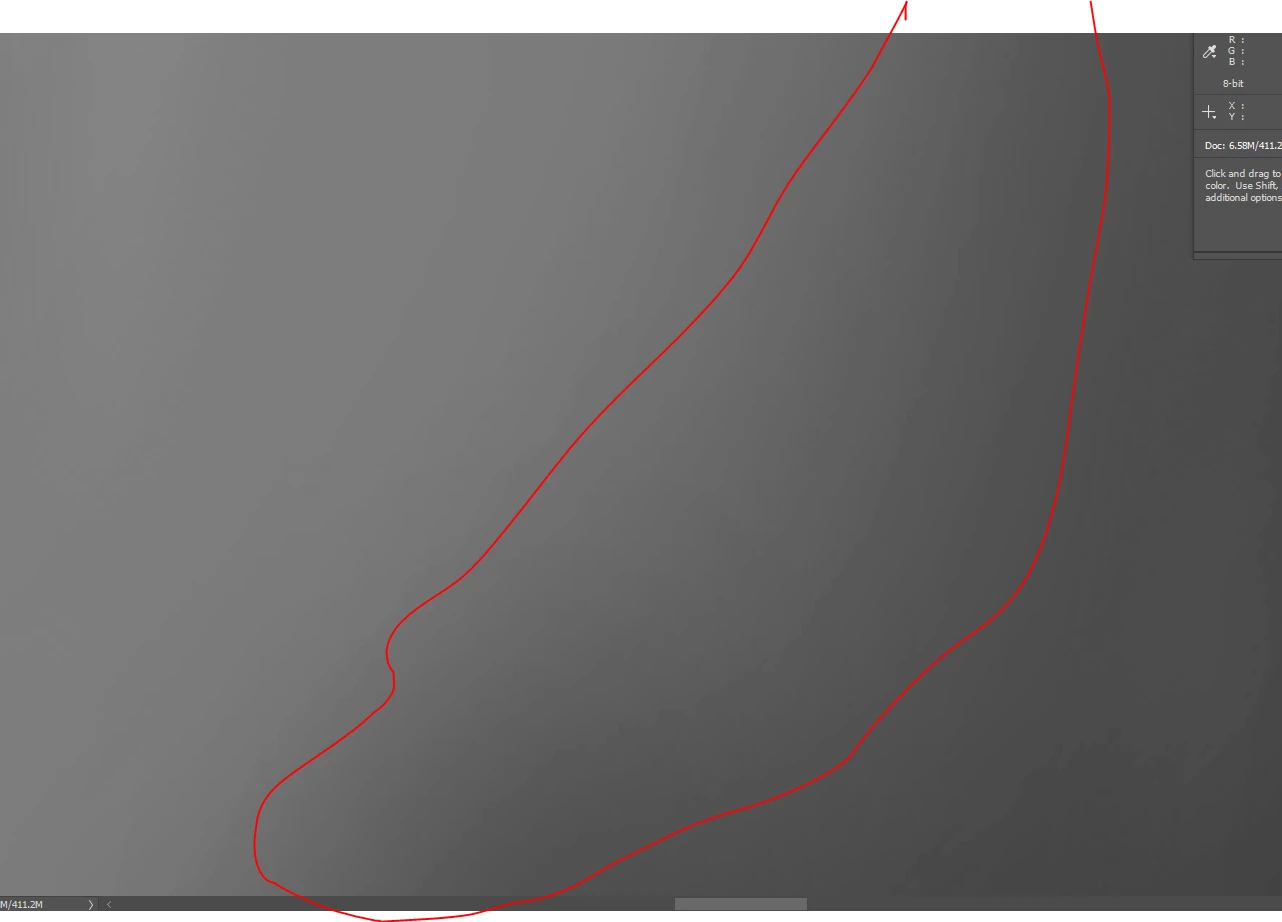
Even with the gradient tool, something that's suppose to smoothly transition between two colors has lines going though it.

Any new suggestions or thoughts would be helpful. It's like since they update the tool to late last year with the new version, I'm noticed this more and more.

This topic has been closed for replies.
Correct answer D Fosse

amandaw981  wrote

one is 90,90,90 and the other is 91,91,91

Yes, that's what you get with 8 bit color depth. You only have 256 discrete steps per color channel. There isn't anything between 90 and 91, it's one or the other.

In a 16 bit file there is no such banding in the data, because you have not 256, but 32768 individual steps.

However - you will still see banding on screen! That's because your display path, from video card to monitor, is still only 8 bit depth even with 16 bit data. Unless you have a very expensive monitor and video card that support 10 bit display.

If the banding bothers you, the standard way to deal with it is to add a tiny bit of noise. Not so much that you notice it, just enough to break up the banding.

1 reply

D Fosse
Community Expert
D FosseCommunity ExpertCorrect answer
Community Expert
September 20, 2018

amandaw981  wrote

one is 90,90,90 and the other is 91,91,91

Yes, that's what you get with 8 bit color depth. You only have 256 discrete steps per color channel. There isn't anything between 90 and 91, it's one or the other.

In a 16 bit file there is no such banding in the data, because you have not 256, but 32768 individual steps.

However - you will still see banding on screen! That's because your display path, from video card to monitor, is still only 8 bit depth even with 16 bit data. Unless you have a very expensive monitor and video card that support 10 bit display.

If the banding bothers you, the standard way to deal with it is to add a tiny bit of noise. Not so much that you notice it, just enough to break up the banding.

Participant
September 20, 2018

You were totally on point with that! It's not the monitors but the files themselves. This has been a big help! Thank you so much D Fosse

D Fosse
Community Expert
Community Expert
September 20, 2018

Actually that's not quite what I said.

With 8 bit data there will be banding in the file. With 16 bit data there is no banding in the file.

Either way, there is banding in your display path and how it sends data to the LCD panel. So you will always see some banding on screen.

The thing is, banding is cumulative. So with an 8 bit file and an 8 bit display path, they will pile on top of each other, and that's when it gets irregular and ugly. Normal display banding is usually not that noticeable, at least not with a good and well-behaved monitor.

It's worth noting that you almost never see banding in photographs, only in synthetic gradients made with the gradient tool in Photoshop. The reason for that is that a photograph always contains just enough noise to conceal it.