


Participating Frequently
July 10, 2024
질문

Soft bruhes with 0% Hardness, But When i draw storke the EDGES was Looking like hard.

  • July 10, 2024
  • 1 답변
  • 472 조회

Why does my brush have edges? i have 0% hardness also spacing 25%. I tried all the other soft brushes to get softness, but unfortunately, as you can see, I pointed out the problem. Please, if you have a solution, please tell me. This thing happened after the update to Photoshop.
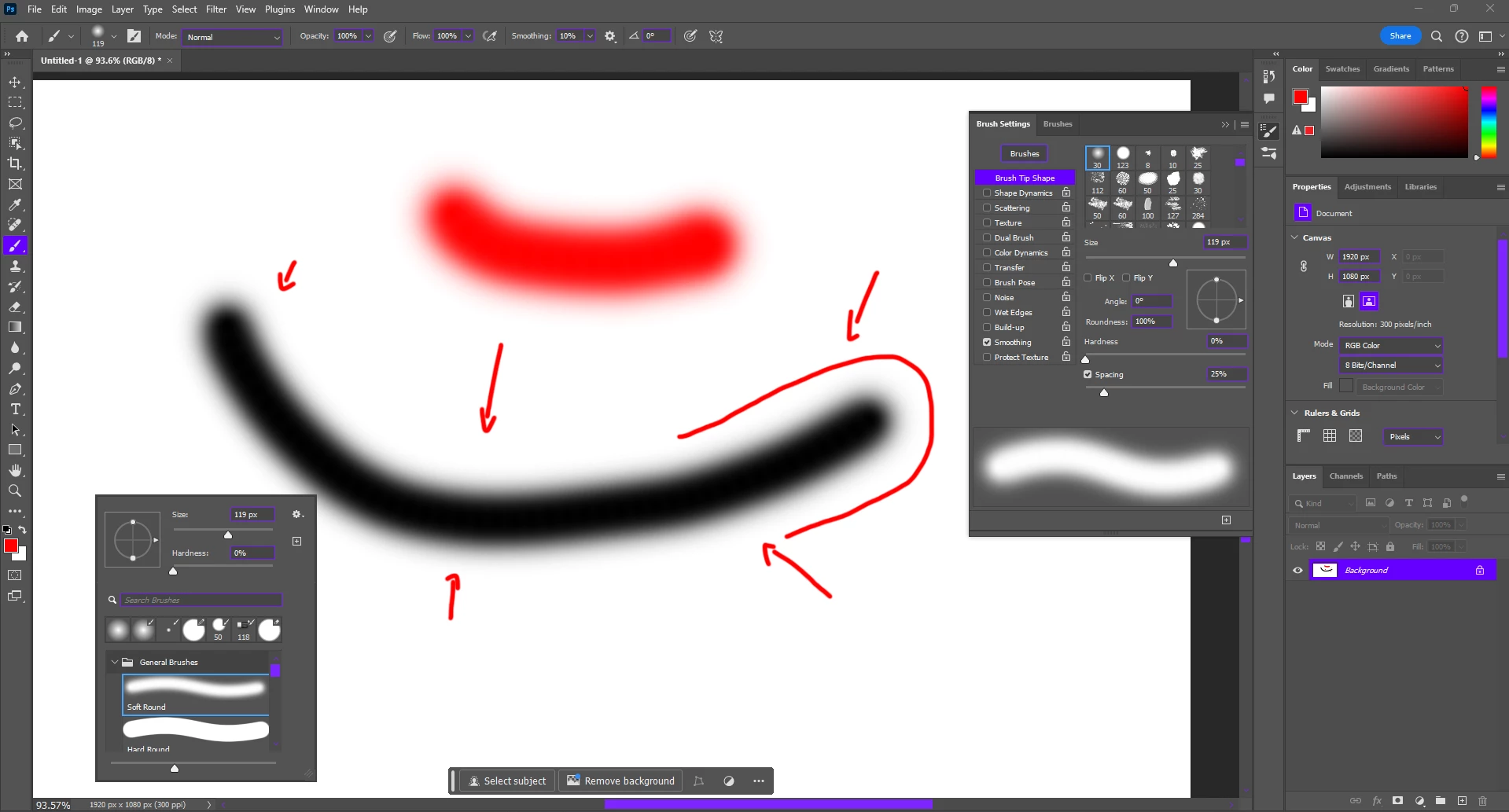
 

As you can see All my brush setting, this is Default settings come from adobe.
used a soft round brush.
I mark the edges with arrows.

When i cross the 400px of brush size then thebrush was smooth edges. why?
any solution of this problem?

1 답변

c.pfaffenbichler
Community Expert
Community Expert
July 10, 2024

I fail to see the problem so I suspect that your screen profile might be an issue. 

Does working in 16bit make a difference? 

Participating Frequently
July 10, 2024

am working in 8-bit canvas, also tried in 16-bit same problem happening.

D Fosse
Community Expert
Community Expert
July 10, 2024

I'm travelling with only a cheap laptop right now - but I can't see any banding here. This looks fine.


So most likely this is either a broken monitor profile, or a GPU issue. Did you do any other updates at the same time, like Windows updates? If you're not using a calibrator, manufacturer monitor profiles are often distributed through Windows Update, and these are surprisingly often defective in various ways. The same can happen with GPU driver updates.


What is certain is that this is not in the data, if you're working in 16 bit depth. There's no way that can happen. It's somewhere in your display pipeline.