

davescm
Community Expert
Community Expert
October 11, 2024
Question

Something for the weekend - Part 225 - Fine-toothed comb!

  • October 11, 2024
  • 29 replies
  • 8173 views

Thanks to all who took part in our previous 'milestone' challenge.


This week we start with a simple comb. I have little use for one these days, but what can you make with it?


The “rules”:

  • Use the starter image as at least part of your own image entry.
  • Anything goes, as long as it meets the forum rules on decency, copyright, etc.
  • Anyone, and everyone, is welcome to have a go, whether you are a complete beginner or a Photoshop expert. This is not just for our forum “regulars”.
  • There are no prizes apart from the chance to practice, show off your skills, or bring a bit of humor and fun. Don't be shy, join in and have a go!
  • The starter image is made available for you to use in this forum challenge only.


To download the starter image, hover over the image and click on the circle with the arrows at the top right. Then, when the image opens in its own window, right click and choose “Save Image As/Save Target As” (or similar depending on your browser). I've already put it on a transparent background, to save you time masking.
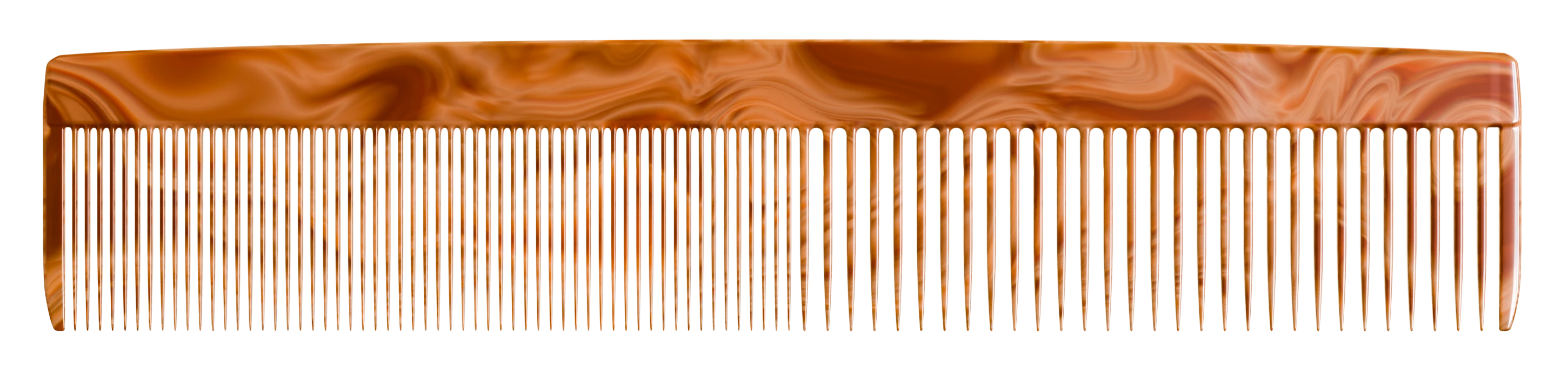


When posting back your image — please use the blue reply button in this first post and use the 'Insert Photos' icon at the top of the reply box. If posting a comment on someone else’s entry, then please use the grey reply button next to their image post.


Have fun!


Dave

This topic has been closed for replies.

29 replies

Tania-Lee
Community Expert
Community Expert
October 28, 2024

@mj
Community Expert
Community Expert
October 28, 2024

Is it a flea magnet @Tania-Lee ? If so, patent it right away!

Trevor.Dennis
Community Expert
Community Expert
October 26, 2024

Guys, go check out Jesus Ramize's latest upload on his Photoshop Training Channel.  It's all excellent content, but he takes it up a level or two with his demonstration of the new Substance 3D Viewer.  He shows us one source of free 3D models to use, and he reveals just how amazing this new feature is, and it could hardly be more applicable to those of use who create content for the SFTW threads.


We often say that one of the best aspects of joining in with SFTW is that we learn new tricks. We get an idea in our head, and sometimes have to think about how to create it.  It turns out that Jesus works with Lisa Carney producing artwork for the movie industry (as we learned in MAX S6305)   Lisa said that Jesus is a genius at producing amazing backgrounds for their projects using FireFly related tools, and at integrating items into those backgrounds.  I have a feeling that it's doing that as his job has helped him learn the tools so deeply.  

@mj
Community Expert
Community Expert
October 27, 2024

Danko!

daniellei4510
Community Expert
Community Expert
October 25, 2024

Silhouettes.

Adobe Community Expert | If you can't fix it, hide it; if you can't hide it, delete it.
daniellei4510
Community Expert
Community Expert
October 25, 2024

Ugh. Sorry. Posted twice again. Didn't know there were for pages already!

Adobe Community Expert | If you can't fix it, hide it; if you can't hide it, delete it.
daniellei4510
Community Expert
Community Expert
October 25, 2024

Silhouettes. 

Adobe Community Expert | If you can't fix it, hide it; if you can't hide it, delete it.
derekwatson
Community Expert
Community Expert
October 25, 2024

A spot of combposing... Sorry!

Derek Watson
davescm
Community Expert
davescmCommunity ExpertAuthor
Community Expert
October 25, 2024

Must be playing something from 'Hair'


Dave

derekwatson
Community Expert
Community Expert
October 26, 2024

I think I saw them at the Fringe!

Derek Watson
@mj
Community Expert
Community Expert
October 25, 2024

Hairy problem sorted @davescm 


davescm
Community Expert
davescmCommunity ExpertAuthor
Community Expert
October 25, 2024

Is that what is called - joined up thinking? 🙂

The new challenge is now up and running and can be found here : https://community.adobe.com/t5/photoshop-ecosystem-discussions/something-for-the-weekend-part-226-make-a-splash/td-p/14941628


Dave

@mj
Community Expert
Community Expert
October 27, 2024

Awseone tx!

Christelle RD
Community Expert
Community Expert
October 25, 2024

I used the teeth of the comb to make the fabric fibres for the bandana, a special edition for Halloween.


davescm
Community Expert
davescmCommunity ExpertAuthor
Community Expert
October 25, 2024

Very subtle use of the comb there, Christelle, I like the design too. 🙂

Dave

Christelle RD
Community Expert
Community Expert
October 25, 2024

Thank you Dave 🙂
At first, I wanted to do a harp, I tried several times, and finally I made a scarf.

Rollan Banez
Community Expert
Community Expert
October 24, 2024

Creative Community Leader / Educator - Empowering fellow educators with creativity and innovation
davescm
Community Expert
davescmCommunity ExpertAuthor
Community Expert
October 25, 2024

I think the comb monster needs to start in the mirror 🙂

Dave

lambiloon
Community Expert
Community Expert
October 24, 2024

Ali Sajjad / Graphic Design Trainer / Freelancer / Adobe Certified Professional
davescm
Community Expert
davescmCommunity ExpertAuthor
Community Expert
October 25, 2024

He, or she, will make short work of that field with equipment like that 🙂

Dave

@mj
Community Expert
Community Expert
October 27, 2024

Is that why they're so neat?

fbeaume
Community Expert
Community Expert
October 23, 2024

Mister Mustache!

davescm
Community Expert
davescmCommunity ExpertAuthor
Community Expert
October 25, 2024

Haha - nicely styled 🙂

Dave

fbeaume
Community Expert
Community Expert
October 26, 2024

Thanks Dave!