Participating Frequently
October 11, 2022
질문

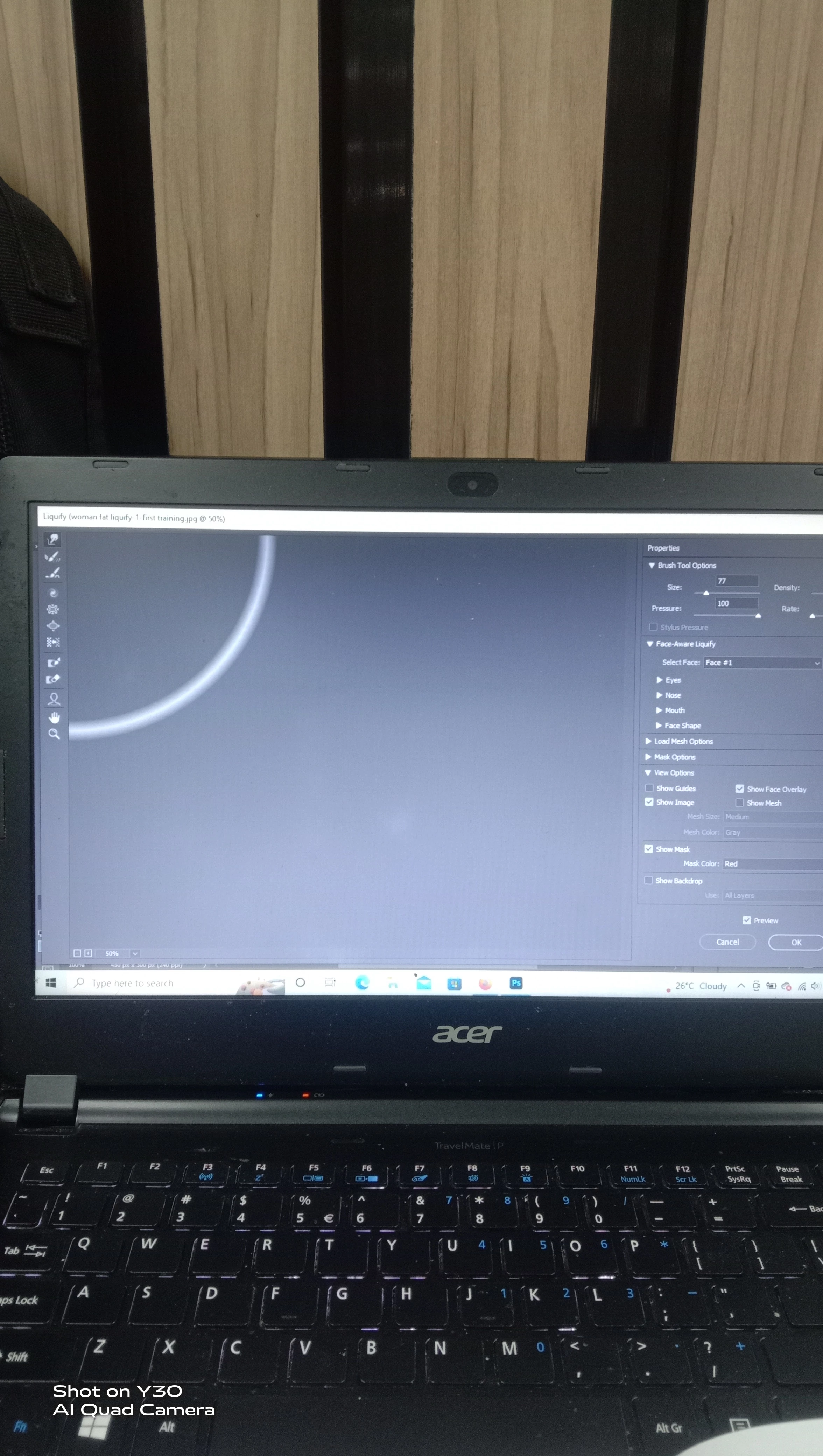
Something goes WRONG in the option of LIQUIFY(Photoshop)

  • October 11, 2022
  • 1 답변
  • 265 조회

hi there, Anyone can explaint to me what happen to my photoshop when i go to option : Liquify.


It is suppose show my picture that i had openned at the first place. I also realise there is a HALF CIRCLE on that screen. By right, the picture should come out and i can see a button to adjust the size of the brush.

Pls look into it.

Thanks.

  1. Azrul Aimi

이 주제는 답변이 닫혔습니다.

1 답변

Bojan Živković11378569
Community Expert
Community Expert
October 11, 2022

From what I can see, face is detected on image. Below Liquify dialogue I see dimensions 450px x 300px > 240ppi. Did you open image from that document?


Can you close Liquify and take screenshot using Print Screen on your keyboard > then go File > New it should select clipboard size automatically > then post screenshot here. Ensure that Layers panel is expanded and visible.


Other thing that I can recommend quickly is to try with preference reset what can solve weird problems in Photoshop https://helpx.adobe.com/photoshop/using/preferences.html

Azrul Aimi작성자
Participating Frequently
October 13, 2022

Hi Sir, i am glad to hear your respond. I hope i can solve this matter.

First if all, i am sirry, i dont know where to press the button "print screen" at my keybord there us no buttin "print screen". So i capture a screen frim my handphone. I hope it can work for you..


Yes, i already close LIQUIFY screen. I already go to FILE to NEW and i can see there are many custom size. (refer at my picture). I can a layer pallete from here. The kayer pallete at behind this screen Sir...

Bojan Živković11378569
Community Expert
Community Expert
October 13, 2022

Have you tried with Preference reset?