
djmay6782
Inspiring
February 3, 2024
Question

Spot healing brush leaving marks when all layers selected

  • February 3, 2024
  • 2 replies
  • 180 views

Photoshop 25.4. Problem showed in previous version, so I updated.


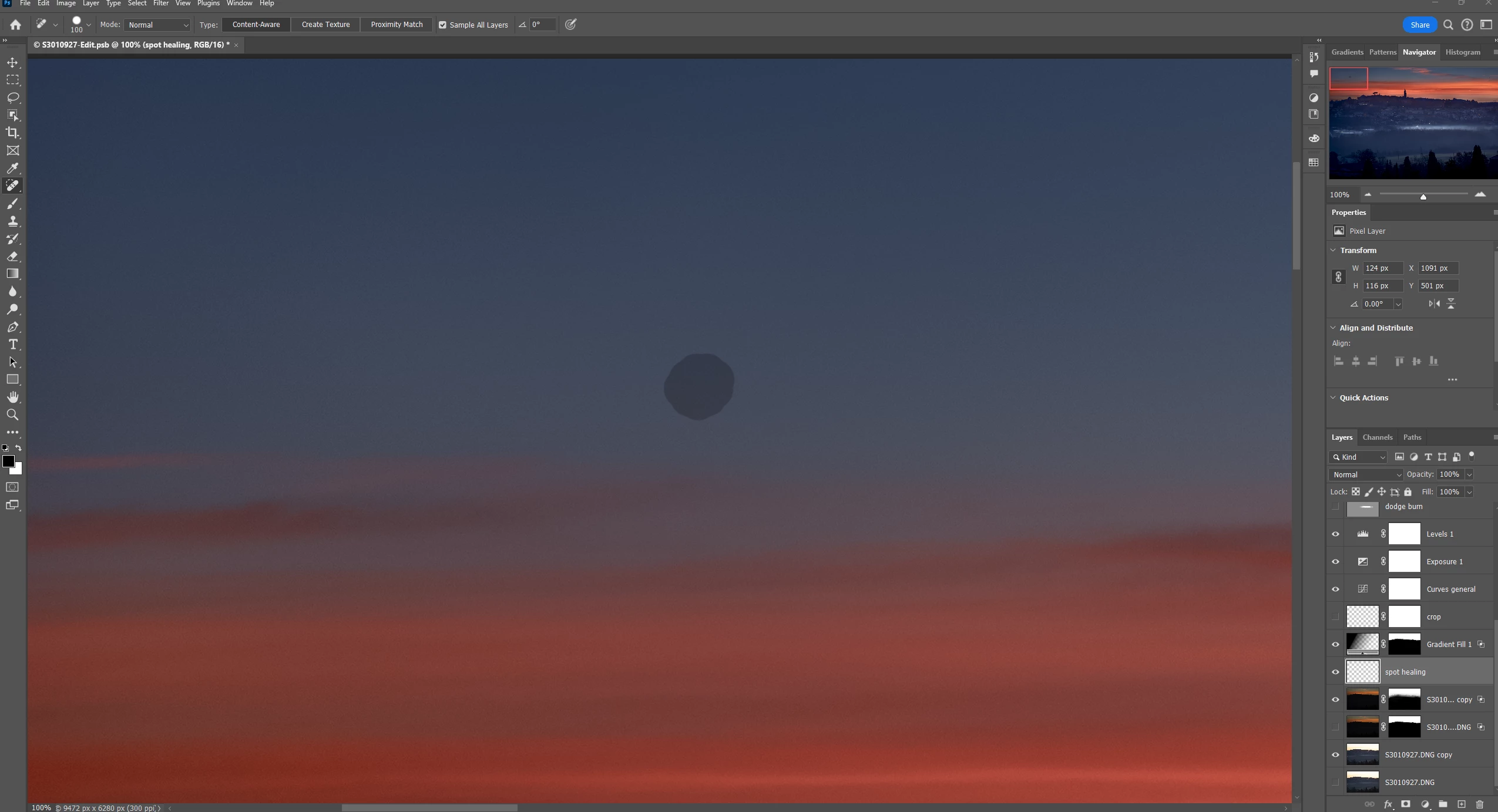
When a layer for spot healing is selected, all layers, the spot healing brush leaves marks. See attached screenshot.


When image layer is selected, all layers, the spot healing brush leaves marks.


When image layer is selected, current layer, spot healing brush functions as expected.


I would prefer to have dust spotting on a separate layer, however, it does not work. Hopefully, there is a solution.


I tried resetting tools; no effect. I tried resetting preferences; effect. I tried zooming and panning; no effect. It shows in exported file. It shows when only the spot healing layer is visible.
This topic has been closed for replies.

2 replies

Abambo
Community Expert
Community Expert
February 3, 2024

The problem is (are) the adjustment layer(s), who get(s) also sampled. For a correct result, that does not get screwed up by the adjustment layers, you need to switch those off first.


With “sample all layers” you can use the spot healing on a separate (empty) layer and the healing will be drawn on that layer.

ABAMBO | Hard- and Software Engineer | Photographer
djmay6782
djmay6782Author
Inspiring
February 3, 2024

Thank you. I switched off all layers but the image layers and it worked. However, it is the visibility of these layers that exposed the dust spots. So, without the layers on some dust spots are not visible. Is there another way?

djmay6782
djmay6782Author
Inspiring
February 3, 2024

To clarify, "current layer" means all layers is deselected.