



Strange sRGB soft proof issue
Hi All, I was working with a client yesterday discussing how much disappointment he gets when converting his Prophoto files to sRGB.
He's a bicycle photographer. Sometimes those bike frames are pretty bright colours. Working on a new MacBook with macOS Ventura and an Eizo Coloredge connected.
He tells me the Eizo calibration looks correct
Photoshop version 24.7.0 - I tested PS v 23.5.5 and that does it too
We've been discussing how disappointing sRGB can sometimes be when containing these bright colours and his maybe using P3 given that most of the customers view on handhelds, risky I know - if folk view it colourmanaged browsers on a desktop. Anyway that was our start point, then we did some tests.
Maybe we discuss the P3 colourspace business here later.
So, the softproofing issue.
A: Prophoto image, soft proof to sRGB, RelCol, BPC on - loses some colour as one would expect, in this example not too much. (See the image I uploaded).
B: convert that Prophoto image to sRGB RelCol, BPC on
He wanted to look at that soft proofed to sRGB -a null conversion you'd think, so - no change expected
BUT taking the sRGB image and soft proofing to sRGB there is a very significant change in the red colour.
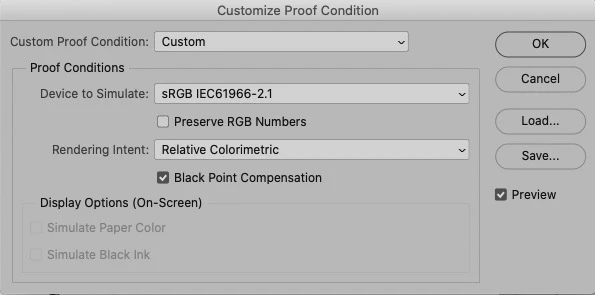
I can't think of any explanation, any thoughts please
Extra Info:
Turn on Gamut warning, it shows a significant area of the image highlighted (and this is an sRGB image softproofed to sRGB - so nothing should be out of sRGB gamut to my thinking?)
Can you guys reproduce it?
(seems I can't upload here, so I'll upload the original ProPhoto file using wetransfer and ask that you first convert to sRGB then do the soft proof as described above) Here's a link to the prophoto file, lasts 7 days
I hope this makes sense
neil barstow, colourmanagement net - adobe forum volunteer - co-author: 'getting colour right'
google me "neil barstow colourmanagement" for lots of free articles on colour management
 AdChoices