
Participant
October 29, 2022
Question

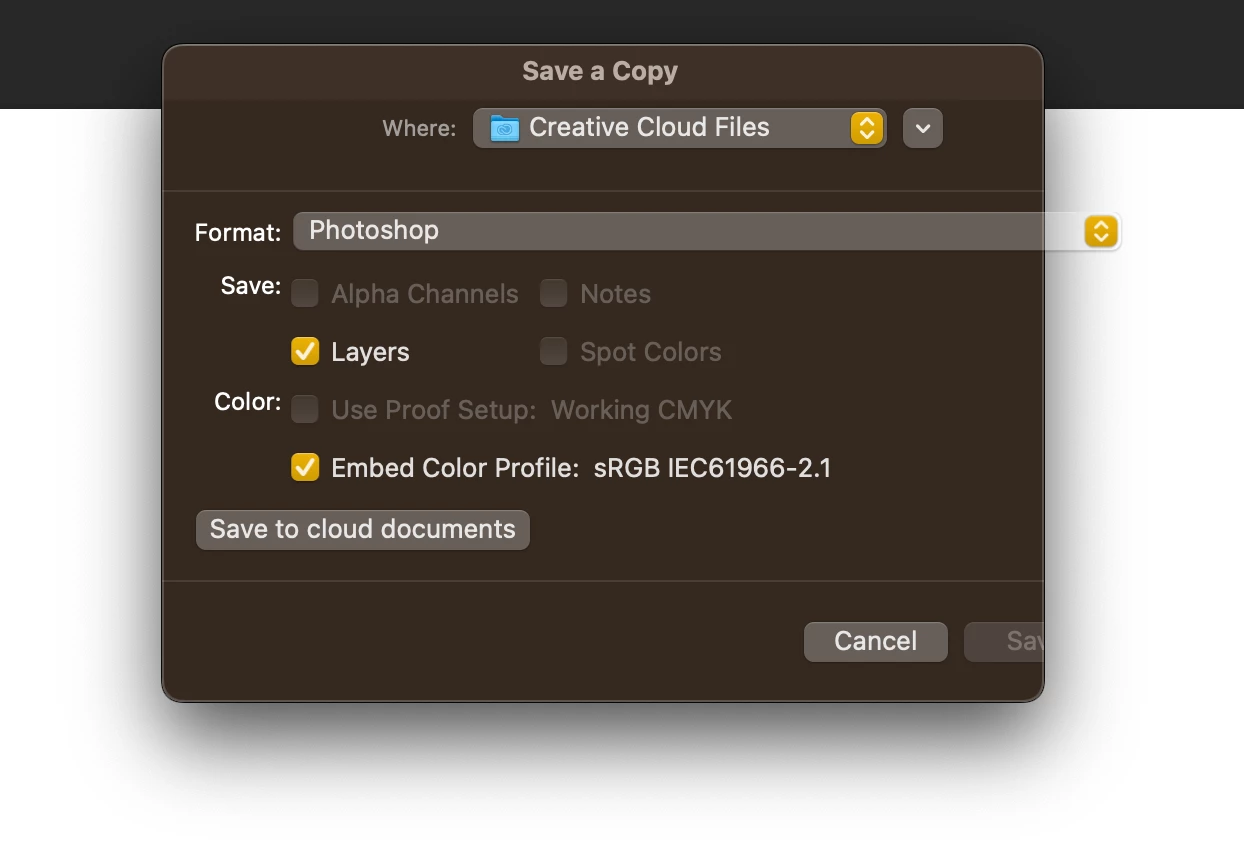
the ''save button'' becomes transparent and unclickable

  • October 29, 2022
  • 2 replies
  • 222 views

After choose ''save copy'' option, the ''save button'' becomes transparent and unclickable. The version is 24.0.0. I did many things to solve such as; uninstall, reinstall, install different versions, etc. However, the problem is still there.


Could you please direct me what should I do to solve this problem?
 

This topic has been closed for replies.

2 replies

Jeff Arola
Community Expert
Community Expert
October 29, 2022
Derek Cross
Community Expert
Community Expert
October 29, 2022

It might be worth resetting the Photoshop preferences, which you can do under the General tab in Photoshop preferences (then closing and reopening the application).
If you can't do it by that method try this way:
1) Close Photoshop.
2) Double click on the Photoshop icon to launch it
3) QUICKLY hold down Ctrl+Alt+Shift. (for Windows) or CTL+OPT+CMD+Shift (for Mac OS X)
4) When a dialogue appears, asking you “Delete Photoshop Preference Files?” Click Yes.
If you don't see the question repeat the procedure again.