
Known Participant
July 26, 2017
Question

There's still no way to load keyboard shortcuts in CC?

  • July 26, 2017
  • 4 replies
  • 13939 views

If you create a bunch of keyboard shortcuts and save them (to a thumbdrive, to copy them to multiple computers, for example), there's still no way to load them?

Try it: Go into Edit / Keyboard Shortcuts and check it out.
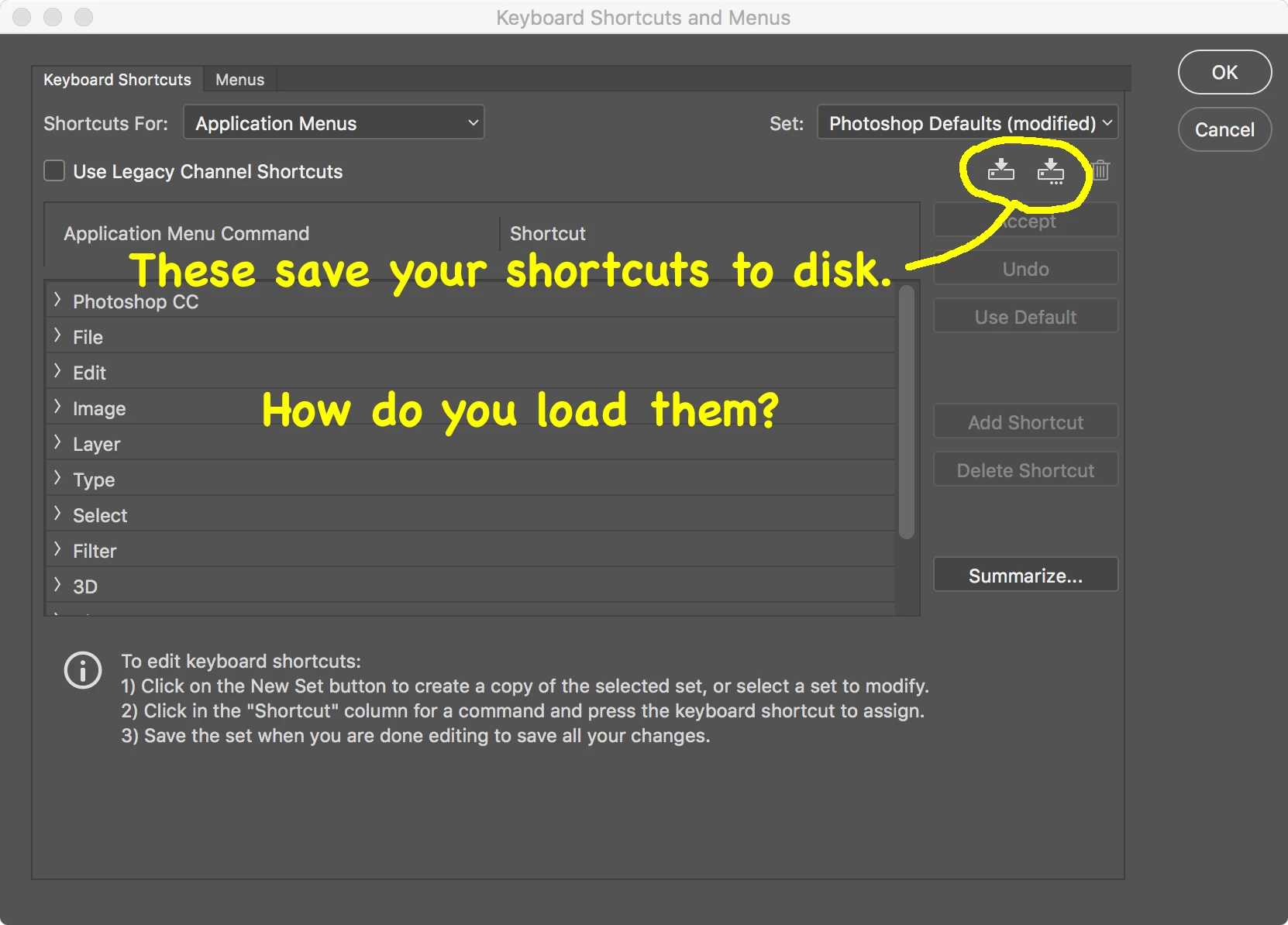
I checked the documentation and found that you can import & export presets, and supposedly keyboard shortcuts are amongst them.  NOPE.  In fact, this function doesn't appear to work at all:
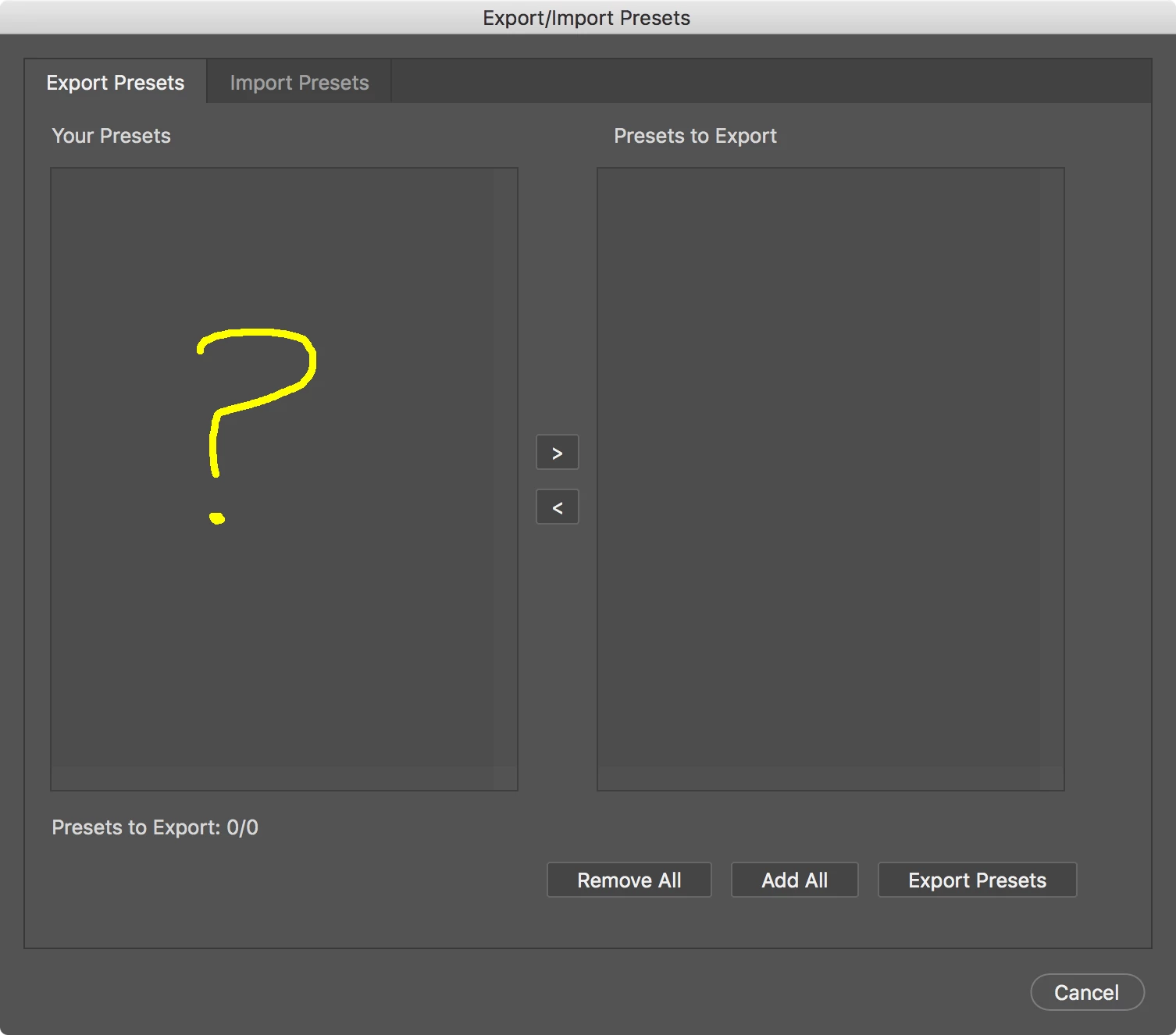
I like the idea of having one place for all presets (or I would if it worked), but then why have a redundant Save function in the keyboard-shortcuts dialog?

This topic has been closed for replies.

4 replies

Tempus5CC9
Participant
October 19, 2020


I've done it on this way:

Click on red "create a new set",  a save as window is showed.

Drop inside the .kys you want to use.

Restart PS.

After that, can select it on the Keyboard Shortcut Set.
A load function is a must.

Participating Frequently
November 18, 2018

Here is the ANSWER:

Quit Photoshop.

Locate the keyboard shortcut file you saved (on your desktop or whoever it is saved to) eg : Photoshop Defaults (modified) Copy 2.kys

Open that file by selecting it and right click to open with Photoshop.

You will now have that modified keyboard shortcut set active.

Why Adobe don't have a load function through Photoshop is a mystery.

Legend
July 26, 2017

Must be something on your system because it works fine here

Known Participant
July 26, 2017

Thanks, but your screen shot shows the Import tab.

I assume you have to export something in order to have anything to import, right?

My screen shot is of the Export tab.  It shows nothing, so naturally I can't create anything to import.

Legend
July 27, 2017

Must be something wrong on your system as it works fine here...

Legend
July 26, 2017

In Windows keyboard shortcuts are located at

c:\Users\YourName\AppData\Roaming\Adobe\Adobe Photoshop CC 2017\Presets\Keyboard Shortcuts\

If you put the *.kys file there it will be available in the List to choose from.

I do it all the time to transfer shortcuts between computers but it should work with the Preset Manager too.

Known Participant
July 26, 2017

Thanks!

But...

1. I'm on Mac (and I know where the directory is on Mac OS).

2. That's not the solution you'd find in a release-ready product.  It doesn't make sense to have a Save function without a corresponding Load function.

The Preset Manager doesn't appear to do anything.

Known Participant
February 16, 2022

Mobius Strip you said:

A valid suggestion, although it's not suitable as the only solution because we shouldn't have to depend on 24/7 connectivity to CC for this simple function.

I agree that "it's not suitable as the only solution" as it should have been implemented into all of the applications in the Adobe Creative Suite, to begin with, at least in my opinion, but it hasn't.

Maybe that's ! because of insufficient user research from surveys and what not that Adobe may or may not have collected.

On this link How do you load keyboard shortcuts?  in 2011, Chris Cox said:


What @Chris Cox collected as "actual usage data and survey results" is something he and Adobe are able to see. @Chris Cox, Would it be possible to see this data and results?

@Chris Cox also said:


May be true from the data and results, but it was a common thing for me (when I attended the Art Institute of Seattle) in the Game Art & Design program, many students (more than 100 or more that I know of from 2003-2010), was common to save one's keyboard shortcuts to local drive, and move that configuration to another machine, or multiple machines, because daily the machines we used each day were wiped clean on a certain drive that students were only allowed to use.

So we learned to backup our data, such as keyboard shortcuts for multiple software such as Maya, Photoshop, 3dsMax, Zbrush, and there are many others (where keyboard shortcuts could be saved in this different software from 2003-2010 (and currently), to use them the next day or the same day in another classroom, with another teacher on a different machine, both on Mac and Windows.

https://forums.adobe.com/people/Mobius+Strip  wrote

But thank you for weighing in to prove that Adobe is ignoring a common real-world situation faced by its users year after year.

So it was a common, everyday thing for me while attending 2003-present, I have had to deal with the work around by saving to presets folder.

What I don't understand when Mobius Strip, you said:

https://forums.adobe.com/people/Mobius+Strip  wrote

A valid suggestion, although it's not suitable as the only solution because we shouldn't have to depend on 24/7 connectivity to CC for this simple function.

Adobe Creative Cloud 2017 is what is presently available at the top. I understand you had made this original post:

How do you load keyboard shortcuts?

August 10, 2011, @ 6:18 AM, but this is years ago.

Adobe Creative Cloud library to me is very valuable and would have been in 2003-2010 as a power user while in art school because I could copy my data saved in my various Adobe software such as presets and configuration files, along with other project file data, and use it over and over in other Adobe software from Photoshop to Illustrator, InDesign, etc. This method of reusing project file data is very helpful now, and it would have been very helpful then.

I don't understand why you think

https://forums.adobe.com/people/Mobius+Strip  wrote

A valid suggestion, although it's not suitable as the only solution because we shouldn't have to depend on 24/7 connectivity to CC for this simple function.

I don't see it as having to depend on 24/7 connectivity to CC, but an asset to benefit from. Two points.

1. When using alternate software in Adobe Creative Cloud like InDesign CC, and having to relink a file that may be on one machine, and another file on another machine, having them in one place on ACC library to me is very helpful and very valuable.

This is a screen shot of InDesign CC, and relinking an Adobe Illustrator background file from the ACC library, this option saves so much time than trying to find where a file is located,

Even though in InDesign CC, in the relinking panel it does say when hovering over the asset in the links panel, where the asset is located:
But imagine what happens had a drive failed and one had their project files data, presets data, configuration data, workspace data on the ACC library? One wouldn't need to go back and try to "relink" that data from a failed drive because it's on the CC library already. It's just backup, and in my opinion, it's helpful and valuable and saves me time. It helps me in this context, but to you, it may not, and I am just one person with this context.

There are many other users with many other configurations using many different types of platforms etc.

Conclusion
Overall, I feel to me in the information I have presented and responded to, and in the context I have explained I feel adding this button (or similar) functionality to Adobe Creative Cloud library would be very helpful not just in Photoshop, but for all Apps within Adobe Creative Cloud 2017 because it saves time and it's helpful for the user to Save Presets, and Load them back if lost on one machine or drive.

Thanks.


Thanks for the reply. I never said that a "cloud" option isn't useful. I said it's not acceptable as the only solution, in place of simply being able to save and load a file locally.


If I'm running a computer lab in a classroom, I should be able to put a keymap file on a server or a thumbdrive for every student to load on his machine. Or even if I'm a lone user with three computers who wants the same shortcuts on them... I shouldn't have to round-trip a tiny file through some third-party Internet servers to computers that are 10 feet away.


And again... a Save function makes no sense without a Load function.