Exit
  • Global community
    • Language:
      • Deutsch
      • English
      • Español
      • Français
      • Português
  • 日本語コミュニティ
  • 한국 커뮤니티
0

Timestamp using current time/date

New Here ,
Jun 13, 2016 Jun 13, 2016

Hi,

I have a timestamp script that adds the time/date information to the bottom right of an open image.

This script uses the time/date from the exif data. What I would prefer to do is create a timestamp from the current time/date, and then save that file using the timestamp info as the file name.

Could anyone offer me advice as to how to go about this?

Thanks,

Simon

TOPICS
Actions and scripting
3.2K
Translate
Report
Community guidelines
Be kind and respectful, give credit to the original source of content, and search for duplicates before posting. Learn more
community guidelines
Adobe
Community Expert ,
Jun 13, 2016 Jun 13, 2016

Use  Date();

function timeStamp(){

  // Get the time and format it

  var digital = new Date();

  var hours = digital.getHours();

  var minutes = digital.getMinutes();

  var seconds = digital.getSeconds();

  var amOrPm = "AM";

  if (hours > 11) amOrPm = "PM";

  if (hours > 12) hours = hours - 12;

  if (hours == 0) hours = 12;

  if (minutes <= 9) minutes = "0" + minutes;

  if (seconds <= 9) seconds = "0" + seconds;

  // Get the date and format it

  var date = new Date();

  var d  = date.getDate();

  var day = (d < 10) ? '0' + d : d;

  var m = date.getMonth() + 1;

  var month = (m < 10) ? '0' + m : m;

  var yy = date.getYear();

  var year = (yy < 1000) ? yy + 1900 : yy;

  // create a variable with the fully formatted the time and date

  // todaysDate = hours + ":" + minutes + ":" + seconds + " " + amOrPm + " - " + day + "/" + month + "/" + year;

  // todaysDate = hours + ":" + minutes + ":" + seconds + " " + amOrPm + " - " + month + "/" + day + "/" + year;

  MonthNames = new Array("January","February","March","April","May","June","July","August","September","October","November","December");

  todaysDate = hours + ":" + minutes + ":" + seconds + " " + amOrPm + " " + MonthNames[date.getMonth()] + " " + date.getDate() + ", " + year;

        return todaysDate;

}

JJMack
Translate
Report
Community guidelines
Be kind and respectful, give credit to the original source of content, and search for duplicates before posting. Learn more
community guidelines
New Here ,
Jun 14, 2016 Jun 14, 2016

Hi JJ,

Thank you for your swift reply.

So where would I add your code in this script that I have?

target = app.photoshop

var oldPref = app.preferences.rulerUnits

app.preferences.rulerUnits = Units.PIXELS;

var docRef = activeDocument

var dw = docRef.width

var dh = docRef.height

var inW = dw * .98

var inH = dh * .98

var dateString = ''

var timeDate = ''

for (var i = 0; i <docRef.info.exif.length; i++)

  {

  dateString = docRef.info.exif.toString()

  if (dateString.substring(0,18) == 'Date Time Original')

  {

  timeDate = dateString.substring(24,26) + '-' + dateString.substring(27,29) + '-' + dateString.substring(19,23) + '  ' + dateString.substring(30,35)

  }

  }

  var artLayerRef = docRef.artLayers.add()

  artLayerRef.kind = LayerKind.TEXT

  var textItemRef = artLayerRef.textItem

  textItemRef.position = [inW,inH]

  //else {textItemRef.position = [2240,3100]}

  textItemRef.justification = Justification.RIGHT

  textItemRef.size = 10

  textItemRef.contents = timeDate

  artLayerRef.name = 'file date'

app.preferences.rulerUnits = oldPref

Thanks in advance,

Simon

Translate
Report
Community guidelines
Be kind and respectful, give credit to the original source of content, and search for duplicates before posting. Learn more
community guidelines
Community Expert ,
Jun 14, 2016 Jun 14, 2016

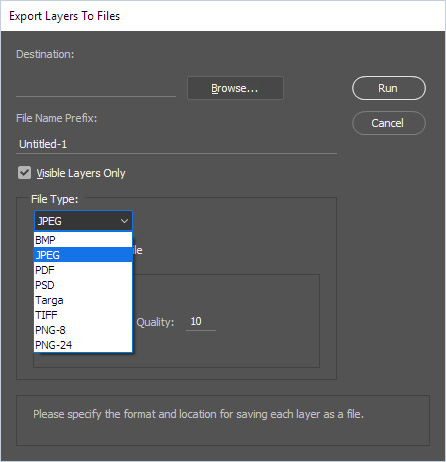
You stated you wanted the script to save your document with a timestamp as the file name. The script you have does not save your document. You would need to to write a new script to save your document as the image file type  you want. I do not know what you want. You can look at  Adobe "Export Layers to Files" to see code that can save most image file types. Adobe was considering to include GIF but did not. You would need to write a script to do your "Save As" and use the function I posted to generate the file name you want.   That is all the help you should need.

Capture.jpg

JJMack
Translate
Report
Community guidelines
Be kind and respectful, give credit to the original source of content, and search for duplicates before posting. Learn more
community guidelines
New Here ,
Jun 14, 2016 Jun 14, 2016
LATEST

Thanks JJ, I will give it a look and get back to you.

Simon

Translate
Report
Community guidelines
Be kind and respectful, give credit to the original source of content, and search for duplicates before posting. Learn more
community guidelines