
Known Participant
June 23, 2024
Question

Tools to perspective correct

  • June 23, 2024
  • 3 replies
  • 1354 views

Hello team,


I know my question my sounds naive. Which tools would you recommend for perspective correction if I had this specific objective


1. look at this picture of the Roche towers in Basel. 
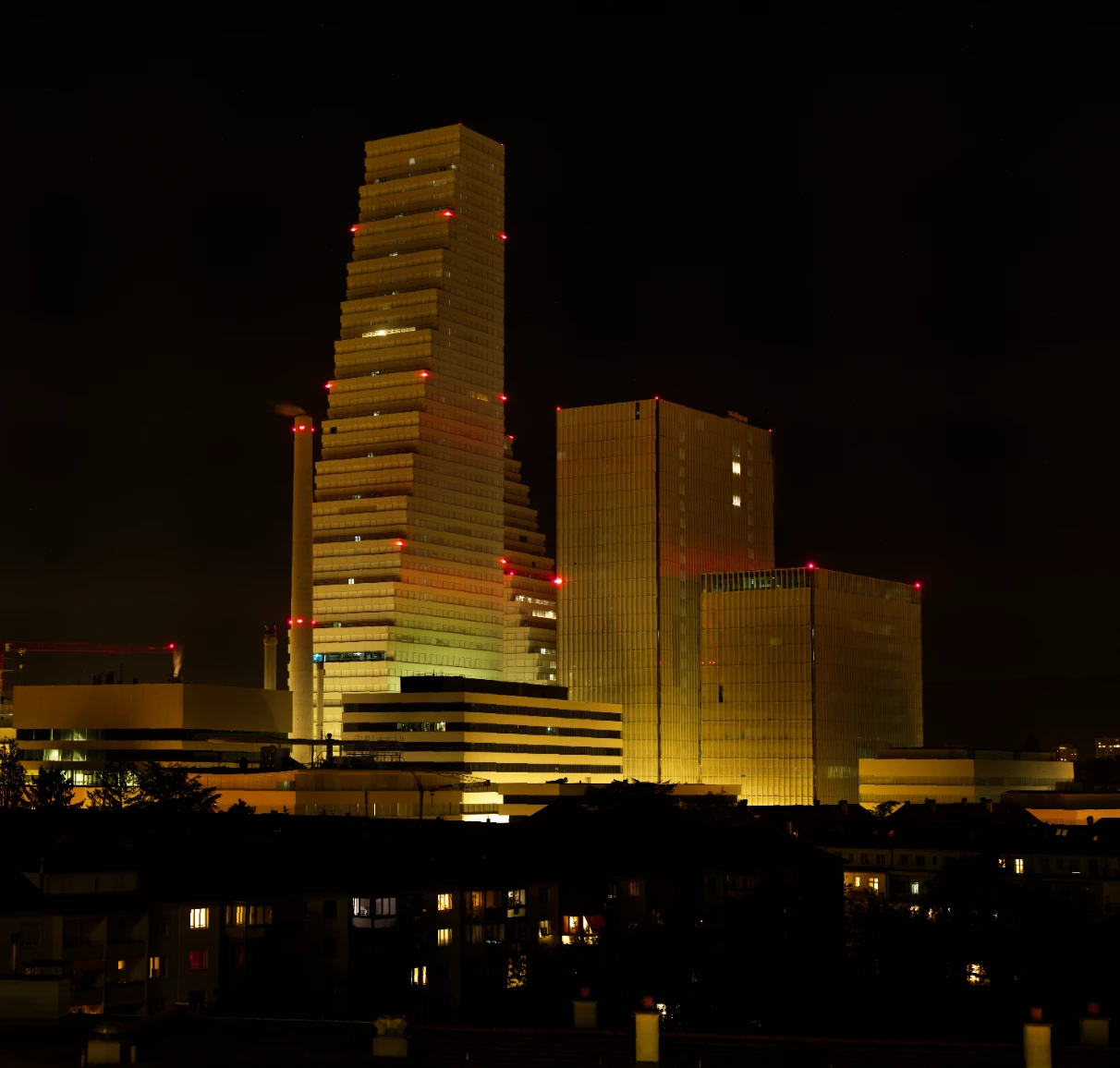
2. I am looking to modify the perspective 'elevate the viewpoint', and bringing it more 'frontal' similarly to this picture (Andreas Gursky), i.e. minimize the variability of horizontal vanishing lines (if that makes sense).
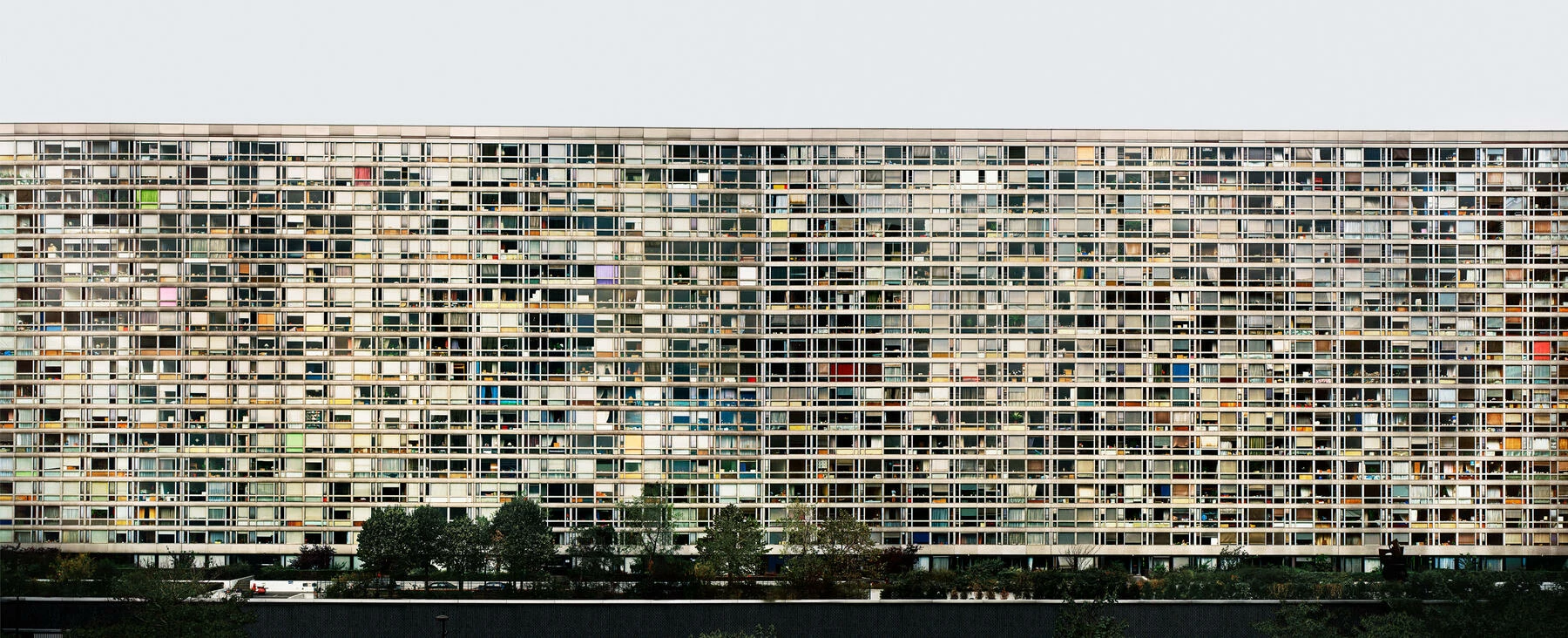
 

I am asking naively the question to make sure I dont miss anything in the toolbox.


Thank you
Daniel

This topic has been closed for replies.

3 replies

Trevor.Dennis
Community Expert
Community Expert
June 25, 2024

I generally use Perspective Crop for this situation.  Even if you can't see all four corners, you can align the PC grid lines to windows etc.

When you a good alignment on a good reference object like the building above, you can drag to open the sides of the bounding box to include other objects/building that are on the same plane


OK that and you are good to go.


Bobus tip:  😉   I turned on the Grid above to reference the alignment against.  A quick and easy way to adjust the Grid density is to open the Image Size dialog, uncheck Resample and increase Resolution to make the grid less dense.


Known Participant
June 25, 2024

@Trevor.Dennis Thanks! looking into it. Sounds excellent indeed. 

Known Participant
June 27, 2024

@Trevor.Dennis  --- if i am looking to get such effect on the whole picture, i.e. without cropping, what would suggest? perspective wrap or quite simply extend the scope covered by the crop? 


Semaphoric
Community Expert
Community Expert
June 23, 2024

Which side of the buildings are you interested in? The angled steps on the one building could be tricky. I would probably us Free Transform (with the Grid showing) for this sort of thing, but a better answer is to photograph the subject from a more straight-on vantage point.

Known Participant
June 24, 2024

Thank you folks. So indeed free transform and perspective warps are the way to go. 

Chris 486
Community Expert
Community Expert
June 23, 2024

Hi @Daniel Roy ,


I would first try using a Lens correction method to get you to the results you want. There are great tutorials on the process. Let us know if that helps or if you were looking for something else.


Photoshop Playbook: Lens Correction in Photoshop | Adobe Photoshop (youtube.com)


Fix EXTREME Distortions in Photoshop! Easy! (youtube.com)