

bartonlew
Legend
January 22, 2019
Answered

Transform option not available after adding Layer

  • January 22, 2019
  • 3 replies
  • 1609 views

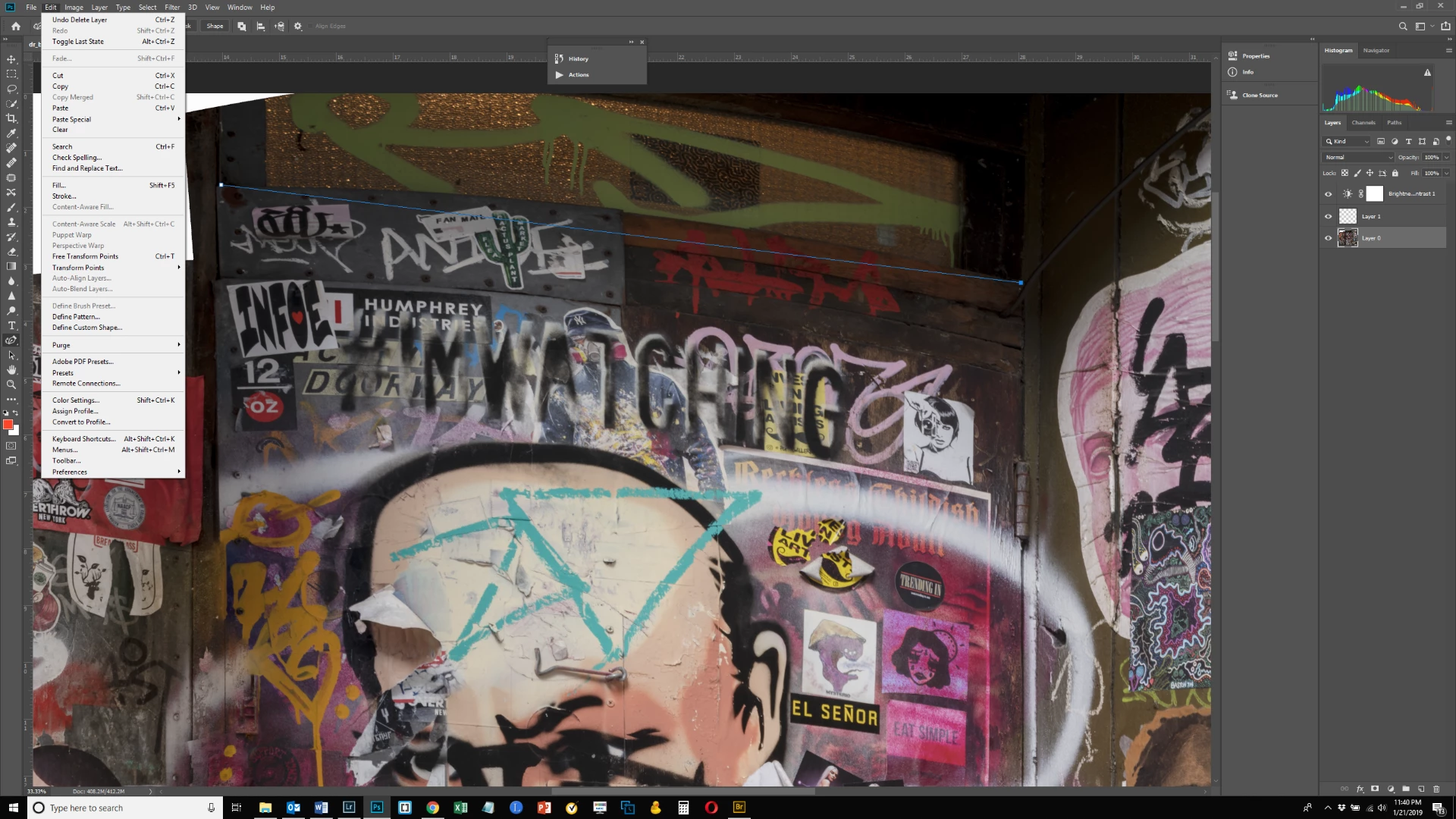
I created a new layer so that I could create a guide at an angle as shown in the screen shot below.  I need to straighten the top of the door and was going to use Transform>Skew, but for some reason, Transform is not available now, rather "Transform Points" and "Free Transform Points" have replaced it.  I am on the Background Layer and not the Guide Layer but I still can't access Transform.  Why not, and how can I get it back?  Thanks.
This topic has been closed for replies.
Correct answer davescm

Transform points appears in the menu when you have path points selected with the direct selection tool (white arrow).

Click in an empty area of the paths panel - i.e. not on a path to deselect the path and get back to transforming the pixel layer

Dave

3 replies

davescm
Community Expert
davescmCommunity ExpertCorrect answer
Community Expert
January 23, 2019

Transform points appears in the menu when you have path points selected with the direct selection tool (white arrow).

Click in an empty area of the paths panel - i.e. not on a path to deselect the path and get back to transforming the pixel layer

Dave

bartonlew
bartonlewAuthor
Legend
January 27, 2019

Thank you.

PECourtejoie
Community Expert
Community Expert
January 23, 2019

Hello, at first I thought that you did not target the correct layer.

Did you try to make the path inactive?

Trevor, I guess that you did bug it?

Trevor.Dennis
Community Expert
Community Expert
January 22, 2019

If you use Ctrl T with an active workpath, then the path will be transformed, but you can still use Free Transform in that situation.

I have been having similar issues with V20 through to V20.0.2 and I have to save the document, and restart Photoshop to clear them.

Try that.  If it won't let you save, then something is waiting for input like a dialog box.  If it does let you save and restart, then if it clears, you are having 'issues'. 

Good luck.

bartonlew
bartonlewAuthor
Legend
January 23, 2019

Thanks.  So in other words, I should be able to add a Layer, use the Pen tool and add points and a line and still access Transform>Skew on my background layer?  When I remove the second layer with the line, I get Transform back.  So I was thinking that using the pen and Curvature Pen tool option on a new Layer was responsible.