jensjakobsen
Known Participant
January 19, 2020
Answered

Transform selection - acting weird, not normal!

  • January 19, 2020
  • 3 replies
  • 1635 views

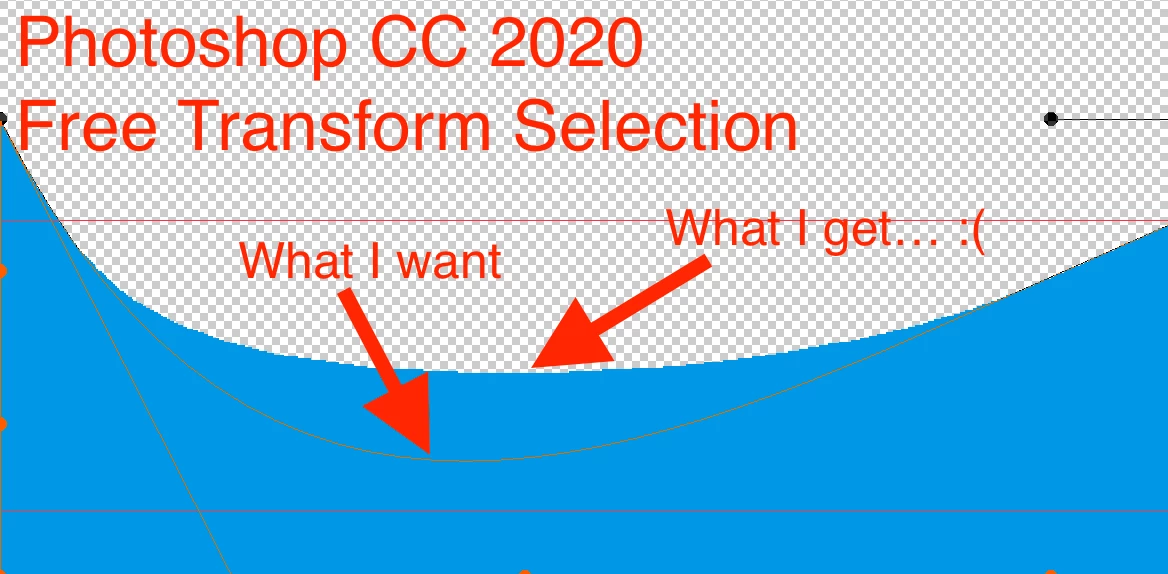
I'm trying to create a "wave", but something's off, I'm not able to explain it, which is why I have attached a screendump, with what I what, and what I get.


This is extremely frustrating!!!! (Sorry)
This topic has been closed for replies.
Correct answer davescm

Hi

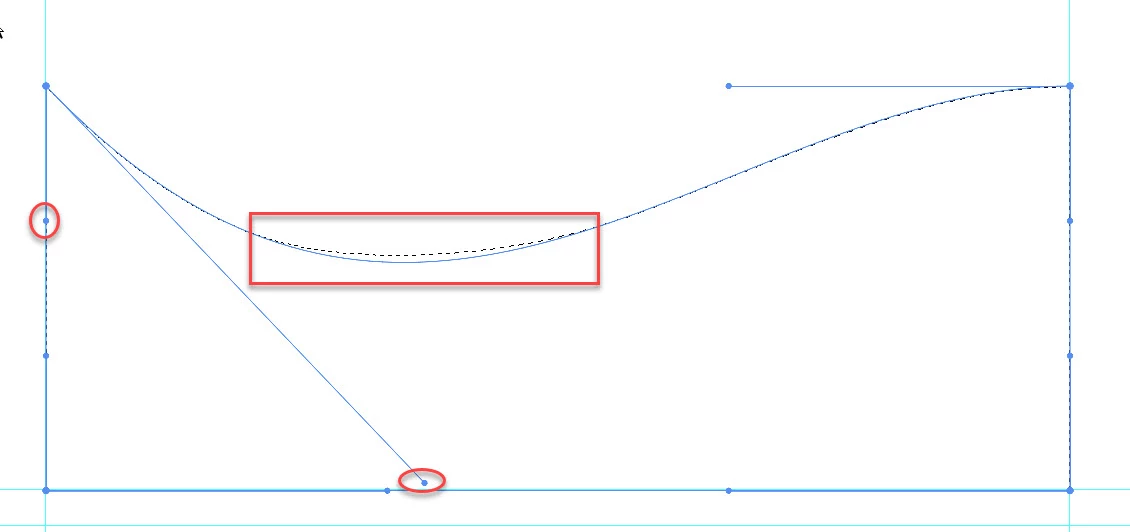
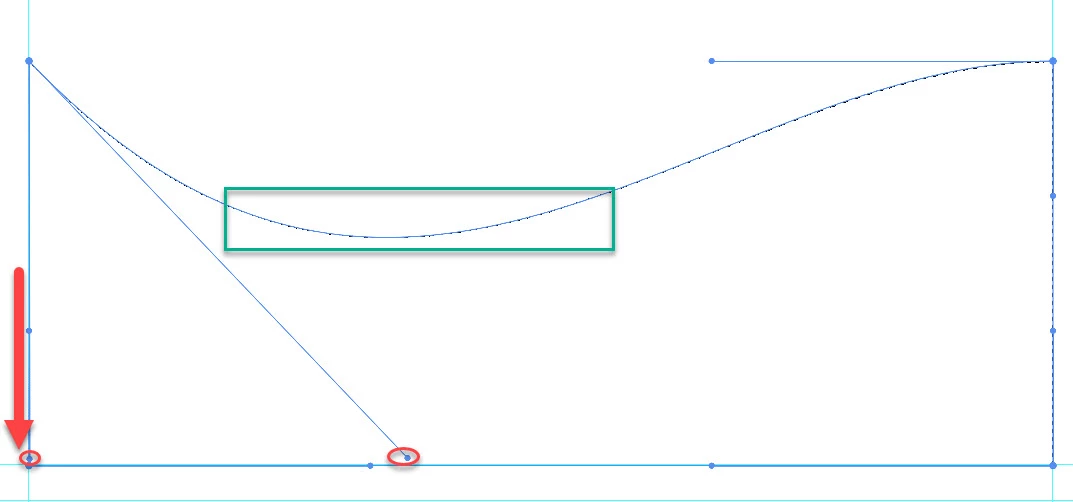
I can replicate your issue here. The marching ants showing the selection are not matching the curve set by the warp selection curve.

It seems to happen when you drag the top control well below the level of the side control.


Grab the side control and drag it down to correct the issue


Although that get's around the issue, it still may be worth reporting as a bug at the link below where developers will see it:


https://feedback.photoshop.com/photoshop_family


Dave

3 replies

davescm
Community Expert
davescmCommunity ExpertCorrect answer
Community Expert
January 19, 2020

Hi

I can replicate your issue here. The marching ants showing the selection are not matching the curve set by the warp selection curve.

It seems to happen when you drag the top control well below the level of the side control.


Grab the side control and drag it down to correct the issue


Although that get's around the issue, it still may be worth reporting as a bug at the link below where developers will see it:


https://feedback.photoshop.com/photoshop_family


Dave

jensjakobsen
Known Participant
January 20, 2020

Thank you Dave, I was wondering if I were going mad here! I will report it.


Thanks!

Bojan Živković11378569
Community Expert
Community Expert
January 19, 2020

Let me gues, you are using Free Transform > Warp? There is preset list in the Options bar with Wave preset. have you tried that? You can also adjust Bend from the Options bar.

jensjakobsen
Known Participant
January 19, 2020

Hi Bojan, thanks for your reply 🙂


I need the wace to look exactly what I have intended, and not a standardised version (even though you can probably edit the preset wave).


Also, I need to know what I'm doing wrong, so that I may learn 🙂

jane-e
Community Expert
Community Expert
January 19, 2020

Hi

It's not clear what you are trying to do. It appears that you might be using the Pen too, as there are anchor points and parts of direction lines visible, but not enough of them to see what you are doing. If you have been using the Pen tool, then use the Direct Selection tool to adjust the direction and length of the direction lines to get the shape you want. If it's something else, please clarify.

~ Jane

jensjakobsen
Known Participant
January 19, 2020

Hi Jane, thanks a lot for your reply, i'll try to clarify with this video.

jane-e
Community Expert
Community Expert
January 19, 2020

Hi

Thanks for the video — I see what's going on now.

  • First you are making a selection
  • Then you fill the selection
  • Then you go to Edit > Transform Selection and the Selection Marquee transforms when you want the pixels to transform. 

Instead of transforming the selection marquee from the Selection menu as you are doing, go to Edit > Transform > Warp to edit the pixels. 


~ Jane