
Exit
  • Global community
    • Language:
      • Deutsch
      • English
      • Español
      • Français
      • Português
  • 日本語コミュニティ
  • 한국 커뮤니티
5

Transform Tool

Mentor ,
Aug 18, 2023 Aug 18, 2023

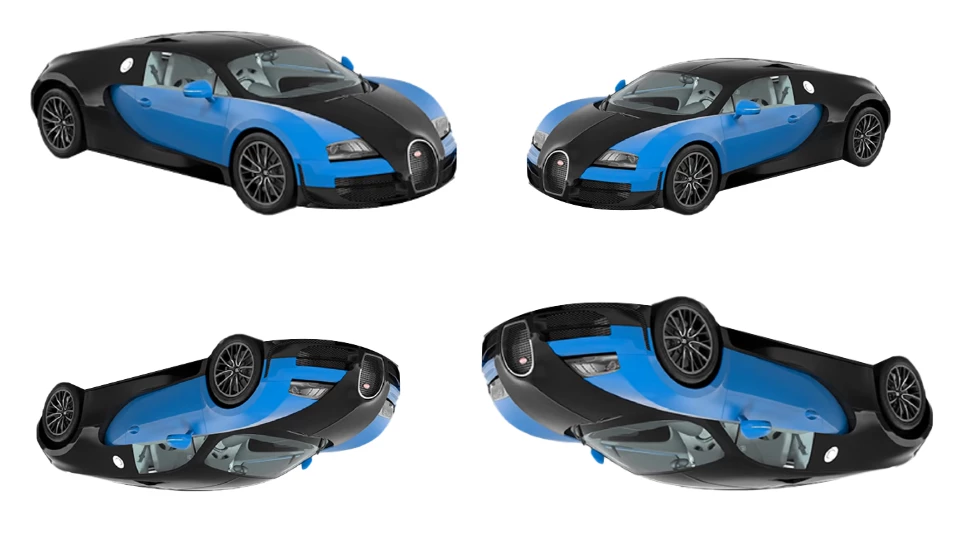
I do not know whether this question has anything to do with Ps but because of curiosity I ask. You can see this image in Ps, using Transform Tool, image can be placed in a direction which is possible with 3D object only. How is it possible in Ps?
 

2023-08-17_14-19-07.png  

TOPICS
Windows
260
Translate
Report
Community guidelines
Be kind and respectful, give credit to the original source of content, and search for duplicates before posting. Learn more
community guidelines
Adobe
Community Expert ,
Aug 18, 2023 Aug 18, 2023

If the first car in the upper left is the original, then the one to its right would be flipped horizontally (Edit > Transform > Flip Horizontal) the one directly below it would be flipped vertically (Edit > Transform > Flip Vertical) , and the catty-corner from it could be rotated 180° (Edit > Transform > Rotate 180°).

Translate
Report
Community guidelines
Be kind and respectful, give credit to the original source of content, and search for duplicates before posting. Learn more
community guidelines
Mentor ,
Aug 20, 2023 Aug 20, 2023
LATEST

What I want to know is, you can notice here. After applying transformation car's front side went to opposite side & the opposite side came to front. If opposite side has a different color [say it is red], will it show similar phenomenon? Because I assume because of symetric relation transformation tool work correctly here. 


2023-08-20_04-12-17.png 


Translate
Report
Community guidelines
Be kind and respectful, give credit to the original source of content, and search for duplicates before posting. Learn more
community guidelines