
Inspiring
August 15, 2019
Question

Transparency problem with multiple layers

  • August 15, 2019
  • 3 replies
  • 2501 views

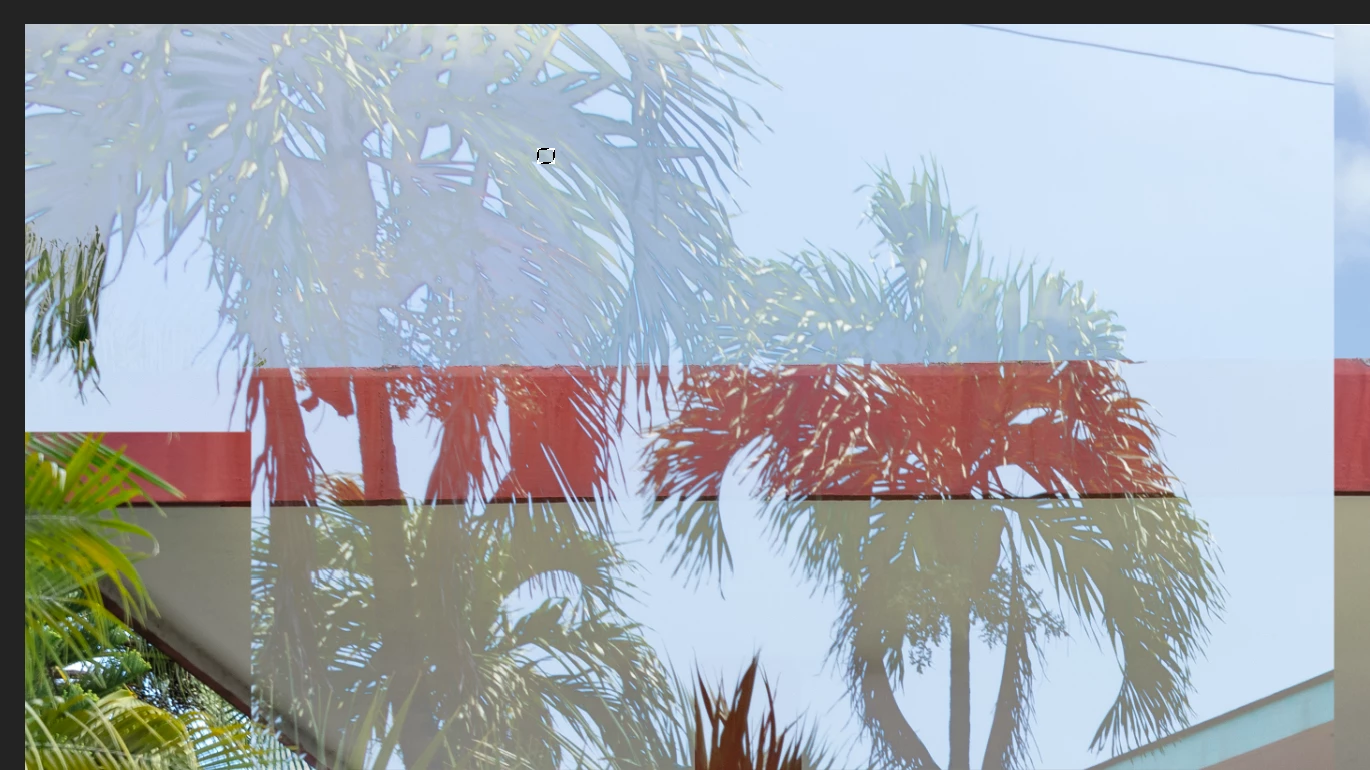
I'm not sure what I am doing wrong but every time I paste or try to clone to one section of my image that has multiple layers I keep getting a strange transparency problem.  I'm sure it's something silly I'm doing but I can't figure it out
This topic has been closed for replies.

3 replies

jane-e
Community Expert
Community Expert
August 15, 2019

silvia1169  wrote

I'm not sure what I am doing wrong ...  I'm sure it's something silly I'm doing but I can't figure it out

Silvia, if you can post the image through Dropbox or Creative Cloud or another file sharing service, I’d be happy to take a look at it.

~ Jane

SRPcashieAuthor
Inspiring
August 15, 2019

Thank you Jane.  How do I get it to you?

jane-e
Community Expert
Community Expert
August 15, 2019

Hi Silvia,

Use Dropbox or Creative Cloud or another file sharing service.

~ Jane

jane-e
Community Expert
Community Expert
August 15, 2019

Hi Silvia,

Check your Channels panel. Here I am on the RGB channel with the Rectangle channel visible. If this isn't it, we need to see screen shots.

Jane

JJMack
Community Expert
Community Expert
August 15, 2019

We surly can't tell what you are doing for you do not show Photoshop UI with all it palettes. From what you did post it like you have several layer with various opacity settings or some layer masking. you may have some tool active if there is an active selection the used Ctrl+h to hide extras.

Supply pertinent information for quicker answers

  • The more information you supply about your situation, the better equipped other community members will be to answer. Consider including the following in your question:
  • Adobe product and version number
  • Operating system and version number
  • The full text of any error message(s)
  • What you were doing when the problem occurred
  • Screenshots of the problem Photoshop UI and all its palettes
  • Computer hardware, such as CPU; GPU; amount of RAM; etc.
JJMack
SRPcashieAuthor
Inspiring
August 15, 2019

PS CC 20.0.6

mac Mojave 10.14.6

No error message

I do have a variety of layers and layer masks but anytime I copy a part of this image or another image onto that area that does have a layer and layer mask it comes out with a strange transparency.  All layer modes are set to normal.  I even did a layer stamp and tried to paste in that area and it still comes out the same.

SRPcashieAuthor
Inspiring
August 15, 2019

How would we know if anything in the image you posted is strange You have layers and layer mask that create that compost.   Layers and layer mask create a composite image.  That is normal operation not strange.  Only you know the contents of you layers and layers masks you used to crate that composite.   Is Photoshop rendering  the compost incorrectly? What is the problem


Yes, it is rendering it incorrectly.  They should look like regular palm trees.  I'm not sure what other information I could give you.  I though thought it might just be a common problem.