studioksr
Known Participant
October 24, 2023
Question

trying to create GIF using Photoshop CC, timeline menu does not match tutorial

  • October 24, 2023
  • 2 replies
  • 1616 views

UPDATE - SOLVED: I found the solution in another post--> "I had ticked Frame Animation in that drop-down list in the center of the screen, but didn't realize that it became a button I had to click as well. " THIS WORKED FOR ME TOO. I have never experienced a drop-down menu that I also had to click on like this. Not obvious!


I am trying to make a GIF using a series of still photos sized to 750 x 600. I have studied several tutorials, including this one from Adobe: https://creativecloud.adobe.com/cc/learn/photoshop/web/make-animated-gif?locale=en-VN

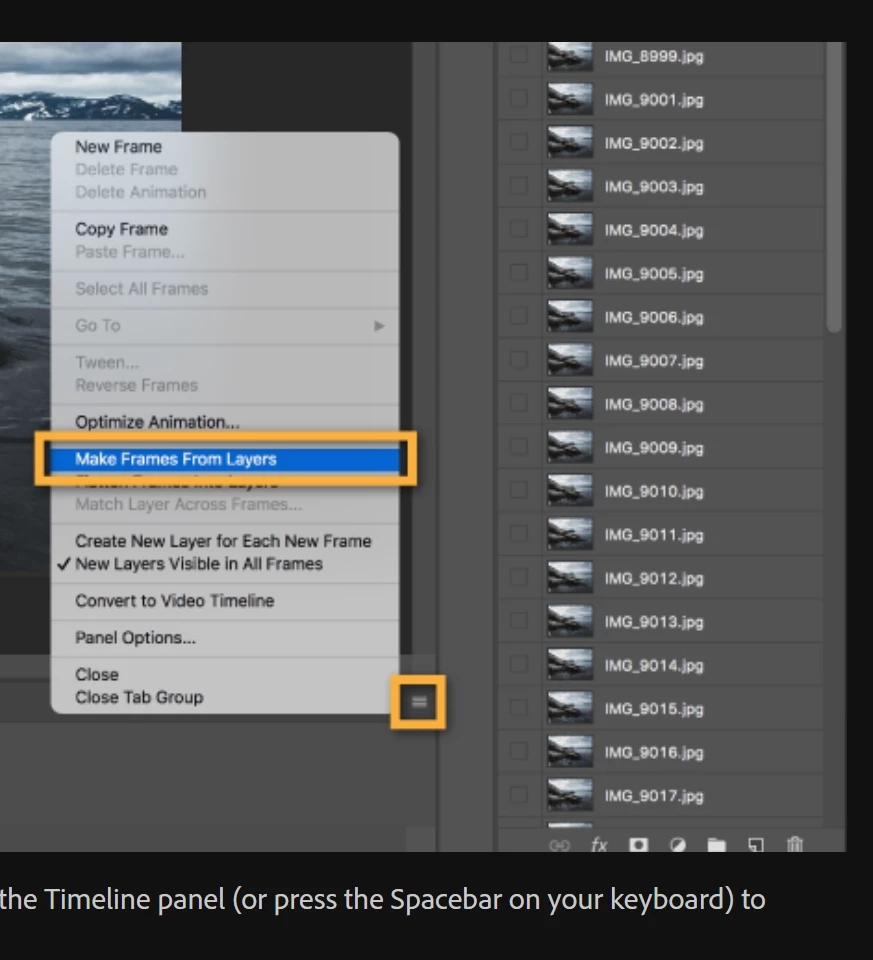
When I click on the menu icon in the timeline window, the flyout menu I see is completely different than the one shown in all the tutorials. I attached images of the tutorial menu and the menu I see when I am in Photoshop. I tried changing the workspace to motion and to graphic, and it didn't make any difference. The tutorial menu has the gold rectangles.
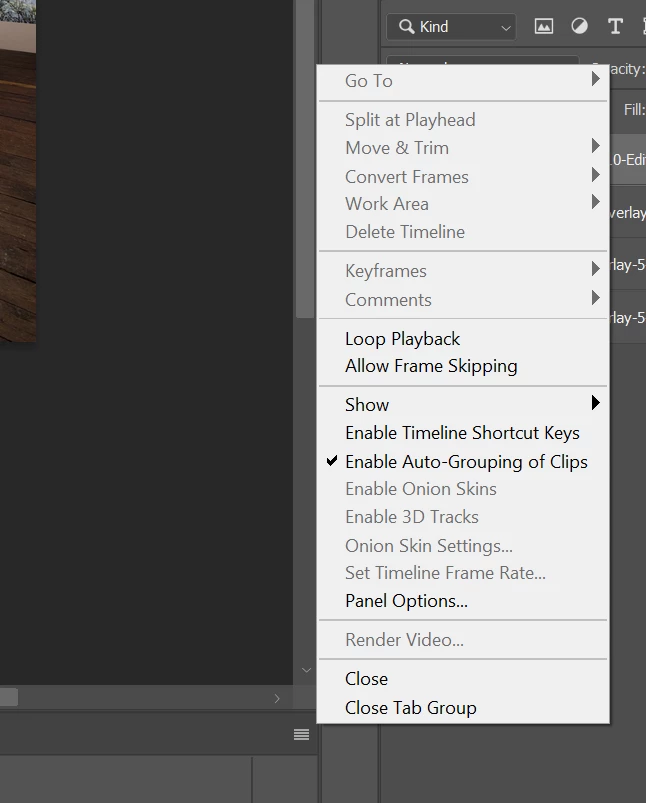
 

I am using Photoshop CC version 24.7.1 on a PC.

This topic has been closed for replies.

2 replies

Conrad_C
Community Expert
Community Expert
October 24, 2023

What you see in the Timeline panel menu depends on whether it is a Video timeline or Frame Animation timeline. If you want to see commands such as Make Frames From Layers, it must be a Frame Animation timeline. The demo below shows the difference.


studioksr
studioksrAuthor
Known Participant
October 25, 2023

Hi Conrad, thank you for the video. However, I do not get the same menu as you do. The screencap I submitted shows what I see when I select Create Frame Animation--I do want to use Make Frames from Layers. The same menu options appear if I select create video timeline, and it remains the same no matter which workspace I try. 


I see that you are using Photoshop 2024. Is this Creative Cloud or Elements? I don't understand why I can't see the right menu since I am using Creative Cloud which should automatically update, right?


Can you think of any other reason this is not working right for me?

Conrad_C
Community Expert
Community Expert
October 25, 2023

I did notice that the menu does not change if you simply choose Create Frame Animation from the button menu in the empty Timeline panel. The menu changes only after you actually click the Create Frame Animation button. Have you done that second step too?

studioksr
studioksrAuthor
Known Participant
October 24, 2023

Additional info: I imported the jpgs using File: script: Load files into Stack (per some of the tutorials)

The jpgs show as layers -- I tried dragging them onto the Timeline but that doesn't work either.