

해결됨
Trying to paint bucket fill black, but Photoshop keeps making it green.
Hi there!
Trying to do a solid black fill with paint bucket but in Photoshop, it keeps turning it green.
For reference, my working specs for RGB: sRGB IEC61966-2.1.
Thanks!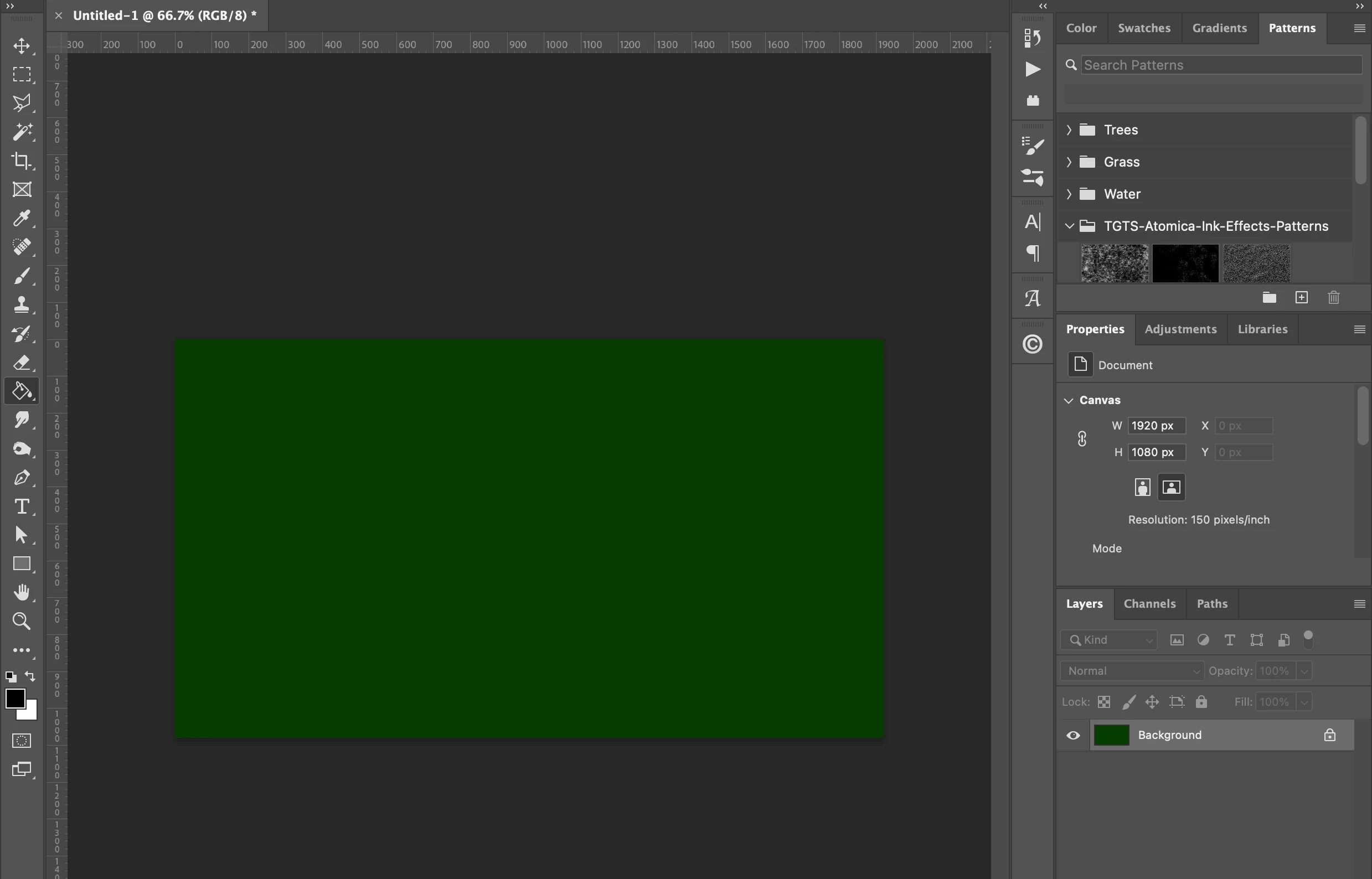

Hi there!
Trying to do a solid black fill with paint bucket but in Photoshop, it keeps turning it green.
For reference, my working specs for RGB: sRGB IEC61966-2.1.
Thanks!
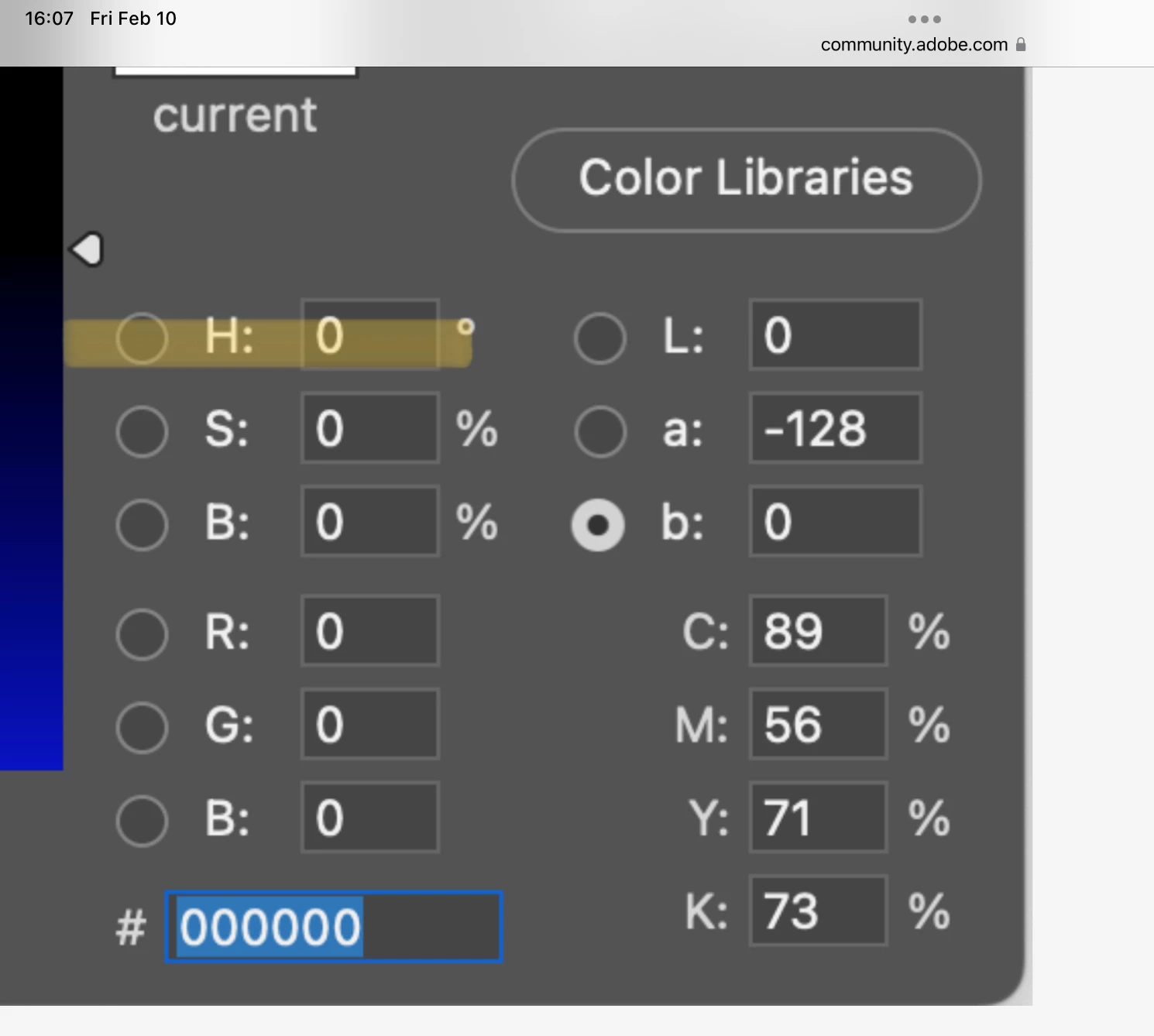
If this is helpful at all, every time I go to the color picker it's showing this version as opposed to the original rainbow I've seen before...
You are looking at the B channel of Lab. Choose the H of Hue, Saturation, and Brightness to see the Color Picker as you did before.
Jane
Enter your E-mail address. We'll send you an e-mail with instructions to reset your password.
 AdChoices