Participant
February 23, 2024
해결됨

Uncurling old photos to make them straight (for photo restorations)

  • February 23, 2024
  • 6 답변들
  • 9349 조회

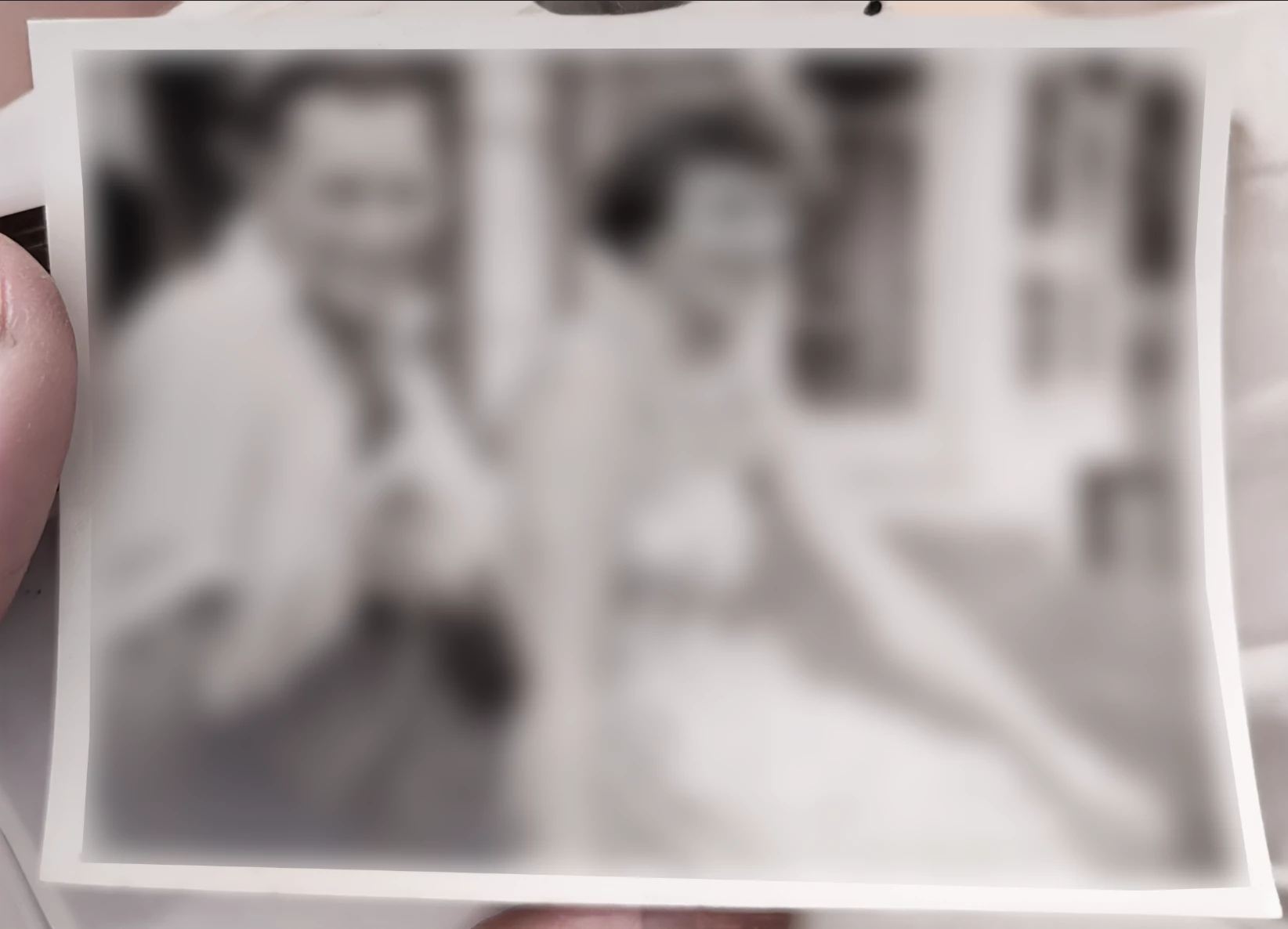
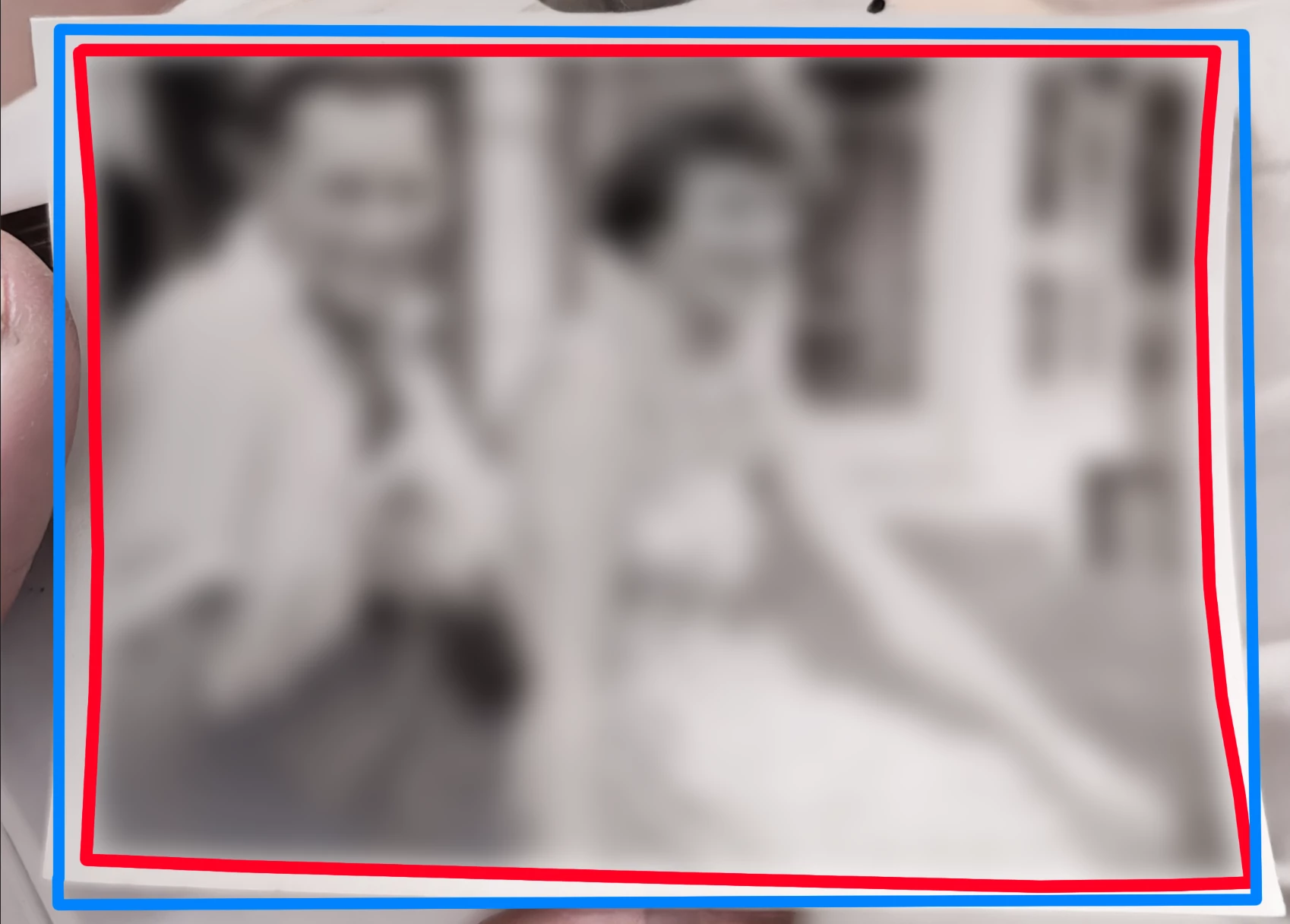
I have an image of an old photograph that I would like to make striaght. Is there a quick and easy way to make a "flatten" a curled photograph? Somethiing like the Puppet Warp tool but perhaps using the pen tool to follow the curled outline and then making it flat. Hard to explain, please see images for example. (I have blurred out subject for privacy). Woudl like to make the red line become the straight blue line, if that makes sense! Thanks!


최고의 답변: Conrad_C

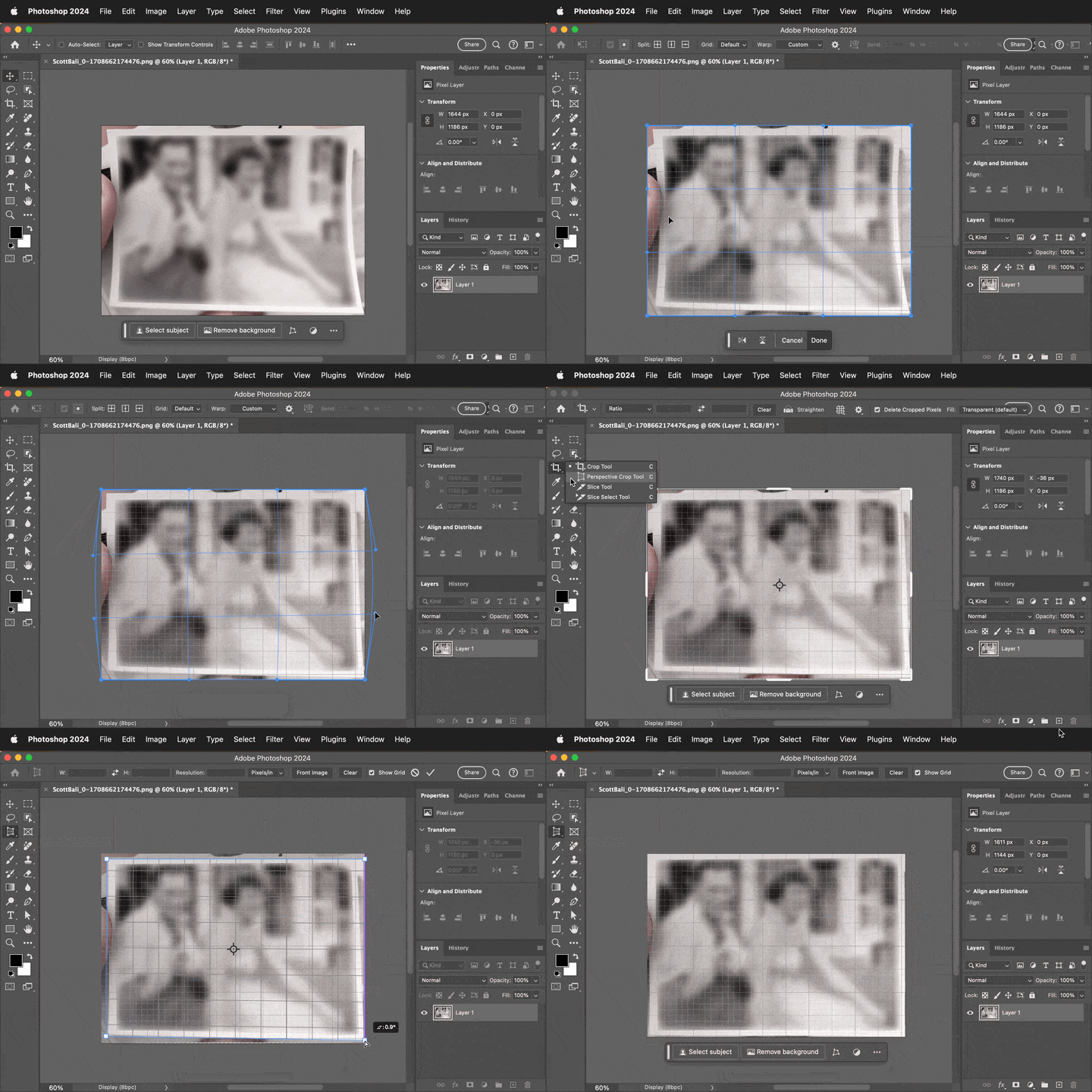
I was thinking similarly to D Fosse, a two-stage approach to address the two different distortions (curves and angles). The demo below shows these steps:


1. (Optional) Turn on View > Show > Grid so you can more easily see when edges are straightened. 

2. Choose Edit > Transform > Warp, and don’t use any presets, instead do a manual warp by dragging the outer edges and handles. This is only to reverse out the curl curves. 

3. Use the Perspective Crop tool to straighten the four edges.


6 답변

justry1
Participant
June 12, 2025

I know it's a (very) late answer, but there's a plugin for this now:

https://exchange.adobe.com/apps/cc/03017771/unwarp

Legend
February 23, 2024

I'm all for using technology but you want to get the basics right before relying on Photoshop. Put a thin sheet of clear plexiglas (or better yet optical glass) over the photos before you copy them. That alone will make áhuge difference.

c.pfaffenbichler
Community Expert
Community Expert
February 23, 2024

If you want to restore old photographs I would recommend scanning them properly. 

Starting with a photograph of a photograph taken under such problematic conditions does not seem like a good starting point. 

D Fosse
Community Expert
Community Expert
February 23, 2024

Yes, and that would always be my primary response to this kind of questions. It's just amazing how much time and effort can be saved by setting up a shot properly to begin with - like 5 minutes vs. several hours in Photoshop (and a poorer result).


@Scott Bali , the following are just my personal feelings about this in general. It's unrelated to your question, which I'm sure there are perfectly legitimate reasons for (like, you didn't take the picture and it's all you have).


The general procedure today seems to be to just point the lens in the general direction of your subject, completely ignoring lighting and everything else, close your eyes and click the button. And then expect Photoshop to magically fix everything that is wrong with it. It's probably a testament to Photoshop's success and efficiency that this misled notion seems so ubiquitous.


What really gets me is when people point to expertly lit studio shots by skilled photographers, and then ask "what Photoshop effect is that". As an employed photographer, that makes me worry about my future paychecks. Most people really do believe there is nothing to it but Photoshop.


And don't even get me started on AI.


There. Just had to get that off my chest 😉


c.pfaffenbichler
Community Expert
Community Expert
February 23, 2024

Even more unrelated but if we are talking unfortunate developments in photography I want to add a pet peeve of mine: 

Commercial photographers who won’t use tripods. 

That can, when the customer starts to request that elements from different photographs from a series be combined, lead to the perspective of barely two images to match. 

Conrad_C
Community Expert
Conrad_CCommunity Expert답변
Community Expert
February 23, 2024

I was thinking similarly to D Fosse, a two-stage approach to address the two different distortions (curves and angles). The demo below shows these steps:


1. (Optional) Turn on View > Show > Grid so you can more easily see when edges are straightened. 

2. Choose Edit > Transform > Warp, and don’t use any presets, instead do a manual warp by dragging the outer edges and handles. This is only to reverse out the curl curves. 

3. Use the Perspective Crop tool to straighten the four edges.


Scott Bali작성자
Participant
February 24, 2024

Thank you very much for the demo! 

D Fosse
Community Expert
Community Expert
February 23, 2024

I'd do this with Transform > Distort first, and then Transform > Warp to straighten the curved edges.


Set up guide lines. Convert to smart object for repeated transforms. For a single transform it doesn't matter.


It will take a few minutes, but should be fairly straightforward. You might argue that there should be an automatic tool for it, which could well work as you describe. I don't disagree, anything to save time for things you do often. But that doesn't mean this isn't doable without too much effort already.


Using Warp to straighten the curved edges, it might pay to split the image up in one-third sections. It just makes everything much easier to handle. Try the different options in the warp tool, usually a grid of three works well for this.


Of course, as always, it would have been much faster and easier to find some way of holding the photo flat while shooting in the first place. But sometimes a bad shot is what you have to work with.


Bojan Živković11378569
Community Expert
Community Expert
February 23, 2024

Have you tried using the Perspective Crop Tool https://helpx.adobe.com/photoshop/using/crop-straighten-photos.html