Inspiring
July 18, 2022
해결됨

what is the correct safest file size set up for designed images/logos in photoshop

  • July 18, 2022
  • 2 답변들
  • 1381 조회

Hi community.


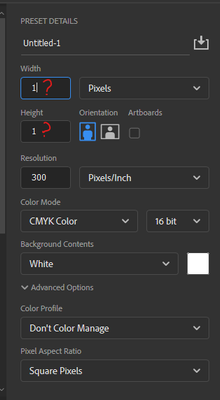
I'd like to understand regarding file size set up, if I am to design a logo or enhance a logo/image in PS. For example if I am to design a logo in Illustrator or 3D software, as vector or PNG, and import it into PS, I know for printing it has to be 300DPI Cmyk, but how about the file dimensions which would be enough for large scale printing, that would look crisp and not pixellated.


Thank you


이 주제는 답변이 닫혔습니다.
최고의 답변: c.pfaffenbichler

1000px at 300ppi is less than 10cm, so that would seem far from sufficient for the plausible uses. 

I recommend you work at least in A3. 


And consider that if you keep the vector objects as Shape Layers with Vector Masks or Vector Smart Objects they would scale up just fine if needed. (Though Vector Smart Objects would not produce vector output.) 

2 답변

Mylenium
Legend
July 18, 2022
quote

how about the file dimensions which would be enough for large scale printing, that would look crisp and not pixellated.


Depends on what you mean by that. Large billboards are a different thing from detailed decorations on a readable tradeshow poster or a reproduction of an art piece for an exhibition. You need to be more specific what you actually want to do.


Mylenium

c.pfaffenbichler
Community Expert
Community Expert
July 18, 2022

For printed material that is to be viewed up to arm’s length (books, magazines etc.) an Effective Resolution of (edit: at least) 300ppi is desirable. 

For material that is to be viewed at higher distances a lower Effective Resolution suffices. 

http://www.photokaboom.com/photography/learn/printing/resolution/1_which_resolution_print_size_viewing_distance.htm


But why do you open the Illustrator file in Photoshop at all? 

What are the Document Raster Effects Settings of the ai-file (if it contains Raster Effects like Gaussian Blur for example)? 

Any why not place it as a Vector Smart Object? 


Edit: And as for CMYK – which CMYK Space? 

If he image is likely to be printed in several different CMYK Spaces keeping it as RGB might be advisable. 

Inspiring
July 18, 2022

Point taken regarding printing 300ppi Cmyk for close prints. These types of logos are designed from scratch, vector but also enhanced with refelctions in PS, or some logos are desinged in 3D software. so I want to be safe to know what document size would be future proof, if I'm asked for exmaple: Now Ill need my logo, for a billboard banner, A poster A1 size, or vinyl decal.  so If I make a document 1000 x 1000 pixels, 300ppi, would it be enough to use it for vinly print, which people would see from close up? Or do I need to design the logo in a  document 5000px X 5000px 300ppi to be able to scale it in a A1 poster size print? 


c.pfaffenbichler
Community Expert
Community Expert
July 18, 2022

1000px at 300ppi is less than 10cm, so that would seem far from sufficient for the plausible uses. 

I recommend you work at least in A3. 


And consider that if you keep the vector objects as Shape Layers with Vector Masks or Vector Smart Objects they would scale up just fine if needed. (Though Vector Smart Objects would not produce vector output.)