


Copy link to clipboard
Copied
Is there any way in Photoshop to determine what file format an image is?
When I open an image in Photoshop the tab heading for that image gives its file name prefix, but not the suffix so if I am working with multiple files and if they are not all psd or tiff, is there any way for me to determine what format any specific file was opened as?


 1 Correct answer


Bridge works with any files from lightroom or any program, to tell you what the file type is. NEF is the Nikon camera raw format.
How did you get "OLY0003-01" out of your camera without an file name extension? Did you use software to extract the image from your camera, or maybe a compact flash reader to drag copy.
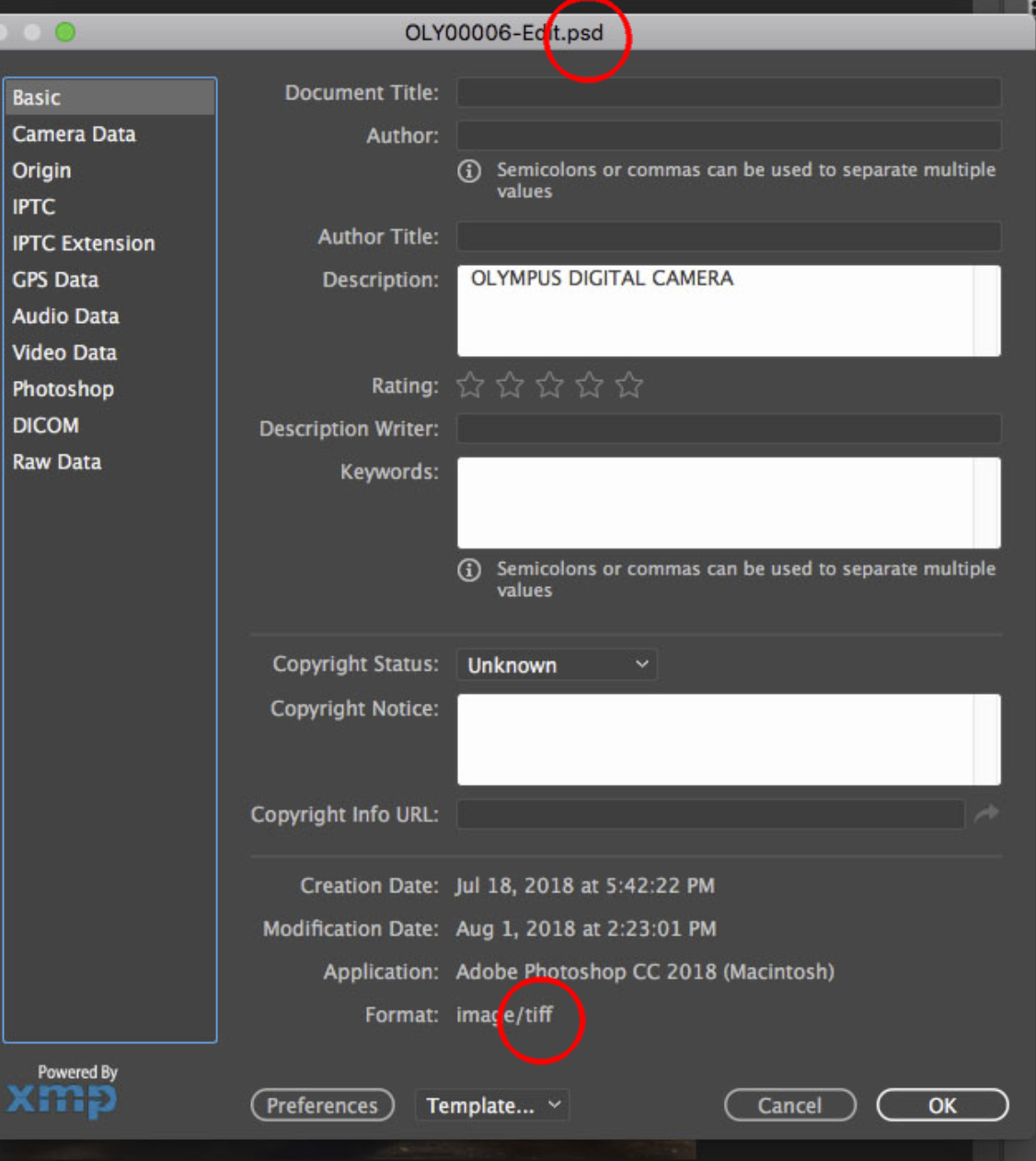
What you posted earlier seems to have an issue, the file is named .psd but the file type is .tif.
Looking over your situation with more information i think you would be better keep the fi
...

Explore related tutorials & articles
 20
Replies
20
20
Replies
20


Copy link to clipboard
Copied
Hi
The tab heading gives you the file extension info as in .jpg and .dds in this case

Copy link to clipboard
Copied
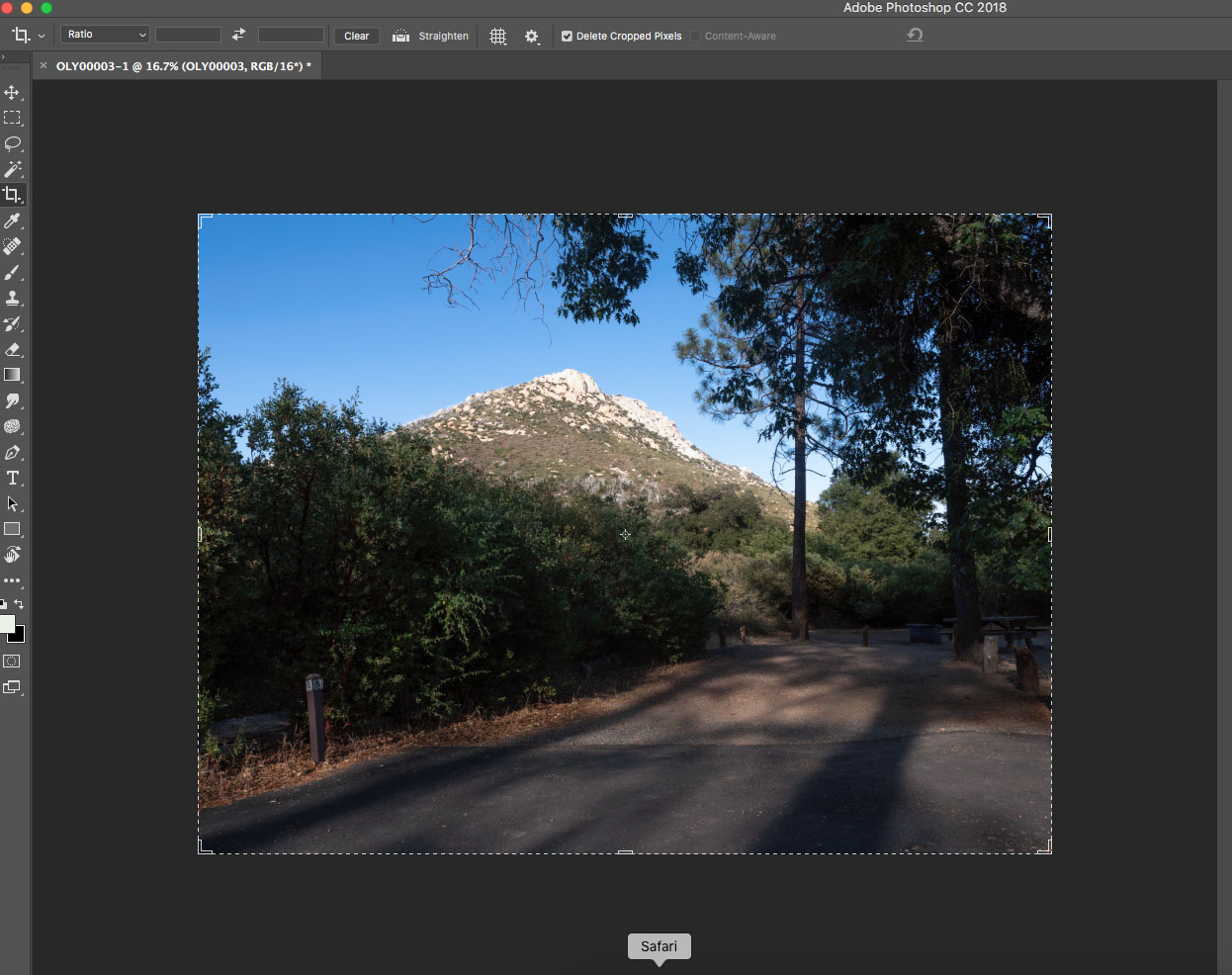
Sometimes, but not always. See below. I am looking for some way to tell what the file type is when it is not displayed in the tab.

Copy link to clipboard
Copied
If you right-click the tab and press “Revel in Explorer” it will open the file path of the image and have it selected already,
From here can easily get the files information by right-clicking and viewing properties
Edit: I see you’re on MAC OS but I’d imagine something similar to happen.

Copy link to clipboard
Copied
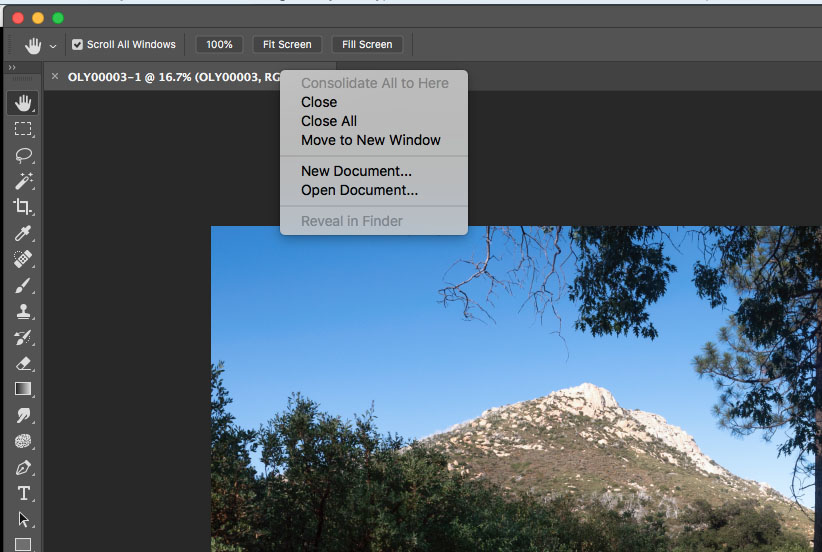
I tried that before I posted. The link is there, but it is disabled (and I don't know why), so it can not be accessed.
Copy link to clipboard
Copied
You can also use Bridge to show the filetype that comes from the resouce fork.

If you are interested in knowing more, let ius know the history of this file, especially such as if coming from a camera native format or email attachment.
Copy link to clipboard
Copied
> You can also use Bridge to show the filetype
I am using LR, so Bridge is not involved in the process at all and, in fact, I really never used Bridge.
> let ius know the history of this file
No complex history. It is a raw image taken a couple of weeks ago on a camping trip. I copied all of the images from that trip to my external usb 3 drive when we returned from the trip and am accessing them from there via Lightroom. I then send the image as a smart object to Photoshop, and that is all.
Nothing complex at all.
Copy link to clipboard
Copied
Bridge works with any files from lightroom or any program, to tell you what the file type is. NEF is the Nikon camera raw format.
How did you get "OLY0003-01" out of your camera without an file name extension? Did you use software to extract the image from your camera, or maybe a compact flash reader to drag copy.
What you posted earlier seems to have an issue, the file is named .psd but the file type is .tif.
Looking over your situation with more information i think you would be better keep the finder setting off, that I originally suggested to actually match my screenshot, and manually adding the file extension at the end as per norman.sanders suggestion. That finder setting on causes alot of trouble in the end being on, and is a long and convoluted explanation between manually tags in the filename, and showing a tag pulled from the resource fork part of the file.
Copy link to clipboard
Copied
> How did you get "OLY0003-01" out of your camera without an file name extension?
I did not. I got this file, as with all others, the same way. I mounted the sd card in a reader and copied the entire folder to my external ssd. In Finder it shows as having a suffix. The value appended, "-01" came from Photoshop when I saved it as there was already another OLY0003.psd on the file system.
> What you posted earlier seems to have an issue, the file is named .psd but the file type is .tif.
Exactly. That is one of the things I have been trying to figure out, and one of the reasons I posted this thread. And I can repeat this issue whenever I want. Open the image in LR, send to PS, save as a psd file, send back to PS as a smart object and I get this exact same issue. Every time.

Copy link to clipboard
Copied
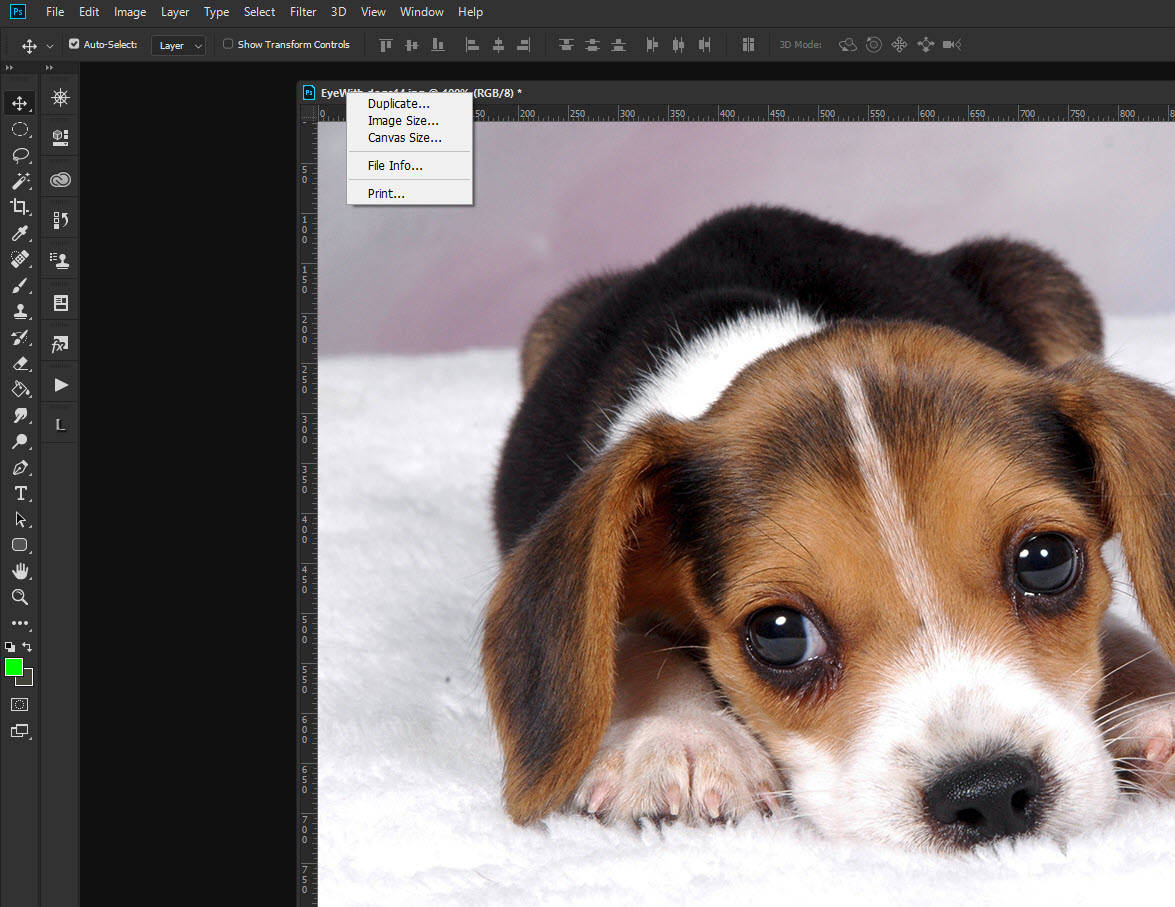
Hey thanks Charles I just learned something new. I tried your right click method and I got a completely different menu with Duplicate, Image Size, Canvas Size and File Info. As you can see, I prefer having floating windows rather than consolidated tabs so I tried 'consolidating all to tabs' at which point I get your menu. In other words the menu is dependent on whether you use floating windows or not. I'm always forgetting where Duplicate is on the Photoshop menu bar and it has no default keyboard shortcut. Easy access to File Info, Image and Canvas Size is also much more convenient.
Copy link to clipboard
Copied
Learning something new and you’re editing a cute little puppy, today is a good day!
I didn’t even realise you could use it like to be honest, so I’ve learnt something new too!
now I just need a job editing a puppy…
Copy link to clipboard
Copied
This issue happens on Mac as Windows requires the 3dot extension on filenames. One way that may help is to enable this setting.
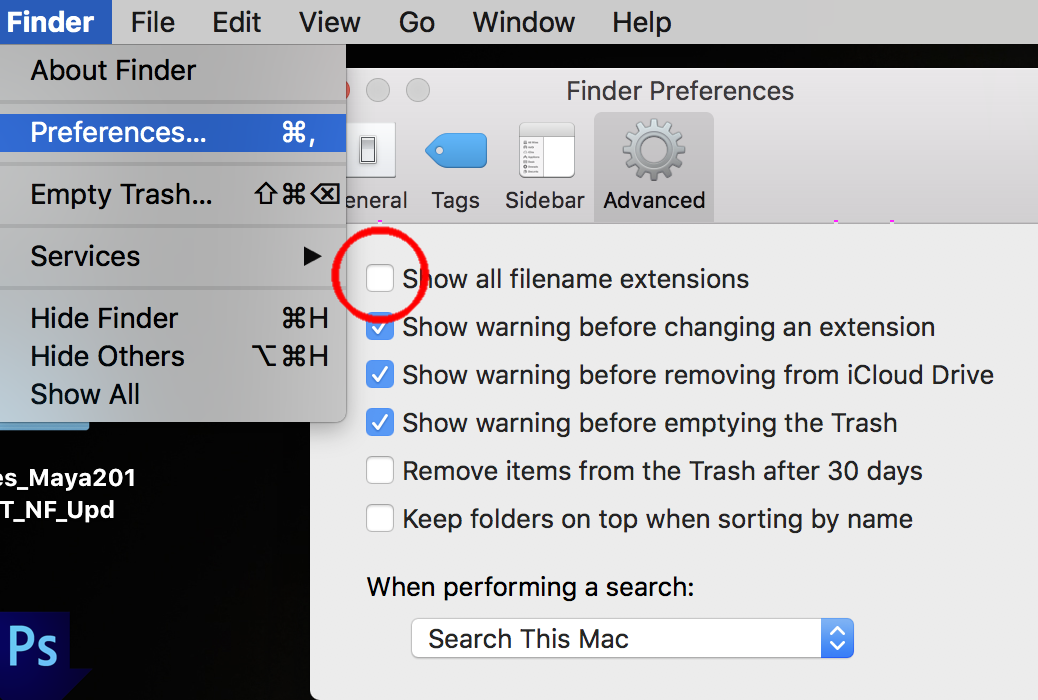
I do not like having that setting on as sometimes I get double file extensions going out of control. eg: filename.psd.psd
Often Photoshop will show the file extension in the window, even if that does not exist in the filename on Mac. From here gets more complicated and not 100% sure how the entirety of this works.Doing a Photoshop saves as, to filename without 3dot extension often creates the issue you have.
In closing would recommend
- always put a 3dot extension onto your filenames
- do not use periods anywhere else in filename.
Copy link to clipboard
Copied
A couple of things.
First, yes, my Finder setting is to always show suffixes. That is one of the first things I do when I open Finder on a new Mac.
Second, a question. When you write that doing a Save As without a file suffix, do you mean in the file name window of the Save As dialog box? Since I have to set the dropdown to the proper suffix and since PS always appends the proper suffix based on the dropdown box setting, I have never thought that was important. For what it is worth I never use a '.' in an image name.
Lastly, I have to admit that there is a lot going on in the load and save functionality that I guess I do not really understand. This problem of the file suffix not displaying on the tab mostly seems to happen to me when I use LR to open an image as a smart object in PS. I have LR set to send psd files to PS, but I am not sure if that happens when I send a smart object. In that case the suffix does not display, but that is not the only problem. I thought I could determine what the file type was was to look at the File -> File Info display since that should contain the proper information, but here is a screen shot of what I get when I do that:
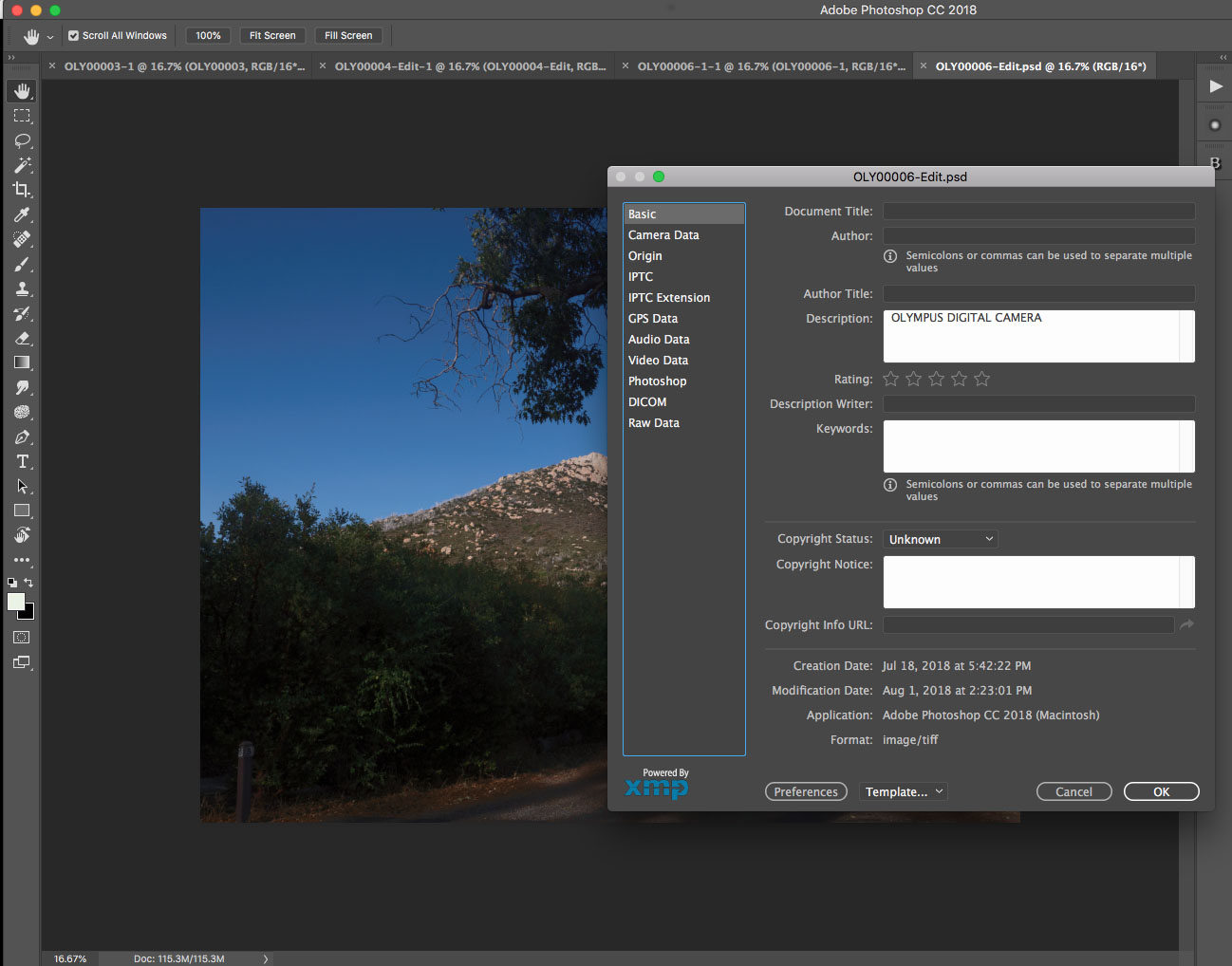
You can see two things here. First, the top of the box contains the psd suffix that I assumed was being sent, but the bottom of the box says that the Format is a tiff. Perhaps that difference can be explained, but I do not know how. Probably because I do not actually know what happens when PS opens an image as a smart object. In this case the original image was a psd, but if I open a raw image as a smart object in PS the same dialog box displays no suffix in the heading and still says tiff.
I admit to being confused by this, but then again it is a familiar feeling ...
Copy link to clipboard
Copied
I think your problem is that you are working on a smart object or a camera raw smart object. Smart objects are not file types but containers for file types and as such have no file suffix or path. They therefore do not have a path in 'Finder'. Of course if you open the smart object it will have a file type and have a definite path. If you take your image without a suffix and save it as a psd then you should find the tab in Photoshop says .Psd and that there is a path and the file contains your smart object.
Copy link to clipboard
Copied
> you should find the tab in Photoshop says .Psd
Clearly I do not understand what is happening or I would not have these questions, but I did the following:
1. Opened a raw image in LR, made an adjustment to it and sent it, with adjustment, to PS. In Photoshop I made some additional adjustments and saved it as a psd file.
2. I then clicked on the psd file in LR and opened it as a smart object in PS.
3. Once it had opened I clicked on File -> Image Info to look and see what I had. The resulting display box had no file type spec in the title bar (as you said), but the file type at the bottom of the display said tiff. The file tab had no suffix.
I know this is a psd file, and I know it is a smart object, but why would it be listed as a tiff?
Copy link to clipboard
Copied
image/Tiff is what is called the 'Mime type' It's an old classification and a little before my time. Below is a definition from Google. What image/tiff means is the file is Tiff like , not surprising as psd files probably have a Tiff based origin. It doesn't mean your file extension will be Tiff
Multipurpose Internet Mail Extensions or MIME types are an Internet standard that are used to describe the contents of various files. MIME types identify Internet files based on their nature and format.
Terri
Copy link to clipboard
Copied
Ah. Then that explains the supposed difference and clears up quite a bit of this confusion. Thank you for letting me know. It never even occurred to me to check Google as I just assumed Tiff meant Tiff. Silly me ...
The only question that is left was the one I originally asked. That is, if I open a file as a smart object, then there does not seem to be any way to determine which file was originally opened. Perhaps the smart object is not the actual file that was opened but doing a save would probably overwrite the original file so it does seem important to know.
Perhaps the only way to determine what file was originally opened would be to do a Save As. I will check to see if that automatically creates a path to overwrite the original file as a Save would. I know that some pixel editors, Affinity Photo as an example, does not set the Save As dialog box to the original file or even the original folder but I have not yet check what Photoshop does.
Thank you again for the Tiff information.
Copy link to clipboard
Copied
Hi Mike,
Smart objects are quite confusing things. When you have a smart object you have a software based container which internally through code points towards the original source file from your Olympus camera. If you have ever done any programming it's a little like an object that is an instance of a class. If you try to 'save' a smart object, Photoshop will prompt you for a name, file type and location for the image file and so you will not overwrite your original file. You can always access your original image by double clicking the smart object in the layers panel.
You can of course avoid loading a smart object, in which case you will see your file suffix on the tab. This is a photo from a Canon camera and you can see the .CR2 suffix.
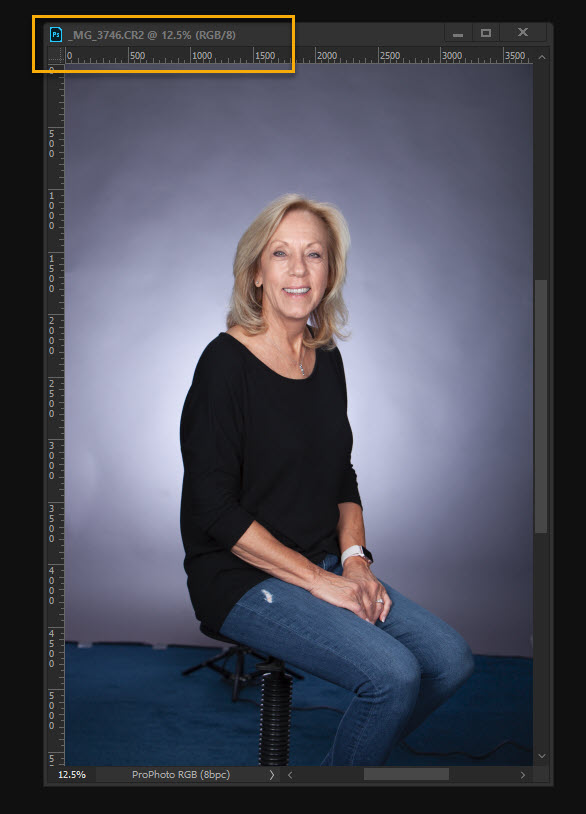
If you attempt to 'save' you'll get a prompt and need to assign a file type. This is because all digital cameras have a proprietary raw format and Photoshop doesn't know how to create those file formats like CR2, NEF etc The exception to this is if you use digital negative format ,dng which is generic to all digital cameras.
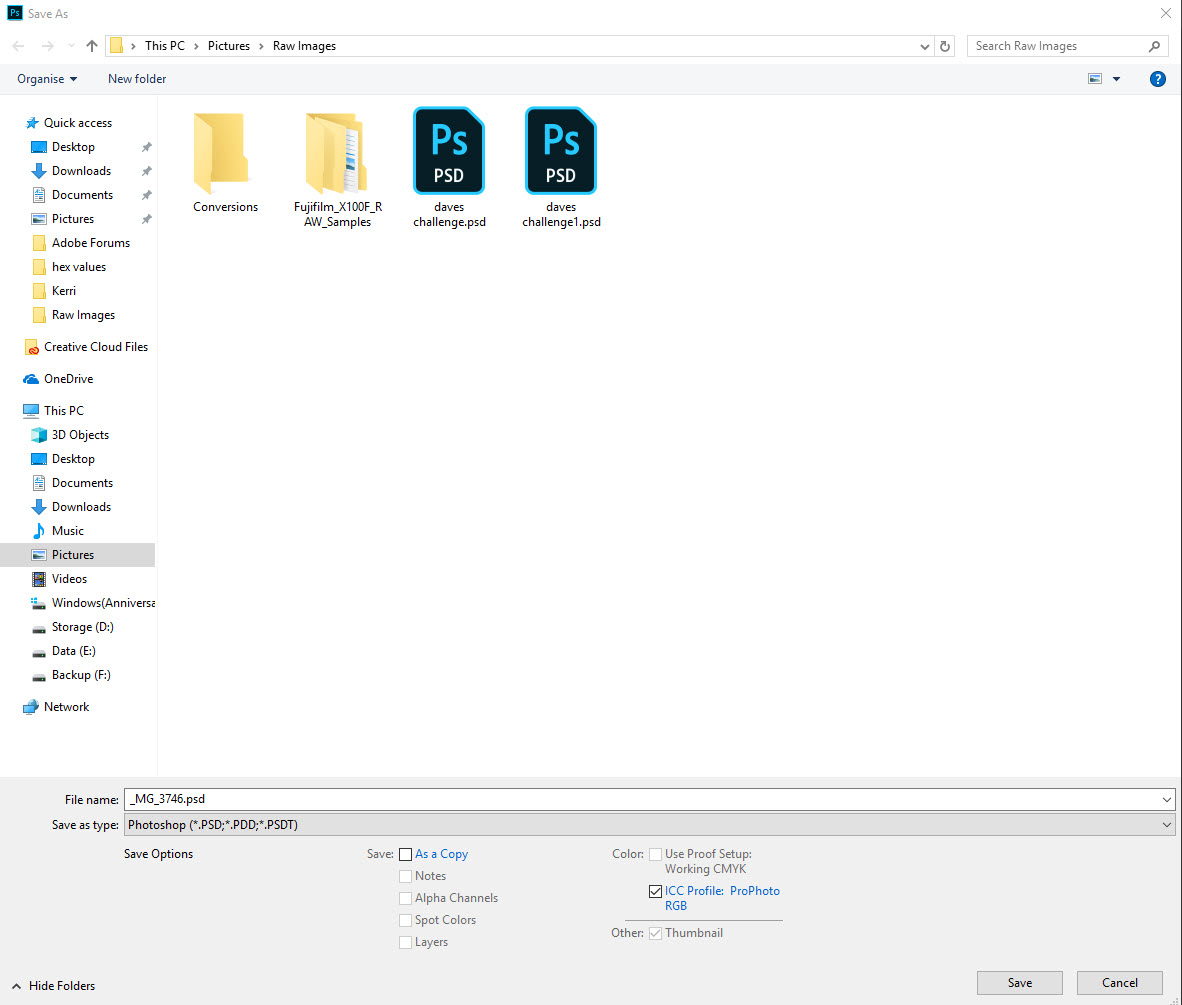
To avoid loading you image as a smart object so you can see the file suffix like above, you need to make sure Camera Raw is setup like below. I'm not a Lightroom specialist but there must be something similar in Lightroom to this. At the very bottom in Camera Raw click the marked link and a window pops up. You must make sure the box 'Open in Photoshop as Smart Objects' is not checked
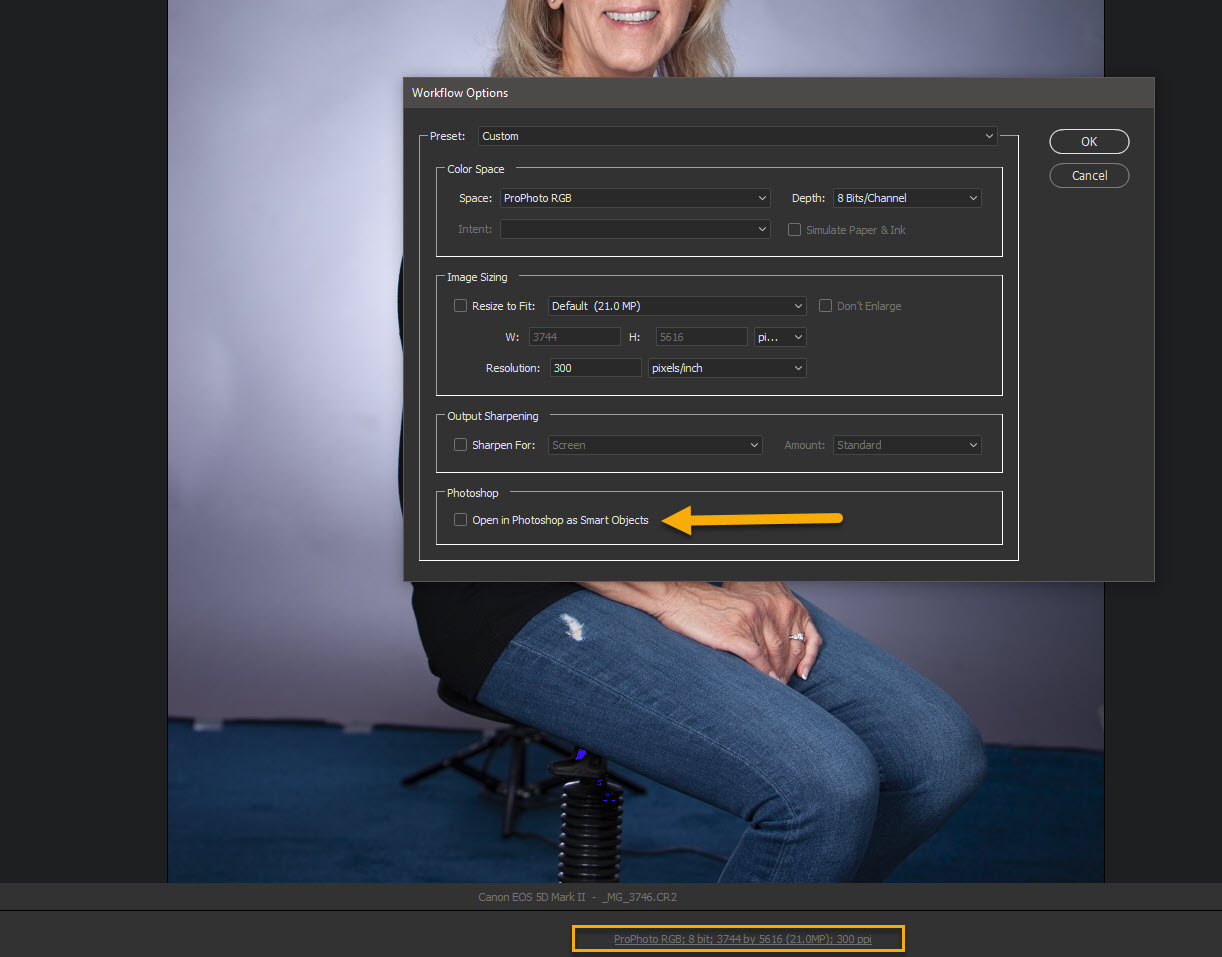
If you look at the bottom right corner of the Camera Raw dialog box with the box unchecked it will look like this

If you have the box checked to export as a camera raw smart object it will look like this

You can do the same thing on the fly and not touch the checkbox by holding down the 'shift' key and it toggles between 'Open Image' and 'Open Object'. However I would advise using the checkbox method due to a bug. If you export to Photoshop as a smart object as expected it will not include a suffix, but when you switch back to 'Open Image' it still exports to Photoshop without the suffix. To get it to behave properly again you need to close down Photoshop and reopen. As long as 'Open Image' is used you will get the suffix, but the bug will come into play if you flip between the two options and jump in and out of Photoshop.
Hope that helps
Terri
Copy link to clipboard
Copied
> If you try to 'save' a smart object, Photoshop will prompt you for a name, file type and location for the image file
That has not been my experience. This morning I opened an image in LR, sent it as a smart object to PS, edited it and save it and PS did not ask me for a name. It just saved it. As it turned out it saved it as a psd, I assume because that is the default in my LR setup. In this case it did not overwrite my original image (which, of course, is my main concern) because the original file was my raw and Photoshop does not know how to write my raw images.
> You can always access your original image by double clicking the smart object in the layers panel.
Yes. That opens ACR, but ACR also does not give you the path to the original file, so I do not see how that helps.
> You can of course avoid loading a smart object
Yes, I know that, but my issue was for those cases when I do open an image as a smart object. In fact only when I opened a smart object.
> but there must be something similar in Lightroom to this.
In Lightroom it is more specific. When you right-click on an image you get the popup menu asking you what to do and one of the options is to open the image as a smart object. If you don't pick that choice you get a normal image, and then this is not an issue.
This issue is new to me because I have just started to use smart objects, so as long as I continue to open images as regular files I do not have any path concerns.
Thanks for the information.

Copy link to clipboard
Copied
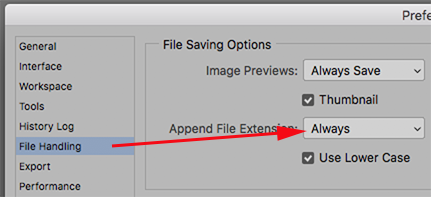
In Preferences is this set to Always?
Copy link to clipboard
Copied
Yes. It is set to Always.


Find more inspiration, events, and resources on the new Adobe Community
Explore Now
 AdChoices