
Question
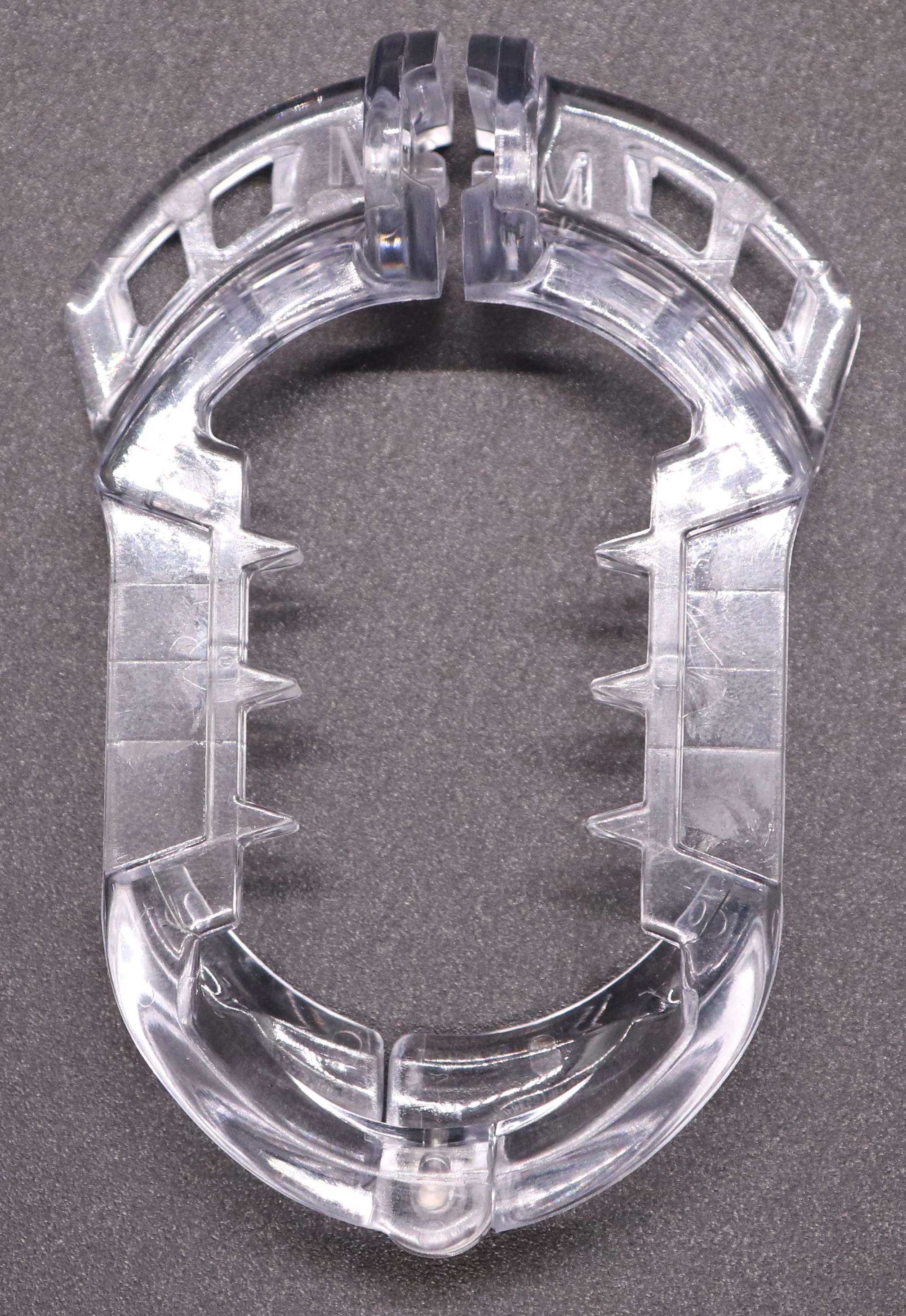
What's the fastest/easiest way to remove this difficult background?
I have a higher quality version on my computer, just couldn't upload the HQ version.
Usually I do either the magic wand tool or in the menu I'd choose Select > Color Range, but neither work in this case because it selects so much of the product as well. Alternatively, I would painstakingly use the Eraser around the whole thing, but I have several photos I have to do this to.
I was going to try using the Magnetic Lasso tool, but its all of a sudden not there. Did Adobe get rid of that tool?
Currently trying to use the Quick Selection Tool, but it's almost as time consuming as the Eraser with all the corrections I have to make.
Any suggestions? If it matters, I'm using version 22.5.0


 AdChoices