


Participant
February 16, 2025
질문

When using filters areas of my image go black

  • February 16, 2025
  • 4 답변들
  • 234 조회

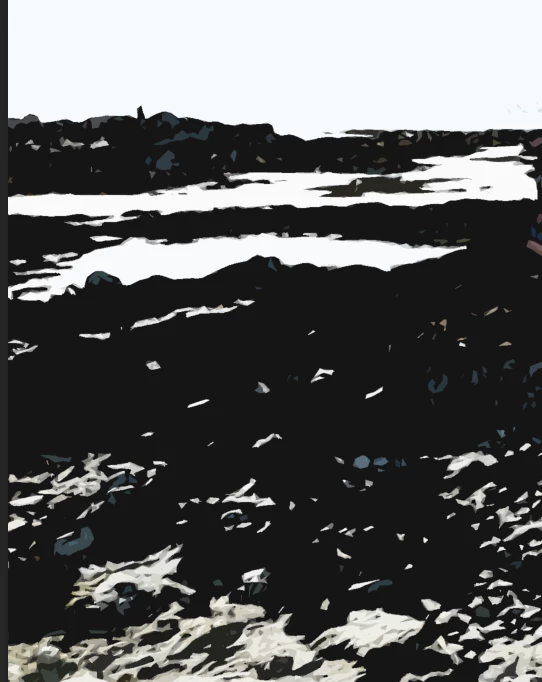
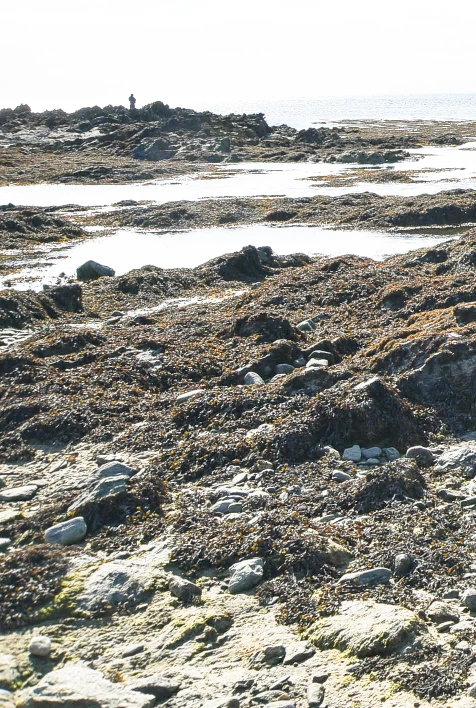
I want to make some of my photos look like watercolour images.  I am following a (very good) tutorial, but when I use the Dry Brush and Cutout filters, the image becomes very contrasty and parts of it go totally black which doesn't look great and doesn't look like a watercolour either (haven't tried other filters so not sure if the same thing will happen). I've clipped a part of the image to illustrate.
4 답변

Jeff Arola
Community Expert
Community Expert
February 18, 2025

Can you point us to the tutorial your following?

c.pfaffenbichler
Community Expert
Community Expert
February 18, 2025

Could you please post screenshots taken at View > 100% with the pertinent Panels (Toolbar, Layers, Options Bar, …) and the Filter dialog visible? 


Another option would be using Generative Fill with a low Selection. 

janet82539985작성자
Participant
February 18, 2025
Thank you - I haven't had chance to do this yet, but will do it soon, thank
you
Trevor.Dennis
Community Expert
Community Expert
February 16, 2025

Hi Janet.  That image is not a good fit for those filters.  It has a limited colour range and the back light is causing its contrast to be high. Something more colourful will work better.  Make the layer a Smart Object so you can use Filter Galery non-destructively.

Legend
February 16, 2025

Dry Brush: I think your Dry Brush's Brush Size and Texture sliders are turned up too high.

I'm guessing the Edge Simplicity slider is set too high.

Are you using the two filters together? That would accentuate the blocked blacks even more.


Larry
janet82539985작성자
Participant
February 17, 2025
Thank you, I've tried it at different sizes, so I'm not sure that is the
problem, and it happens with just one filter