Copy link to clipboard
Copied
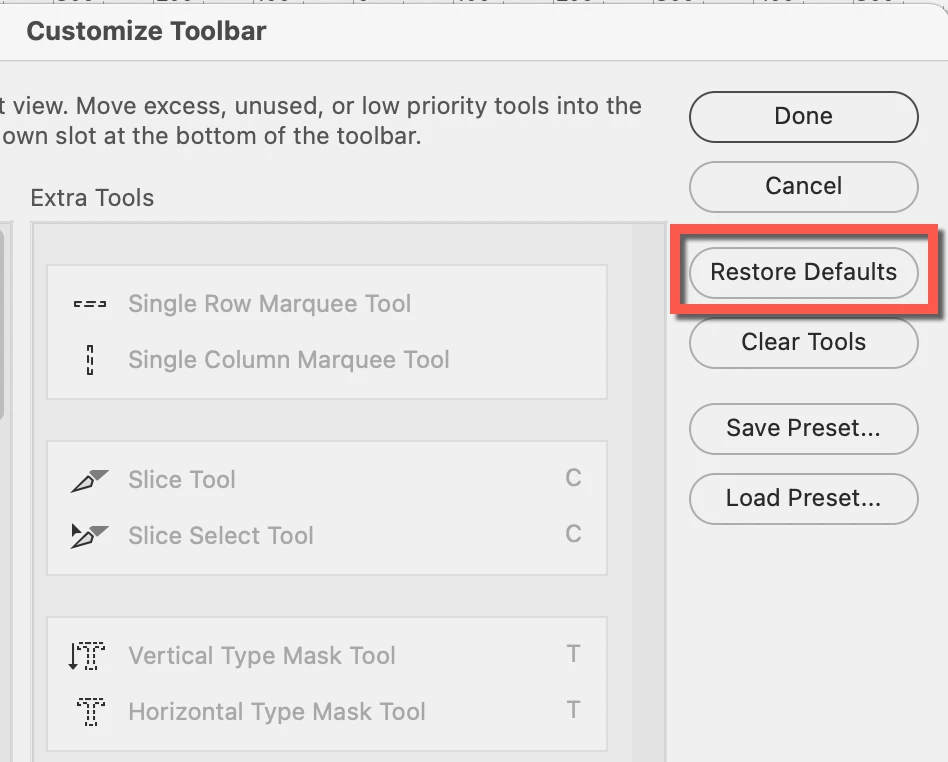
Multiple posts online say the Note tool is accessible through the Eyedropper tool, but as my screen shot shows, it's not an option when clicking on the Eyedropper. Where is it? Frustrating. I am in Adobe Photoshop Version: 24.1.1 20230112.r.238 4bbfa7a x64
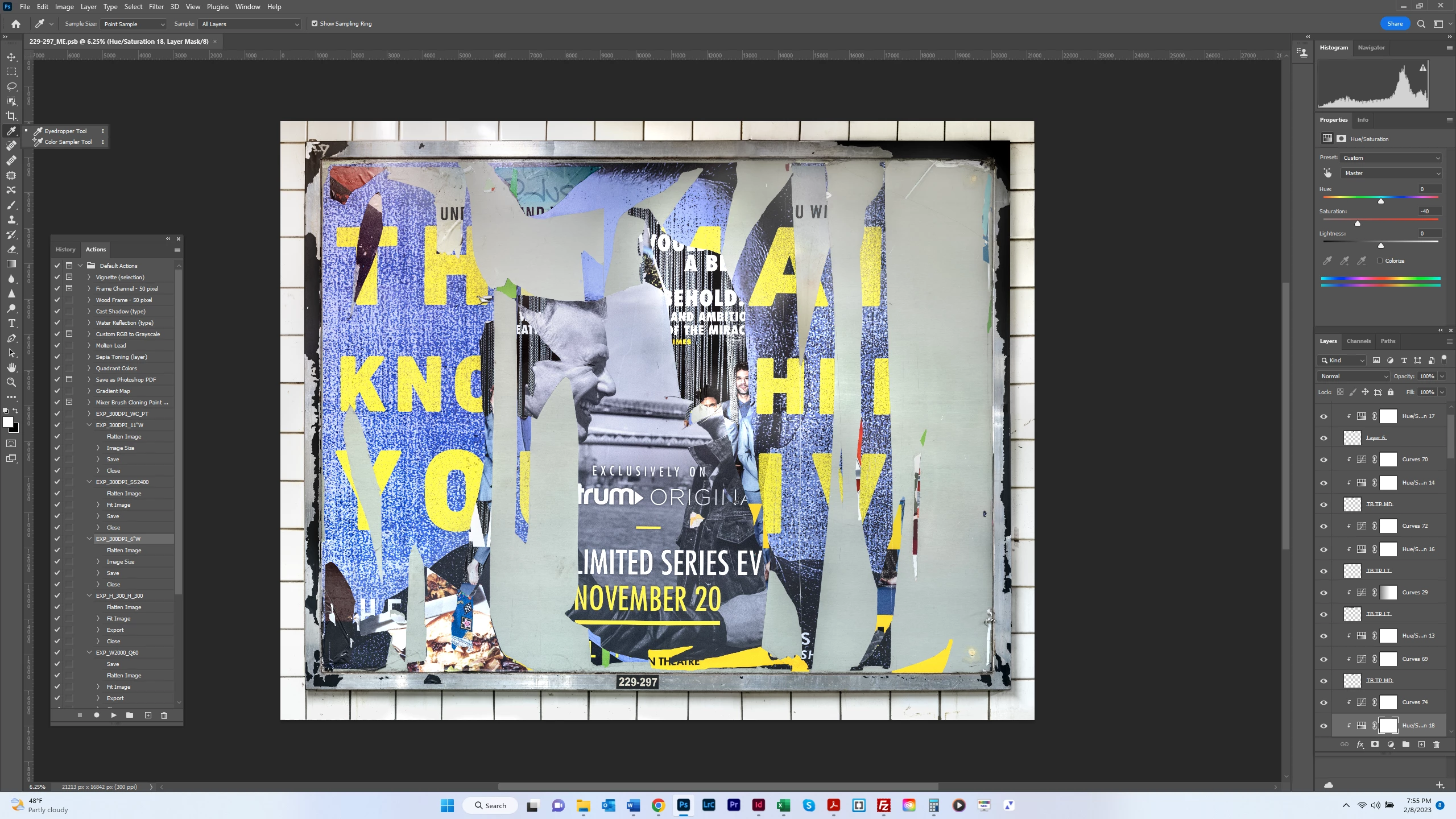
The toolbar in Photoshop can be customized. Go to Edit > Toolbars > Restore Defaults.
Jane
Copy link to clipboard
Copied
The toolbar in Photoshop can be customized. Go to Edit > Toolbars > Restore Defaults.
Jane
Copy link to clipboard
Copied
Thank you. I must remember that.
Copy link to clipboard
Copied
You're welcome, @bartonlew . You can also click the three dots at the bottom of the Tools panel to edit the toolbar.
Many of us customize our toolbars on purpose — hiding tools we don't use and separating out tools that are in groups. If you do this, you can save it as a Preset and Load it again if needed.
Jesús Ramirez has a video here with details:
https://photoshoptrainingchannel.com/how-to-customize-the-toolbar-in-photoshop/
Jane
Get ready! An upgraded Adobe Community experience is coming in January.
Learn more