Participant
September 26, 2012
Answered

Why Adobe Photoshop CS6 can't copy and paste text from another source like as note pad or Ms Word?

  • September 26, 2012
  • 6 replies
  • 110553 views

Why My Adobe Photoshop CS6 can't copy and paste text from another source like as note pad or Ms Word?

    This topic has been closed for replies.
    Correct answer TerriStone

    Here's the copy and paste method that works for me in Photoshop CS6:

    1. Select and copy text from a word-processing program or other source.
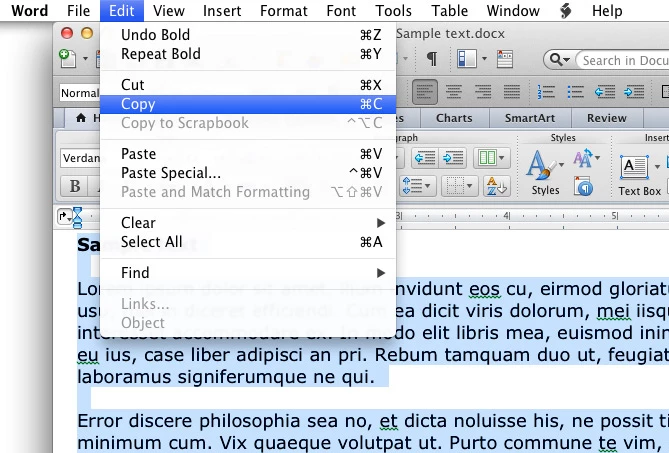
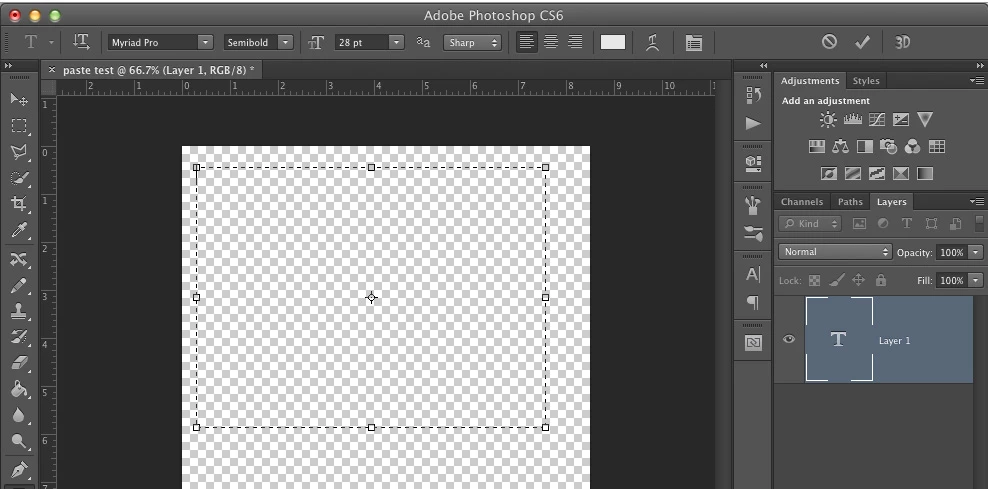
    2. Create a new text box in a Photoshop file by clicking on the icon that looks like a "T" in the tool bar.
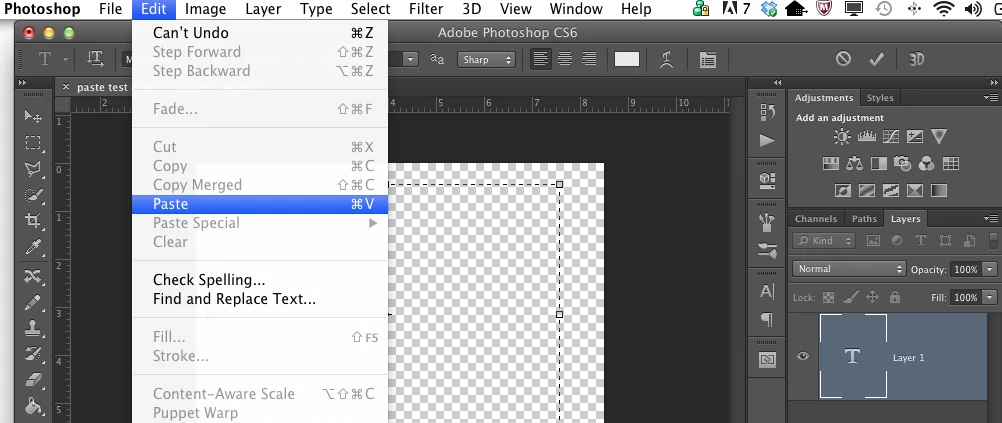
    3. In Photoshop, go to the Edit menu at the top of the screen and mouse down to Paste.
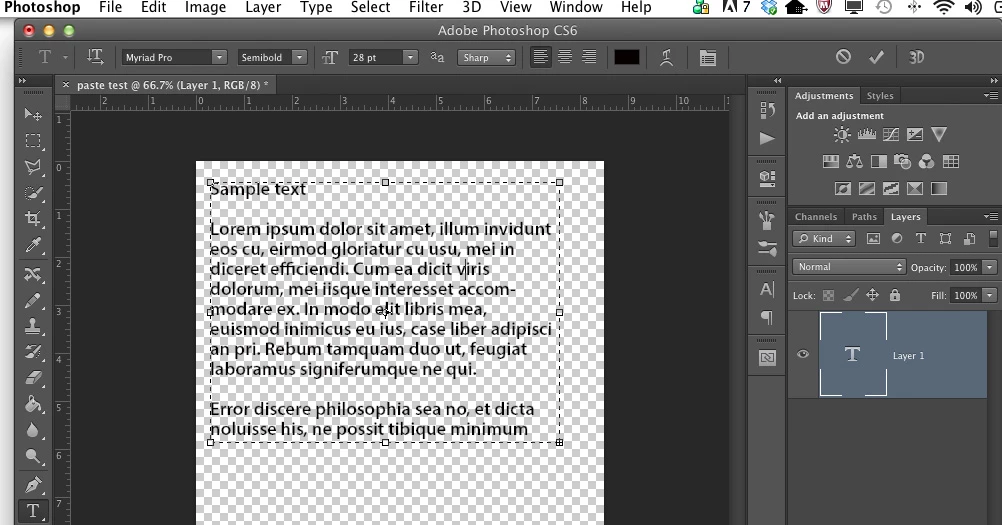
    4. The copied text now appears in my text box.
    6 replies

    Participant
    February 15, 2017

    The same problem for me (CC 2017, OSX)... Sometimes it works, for the next time don't... Politely "frustrating". Now for me works (I don't know for how long) copy-paste over the InDesign document... Open a new blank documet/file in InD, then copy-paste from Word into InD documet... and right after copy-paste from InD into PsP.

    Good luck for all of us.

    Slavek

    April 3, 2015

    This is the simplest method to follow. just do the following steps :

    1.Select all and copy the entire text .
    2. Go to word pad and paste there.
    3. You are ready to go.

    Note : I did this using Microsoft Wordpad. This is the only one that successfully did the job for me out of few i tried.  

    Participant
    July 18, 2014

    this question is claiming "not answered" when it is very well answered by miss Stone. her demonstration worked perfectly first try on my ps3

    in 2 years you could have at least thank the lady for solving your problem and the others for they're effort and mark this question answered.

    Participant
    November 15, 2016

    not working for me using that method, i have to copy text from Outlook Email, paste into Indesign, Cut from there then Paste into Photoshop -

    Participant
    March 7, 2013

    I have often had the same problem, but was able to solve it several ways, depending on whether it is text or an image. Yes, the other responders are correct in that you have to create a text box, first, and then paste in the text. 

    However, sometimes this doesn't work either, and their is a reason:  the copy and paste problem may have more to do with Windows.  Security in Windows can prevent things going into the clipboard from being pasted into something that is not ALREADY open.  That is a security feature, so it is good to just accept it, whether for text or images.  I open all files first before I try the cut and paste. Sometimes, for whatever reason, it may even take two attempts, but it has always worked for me the second time.  Since the same behavior happens for other programs, I know it is not Adobe, but Windows.

    Second, if you are talking about an image, I sometimes have to open a new file and paste it into that new file, RASTERIZE or FLATTEN the image, and then I can easily drag it onto the main image I am working with (and you don't have to save the temporary work file.)  Take into account resolution and size while you have it in that temporary workspace, and you will have even better results.

    TerriStone
    Adobe Employee
    TerriStoneCorrect answer
    Adobe Employee
    October 1, 2012

    Here's the copy and paste method that works for me in Photoshop CS6:

    1. Select and copy text from a word-processing program or other source.

    2. Create a new text box in a Photoshop file by clicking on the icon that looks like a "T" in the tool bar.

    3. In Photoshop, go to the Edit menu at the top of the screen and mouse down to Paste.

    4. The copied text now appears in my text box.

    Participant
    October 1, 2012

    @Terri - I did all that, the only app that was able to do this was inDesign, so I pasted in there, recopied the text and pasted it in Photoshop.

    sudarshan.t
    Inspiring
    October 1, 2012

    ilikemesomepie wrote:

    @Terri - I did all that, the only app that was able to do this was inDesign, so I pasted in there, recopied the text and pasted it in Photoshop.

    Which application are you trying to 'Copy' your text from?

    sudarshan.t
    Inspiring
    September 26, 2012

    Photoshop can definitely paste text that you've copied from another application.

    How are you trying to paste text into Photoshop? You should have created a text box first, then paste the text inside it. It will work.

    Participant
    October 1, 2012

    I'm having the same problem. I'm getting an error from PS CS6 saying that there's nothing in the clipboad.

    I tried copying and pasting from different sources. I really don't want to type these paragraphs into PS.

    sudarshan.t
    Inspiring
    October 1, 2012

    You may sometimes incur this problem if you have corrupt Photoshop Preferences. Follow the instructions outlined here to reset your Photoshop cache file: http://forums.adobe.com/thread/375776 and see if that solves your issue.