



Why are layers "sticking" to the background in the new Photoshop 21.2.0
- June 20, 2020
- 2 답변들
- 1183 조회
Hobby user of Photoshop here, so sorry for using non-technical terms.....
Okay, I got this problem with the new Photoshop (21.2.0).
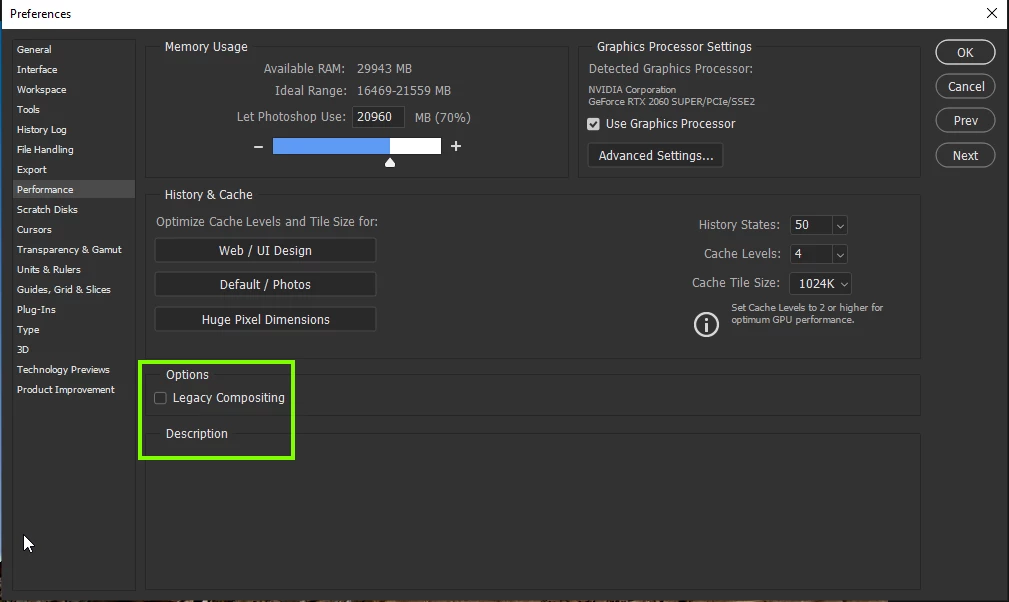
Everything "Sticks" to the background when I, for example, want to move something (another layer), then there's a "copy" of what I've just moved "sticking" to the background in the original position (see screenshot) and it won't go away until I click that visability eye thingy to hide/show the background layer and let me tell you, it's bloody annoying. It's impossible to use Photoshop now, especially when adding text to an Image. I would have to click that visability eye thingy for ach and every letter I type.
And please note: The layer is still "sticking" to the background even if I hide the background image.
I haven't touched any settings or anything from the Previous verson of Photoshop, this problem started after updating to the 21.2.0 verson.
Am I the only one having this problem?
 AdChoices